Threads are paginated for performance reasons (yes we're working on it), so to see the rest of the comments you need to click More at the bottom of the page, or like this:
Framework is promising an awful lot in its very first product—"thin as an XPS 13, repairable as a custom-built gaming PC" is a pretty tall order to live up to. We very much want to believe, but it's going to take a full Ars Technica teardown before we're completely convinced.
Although we're skeptical, we are hopeful—the fledgling company does have a pretty solid pedigree. Framework founder Nirav Patel was Oculus VR's head of hardware from 2012 to 2017, and he was a Facebook director of engineering beyond that. The company's team also includes design, engineering, and operations people hailing from Apple, Google, and Lenovo.
"thin as an XPS 13, repairable as a custom-built gaming PC" was not actually a direct quote from us, but it's nice that the folks at Ars think of our design that way!
I hope this business of yours works out because a laptop that isn't a piece of junk with too much stuff I don't need inflating the price is something I've been wanting for a long time.
I've still never seen a PC with a sane touchpad. That's the first issue in a long tail of grievances with the PC laptop ecosystem.
EDIT: This isn't a generic "pro-Mac" dig, I want a nice PC laptop because I like dabbling with Linux; however, even the high end trackpads are clunky, even with the pre-installed Windows (never mind the eternal sadness that is Linux trackpad configuration).
For whatever reason, I've never used a laptop that wasn't a MacBook that has had a trackpad anywhere as amazing as what Apple has done. I don't know if the problem is hardware, software, or both, but as a consumer I don't care. I'll never buy a non-Apple laptop until I can find one that has a trackpad as good or better. That's my personal requirement. On a personal laptop I always use the trackpad so I want it to be the best.
> That's my personal requirement. On a personal laptop I always use the trackpad so I want it to be the best.
100%. On my personal devices I don't want to compromise on trackpad or keyboards (I like that apple went back on the butterfly keyboards).
The rest of my comment is just my personal experience so take it with a grain of salt. I've found the trackpad experience on the XPS and Thinkpad X1 laptops to be excellent under linux. The libinput [1] drivers seem to work really well and the gesture support seems nice too. What I miss from MacBook's touchpad is force-touch. Not having to worry about which part of the touchpad i'm pressing was really nice when I used a macbook.
I'm contemplating purchasing a m1 macbook air as my next laptop, but I'm also not sure i'd be willing to give up on being able to run linux natively on a laptop I buy with my own money.
> I'm also not sure i'd be willing to give up on being able to run linux natively on a laptop I buy with my own money.
May I suggest sponsoring Hector Martin on GitHub[0]? He’s working on building first-class support for the M1 architecture (including drivers) into Linux.
If it includes a GPU driver, then the trackpad driver is trivial compared to that.
Actually manufacturing the trackpad hardware might be difficult/expensive, but since that's already a given, the driver can be tweaked in tons of ways to fit the regular macOS experience...
A GPU driver for a new undocumentated architecture is "trivial" compared to properly doing an input driver for a touchpad?
You make "properly handling any type of free-form user input" sound like rocket science, when it's the regular multi-touch kind of driver we have on billions of mobiles, and laptops...
The "properly" here is just the sauce for macOS handling, not some inherent difficulty of "handling any type of free-form user input" on a 2D surface...
It's because there is no great trackpad support outside the Mac. But there is good GPU support. So it seems, getting great trackpad support IS rocket science currently, for whatever reason. (I also wonder, what is going on there? I guess people on the other platforms just don't care about this detail, otherwise they would be on the Mac anyway).
There are a lot of crappy trackpads on crappy PC laptops, but the ones on the high-end laptops are quite serviceable even if not the ideal version that Apple created. With a serviceable trackpad, the other benefits of having a PC over a Mac tend to far outweigh the trackpad (for people that value what a PC brings).
Yes, I understand that, I am just not getting my head around why for example Windows is so bad with a trackpad either. I mean, how tough would it be for Microsoft to nail this if they cared?
They probably don't see it as their job. The fact that trackpad quality varies between makes/models implies that it's both a hardware and a software problem, the latter probably being drivers. Maybe there is something in the OS that hampers it though, I don't know. Would be interesting to hear from engineers at the OEMs. Frankly, when I read these comments about the problems of PC trackpads, it's like a foreign language to me. Problems with gestures, multi-touch or palm strikes.. I can't recall the last time I had a PC laptop with those problems. My XPS 2-in-1 9310 sits in a bag across the room and am typing on a four-five year old Lenovo right now, neither of which have any such problems. What I notice on the wife's MBP trackpad is the feel (glass) and the (good) lack of physical movement in trackpad - this lenovo is clearly a momentary switch and at the very upper end of the pad the force to needed to click is tougher, but it hardly matters. A tap accomplishes the same thing that a physical click does and is probably how I engage it most often. I'm just not sure it's as big a problem with decently-built PC laptops as people make it out to be. PC hardware has a lot more going for it that overshadows the delta between a 99% trackpad and a 94% trackpad. Things like a touchscreen, active digitizers, tablet modes, escape keys, function keys, facial recognition, variety.
I will never need a touchscreen in my laptop. That's what my iPad is for, which I can connect to my laptop, by the way. Function keys I've last used in the previous millennium, and I've got an escape key, thank you very much. My laptop automatically unlocks via my watch. But yes, I expect facial recognition to come to the Mac very soon, too.
And I've never used a PC trackpad with satisfaction rate of > 30% ;-) They are all shite.
I guess it is just a matter of preference. As I said, if you care about the trackpad, you will never touch a PC laptop. If you don't, you think you have a 94% trackpad, and that it doesn't matter.
I imagine getting the trackpad right is either a giant pile of heuristic rules, or a nice tagged data set for ML, or both, maybe with a side of online learning from usage. A trackpad that automatically does the right thing for me coding, my 12 year old gaming, and my 8 year old with sloppy fine motor control does seem like rocket science to me.
I didn't mention this in my comment, but i use wayland on linux and i've found the touchpad experience to be nicer there compared to X11, even though both X11 and wayland sessions for Gnome use libinput. I don't know much about libinput to know why I feel a difference in my touchpad experience between X11 and wayland.
It has to be software. I have a ThinkPad that I recently installed macOS on (not advocating hackintosh, but it's a fun project nonetheless) and the trackpad feels every bit as good as a real Mac. Smooth scrolling, smooth gesture recognition, everything just feels good. The hardware is capable of processing the gestures, but the non-Apple software just does a terrible job of making it feel good to use.
It’s definitely not just software. If you connect an Apple Magic Trackpad to a Linux machine running X, it works way, way better than the garbage that’s built into most PC laptops.
Also note that Lenovo itself has a huge variation in trackpad quality. My relatively new thinkpad (thinkpad-branded but I think the model number was yoga 360) from work has a trackpad that is just barely usable. My personal yoga c740 has a trackpad that is actually pretty nice and gets close to MBP quality when it comes to movement/accuracy (it does still lack gestures and good right-click support though, and that is likely a software issue).
I really hope these guys pick good trackpads. I can grudgingly live with a stunted feature set (gestures etc) for now because I know X makes it difficult or impossible to get right, but I absolutely cannot abide a trackpad that feels shitty and inaccurate just for moving the mouse around.
I suspect the key software is in the firmware of the trackpad itself. The hardware does a lot of processing of the raw signals before it hands the data to the trackpad driver. The driver does additional processing, of course, but this also means that alternate trackpad implementations need more than just the right driver code. The firmware plays a key role.
> I suspect the key software is in the firmware of the trackpad itself.
What your parent comment (the comment you replied to) said refutes the reply you made.
They installed OSX on a ThinkPad, and observed the desired OSX-like trackpad behavior. Apple does not write firmware for thinkpad pointing devices, so it cannot be firmware-specific behavior.
I have Intel MacBook Pro and the behavior of trackpad under Windows in BootCamp is just terrible while in a Windows VM or on a remote Windows desktop it is almost as good as on Mac. So I doubt it is in firmware.
It it software. As they did to ios, the MacOs has highest priority to all interface actions.That's why the scrolling on ios and MacOs is usually very smooth. The interface get the highest priority so if the computer is struggling with lots of simulaneous processes, the interface still will feel smooth. Very smart solution to prioritize UX. Why they didn't do the same on windows/android? No idea.
Also good defaults. In fact they don't even have certain settings in MacOS. For example you can't change the pointer acceleration, but the default one is just perfect.
Funny you say that. I'm a long-time MacBook Pro user, that migrated to Microsoft (!) Surface Go (!!) running Windows 10 (!!!) recently. Not only is the OS tolerable (after I figured how to prevent crashes ... I mean, automatic updates) and the device more convenient than any I've used before (a real computer in the iPad form factor), the trackpad is amazing as well, I truly don't notice any difference with MacBook Pro trackpad!
I care a lot too - but I care about a lot of other features, too, and refuse to buy Apple.
My conclusion was to disable the trackpad and always carry an external mouse. I do a lot of CAD work and there's nothing that compares to a real mouse for speed and precision.
I'll use my Trackpoint nib in a pinch, but the trackpad ecosystem is so bad that I just write it off entirely. Yeah, keeping a mouse on hand is annoying, but it's like a physical keyboard: Would you ever buy a laptop where you had to input reams of text with a touchscreen keyboard? No, that's absurd, keyboards are a necessary part of a computer. Would you ever buy a trackpad for a desktop PC? I wouldn't, I'd use a mouse.
Apple users buy Apple trackpads for their desktop. The Apple trackpad experience is better than a typical mouse, even when it comes to speed and precision.
That's what happens when you're the most successful technology company in the world, and you hire the best engineers in the world and laser-focus them on thr user experience.
Not to dismiss your comment - my partner is an architect and also swears by the mouse to navigate in 3D - but I got an external trackpad when getting an external keyboard (to replace my poorly performing MacBook keyboard) and I have preferred the trackpad to a mouse for sometime. This is from someone who spends a lot of time in design software. I don’t think this is uncommon, either, although I’m not sure.
That's fair, but on my personal computer when I'm lounging on the couch, a mouse isn't going to cut it. I'm also talking specifically about laptops. Apple laptops have the best trackpad experience I've ever used. So my personal laptops will always be Apple until I find something better.
I'm guessing a big reason why it has never been prioritized is due to the difficulty of quantifying the impact of great trackpad UX (and as a result, the negative impact of the shitty trackpad UX every non-Apple device offers). Higher-ups don't like things that aren't easily quantified.
Don't understand the downvotes. I believe that it's exactly this. It's an industry where you can point to a competitor's machine and compare gigahertz and megapixels and terabytes and gigaflops and build press releases on those numbers, where an industry leader tries to make a point with "It doesn't run Rocket League!", where manufacturers like Dell can put a nice touchpad in one machine and then build twelve awful ones a year later because they have so many models on so many markets that no one is even able to say with confidence why certain models have been more popular than others.
Design and UX-wise, the current laptop market is a shitshow and Apple seems to be the only company that consistently cares about the little things. Sure, they've messed up in the past (butterfly keyboards), but there is still a sense of progress.
Fan noise is the same. I bought a machine from a Linux laptop vendor. At the time of purchase, I raised my concerns about the risk of ultimately ending up disappointed when it arrived (particularly how pricey it was). They insisted that I would be happy, and that it would be much better than my 5 year old laptop that I was replacing.
Not only was that not the case, it was worse than my own pessimism that I started with.
The fan noise and the trackpad were so bad to the point that it felt like a joke, even though I knew it wasn't. People are just oblivious to this stuff and march onward none the wiser, even the people who should be doing things like comparative analysis on quality against their competitors' products.
I bought a Vostro 5301 (13" with 11th gen intel cpu) and the fan ran All. The. Time.
I returned it after doing all the windows and driver updates, choosing "quiet mode" in the Dell Power Management software. The fan would kick on while cpu strolled along at 10 or 15%. Replaced it with an xps 13 which has been fine. (I have had several xps so decided to chance it).
I remember Wacom bragging about corporate secret quantitative measurement methodologies in Surface 3-4 era, but what completely solved pen computing stagnation was Microsoft dropping them completely and Apple Pencil casually stepping in, so,
I think it's got to be a little bit of both. My experience has been that the trackpad experience with Win10 on a MacBook is poor, and the trackpad experience on a hackintosh is also poor.
I realize a sibling poster had a different hackintosh experience. I think that maybe supports my suspicion. Good hardware and good software are both necessary, but not sufficient, conditions of a good overall experience.
I really don't get what is so special about all of these trackpad debates. Honestly if my trackpad can do a 2 finger scroll I'm happy. Worst trackpad I've used was on my x201, and was only terrible because it was tiny and insensitive.
It's very simple. Use an MBP for a few months, then switch back to another laptop and just see how long you last. I never used a trackpad at all until I got an MBP - always a mouse. Can't go back to that now. The one on MBP feels like a finely tuned instrument that does exactly what you mean it to do.
I'm a designer, and even on my work issued Macbook I had no issue using design programs like Sketch or Figma with the trackpad. It was really effortless and sometimes even after I got back to my desk where I had a mouse I'd still be using the trackpad for an hour after without even really realizing, it's that good.
It even feels amazing, physically. It's smooth and your finger just glides right over it and still registers the touch with barely any pressure. The combination of the hardware, the size, and the software (drivers, OS, whatever else) is just the best I've ever used. Best of all, it's like that right out of the box.
For laptops, at least, I'm solidly Apple for the trackpad alone, I like it that much.
Would you consider using one of the trackpads you're happy with INSTEAD of a mouse? For non-precision work, that is. Browsing, navigating an IDE, clicking around the OS, stuff like that. In an emergency anything that does a two finger scroll and registers a click is okay, but would you enjoy using it for eight hours every day? Apple will confidently sell you a $5000 desktop machine with just their trackpad, because it is that good.
> Apple will confidently sell you a $5000 desktop machine with just their trackpad, because it is that good.
I mean... Apple will also "confidently" sell you four little castor wheels for 700 quid[0]. I'm not sure we should view their eagerness to take money off you as a sign of how great they are.
The best trackpad I've used was on the Tegra K1-based Acer Chromebook 13. It had a good size for multi-touch gestures and was just really well integrated. Combined with a nice low-friction surface and a positive click, I still haven't found its equal.
In fact, that line of chromebooks had the best overall package. Slim, but very sturdy plastic body, a surprisingly good keyboard, ~10 hour battery life. The 13" FHD screen was OK, but not amazing, I would have liked an IPS panel instead of TN.
The major downside is that it was a 32-bit ARM-based chromebook and everyone was going 64-bit x86 instead. So it got slower and slower with each successive update, eventually it couldn't even play 1080p Youtube videos anymore, or even 720p60. Such a shame.
The hardware + software configuration for the majority of touchpads I've used on Chromebooks are on par or better than MacBook touchpads. It's just that people pretend they don't exist, whether in consumer complaints comparing MacBooks to everything else, or by the people responsible for freedesktop-based software who themselves continue purchasing terrible hardware and keep the software (drivers, userspace apps, etc) in the same sad state that it's always been in instead of copying what's happening with Chromebooks.
Look at Firefox for an example of the latter. I'm typing this on a Chromebook intended to run ChromeOS, but it's actually running Ubuntu. The touchpad experience from the factory is as good as it should be. When you wipe the machine and install Ubuntu and use Chrome, it's still pretty good. Running Firefox on the same system gives you its same janky scroll behavior that you get anywhere else that isn't a MacBook, for no good reason.
People act like there's some yet-to-be-understood law of nature that make MacBook touchpads good and everything else bad. This is demonstrably false. We have existence proofs to the contrary.
There are so many people responding with incredulity to the fact that pc laptop makers haven't come up with a good Trackpad, but to me the reason is evident in the first interaction you have with any pc laptop manufacturer. Show me a pc laptop website that isn't an absolute horrific fucking mess, then find me a product on that website that doesn't look like a stupid broken plastic box thing, and then maybe we can start talking about trackpads. These companies seemingly want people to buy arbitrary products off the shelf and NEVER return. I'll grant that there may be a few notable exceptions, probably Razer is one, but the rest are abominations.
I think that since they manufacture so many other touch devices that the software, data and or expertise in designing those devices transfers over into touchpads.
They invented good laptop design. Up until 2011, most laptops were shitty clones of the PowerBook Duo in terms of design. After 2011, most laptops became shitty clones of the MacBook Air.
It's funny that PC and Android can never reach the smoothness of Apple's touch pad and screen scroll when it's really the basic thing of computer usage where it matters.
Apple did it right 15 years ago and why do others still suck at it?
they don’t care. i’d love for someone to defend the idea that for all these years, microsoft has really wanted us to have first class touchpad experiences on their laptops, but they just couldn’t figure it out. A problem too hard, a bridge too far, an unattainable moonshot for however many hundreds of thousands of software engineers microsoft has employed over the years. so, once again, the reason it’s only that good on mac is because no one cares in the windows world, from microsoft to their developers and ultimately their customers who don’t value that feature. edit: i spend most of my life in linux but I have a mbp for photoshop and capture one. on many topics I hate my mac with a cold fury but credit where it’s due.
Am I really that unique in never having used the trackpad on a laptop at all, other than a last resort being forced to use some weird non-Lenovo thing without a nipple?
Always an external mouse in the backpack and the nipple as a fallback.
Where's the fanboyism in that?
They were commenting on a post about how most PC touchpads suck and that for some people a great touchpad is a requirement, the absence of which would prevent them from buying other laptops, such as the Framework Laptop.
> for some people a great touchpad is a requirement,
The touchpad. Nothing else. Just the touchpad?
I'm not given to hyperbole but methinks there's a lot of info and technical requirements that go into purchasing an expensive item such as a laptop. Screen size and quality, keyboard quality, ports, batter life, weight, performance, looks - oh you know...normal stuff.
At least for us normal people. Maybe my mistake was there.
A requirement, not THE [single] requirement. English isn't my first language but I believe that what I wrote is clear enough and you're playing dumb for some reason.
This is the best place to talk about that. There may be multiple suppliers of trackpads for the Framework and so they GP might finally have some choice.
The sad part is that it's not just a hardware problem. While most PC laptops have really terrible trackpad hardware, some do have pretty decent hardware. It's just that the software is still absolutely terrible. You can run Linux on a relatively modern Macbook, and the trackpad becomes terrible.
I'll be honest, I've used a laptop as a primary computing device my whole life - and I have no idea what a "sane touchpad" would even be. They really are so frequently bad that I can't imagine what a good one would be like. I mostly use PCs (often with Linux), but used a mac for work for while - and I can't really say I saw the appeal in that touchpad either. Besides issues that come from low-quality pads + linux drivers (ghost mouse movements as I type, stupid imprecision from weird acceleration setting) - I don't like the way that most touch pads feel cold and metallic, and how they always attract dust you can feel as you use.
My solution has always been to just keep a wireless mouse with rechargable AA's in my backpack. If I'm using my laptop on a couch at home, I have a wooden lap desk with ample mouse space to accommodate it.
Additionally, the thinkpad I have now has both an eraser mouse and touch screen + stylus (as well as a trackpad), so if I do have to leave my mouse at home, I at least have options. I like the eraser mouse because I don't have to move my fingers away from the keyboard - and even if it feels it takes slightly longer to move - it's more pleasant tactile experience for me.
I'm with you on this one. I just find them incredibly difficult to use long term, despite multiple years across the various Macs and PC laptops I've used.
I strongly suspect most of the complaints about PC trackpads are a bit like Windows/Linux/Mac users complaining about the current font rendering on any of the others. I can't help wondering how much is just personal preference + a bit of echo chamber.
Well actually, Win10 font rendering is broken, i.e. 1 and l look completely the same on Courier New on Win10, but not on Win7 ... there are years old bug reports (it broke in some feature update), but of course those have been ignored.
Yeah, the surface line seems to have quite-acceptable trackpads. I have an SP4, and the keyboard-cover's is... a bit strange to the touch (highly textured), but works reliably.
Unlike so many other brands. The vast majority I've used have been an endless stream of frustration and flakiness.
I have an SP4 as well and enjoyed the touchpad on it. I don't think it is as good as the macbook one, but the surface makes up for this with the touch screen. I would often mix it up between screen and touchpad touches to navigate and I miss it now I am using a macbook.
Yea, I'm not actually all that fond of the SP4, but it has utterly convinced me that touchpad + touchscreen is massively superior to either one alone. It's so natural feeling.
I’ve never understood why people⁰ care so much about trackpads. For working with text (including code) keyboards are better, and for gaming mice are better. Where I'm less sure is graphics and video, but it seems to me like specialized mice, graphics tablets, and other tools (eg. https://www.blackmagicdesign.com/products/davinciresolve/key... and https://www.blackmagicdesign.com/products/davinciresolve/pan...) are better. The only thing trackpads seem good at is browsing¹, which IMO should be a slightly glorified text task where Pentadacyl/luakit/qutebrowser/etc.² vi-style keybindings³ are best.
Edits to respond:
My point is that most tasks are either ① best done in a good text editing / development environment that works well with a specialized text input device — a keyboard — or ② would be better done with a specialized non-keyboard, non-trackpad input device (eg. a gaming mouse, graphics tablet, etc.)
⁰especially here on HN
¹including scrolling through PDFs and other documents ²or Zathura or less ³and/or/including PageUp/Down, Home, and End on luxurious large keyboards. Space and Shift+Space are okay on smaller ones.
my point is that most tasks are either ① best done in a good text editing / development environment
Your point is only correct if you replace the word "most" with "my." The fact that trackpads are hugely popular indicates that your needs are not typical, and you should not impose your choices upon others with different needs.
would be better done with a specialized non-keyboard, non-trackpad input device
Show me a better multi-purpose input device that I can use to rotate objects on a screen. Or zoom into a specific object without affecting other objects on a screen. Or configure to have multiple hotspots that when tapped can trigger events or macros.
Again, trackpads aren't your thing. Good for you. Other people love them, and millions of people get real work done on them each day.
> Show me a better multi-purpose input device that I can use to rotate objects on a screen. Or zoom into a specific object without affecting other objects on a screen.
I agree with you in general, but a trackpad is in fact really, truly horrible for these tasks. As humans we are designed to rotate objects precisely, and that design does not involve using two fingers to slide about arbitrary locations on a flat plane. It involves grasping and rotating with the hand. For rotating and/or zooming, a large knob attached to a high-resolution encoder would be a million times better.
I think you missed the goal of the multi-purpose requirement. Proselytizing custom input controls for every possible task on a portable device is...weird.
I also liked the dedicated scroll wheel on MS Office-themed keyboards. They might have gone overboard with the clipboard control buttons, but the wheel felt reasonable.
If you haven't looked at them before take a look at 3D mice. Commonly used in 3D modeling and CAD drafting they are the best at interacting with items in 3D space but I wouldn't actually like one for text/flat image interaction. Mapping 3D movements to a flat plane is less intuitive than it may seem if you haven't done it. Most the 3D professionals I know use a touchpad or regular mouse for 99% of the non-3D usage.
How about a little sphere or oriented volume that magnetically levitates out of its cubby when the device is powered on -- and maybe the field could be varied to simulate different amounts of resistance ...
I actually buy this conclusion for this use case, but in fairness the debate was "keyboard vs touchpad". So touchscreen > touchpad > keyboard for rotating objects. But for other things, having to reach up to the screen (e.g., scrolling), is worse than touchpad. With a trackpad, I only have to articulate my wrist while my arm remains resting on the surface; with a touch screen, I have to lift my whole arm and articulate my shoulder and elbow if not also my wrist.
I didn’t mean for it to be that exclusively. I tried to say that keyboards are the best text input device, but gaming mice and controllers are the best gaming input device, graphics tablets are the best graphics input device, and video editing input devices like the ones I linked in my original comment are probably best for video editing (while trackpads are at best decent scrolling/browsing devices, but IMHO I personally prefer keyboard scrolling like in the terminal pager less, the PDF and other document viewer Zathura, and vi-inspired browsers/browser plugins like luakit, qutebrowser, and Pentadactyl).
I find the mouse better for zooming (scroll wheel) and rotating (click and drag). Second to that, for less articulate but quick performance of same task, using the touch screen to rotate and drag in the same way you would on a track pad but actually interacting with the imagery directly. The laptop keyboard and trackpad combo is fine, but to me they’re merely a convenience until I can get back to a “real” keyboard and a mouse. It’s not uncommon for me to spend hours using the laptop’s HIDs directly, but I don’t think it’s very ergo, and definitely not as productive as a full desktop setup. External trackpads don’t sell well for a reason - simply that if you have the desk space for one, almost everyone is better served by a good quality mouse.
>Your point is only correct if you replace the word "most" with "my." The fact that trackpads are hugely popular indicates that your needs are not typical, and you should not impose your choices upon others with different needs.
But Apple trackpads are not hugely popular, they have a fraction (~10%, likely less) of the global market. Does the fact that non-Apple computers are hugely popular indicate that the needs of Apple trackpad fans are not typical, and they should not extol their virtues to others?
> Show me a better multi-purpose input device that I can use to rotate objects on a screen. Or zoom into a specific object without affecting other objects on a screen. Or configure to have multiple hotspots that when tapped can trigger events or macros.
I’ve previously used a normal Apple mouse and keyboard to do all of these things in Adobe Photoshoshop and Illustrator on macOS and subsequently a random BestBuy mouse and ancient Compaq keyboard to do them in Gimp, Inkscape, and Blender on GNU (with xdotool for hot corners, which I’m counting as close enough to tapping hotspots). A graphics tablet would only work better.
> Again, trackpads aren't your thing. Good for you. Other people love them, and millions of people get real work done on them each day.
Again, non-Apple trackpads don’t seem to be your thing. Good for you. The majority of trackpad users use them every day.
You... you do realize that you can’t order a PC laptop with a Mac trackpad, right? No one is like, “I could have the Mac trackpad for the same cost, but I prefer the stuttery trackpad that moves the cursor and selects shit when my palm gets too close”.
> You... you do realize that you can’t order a PC laptop with a Mac trackpad, right?
You can as long as you can order x86 Macs with Bootcamp.
> No one is like, “I could have the Mac trackpad for the same cost, but I prefer the stuttery trackpad that moves the cursor and selects bleep when my palm gets too close”.
No, but there are plenty of people who think “I prefer no trackpad to accidentally swipe [—even if palm rejection is perfect, I want total hand —including finger— rejection—] at all”, from people who buy Macs and use the setting Apple provides to disable the trackpad when mice are plugged in, to people who use their Mac as a PC laptop and manually disable the trackpad (https://www.lakshmikanth.com/how-to-disable-trackpad-on-boot...), to people who try to more permanently disconnect broken old Mac trackpads (https://apple.stackexchange.com/questions/386625/macbook-pro...), to people who physically disconnect their trackpads, to people who buy old thinkpads because eg. at least some x200s have only a trackpoint and fingerprint sensor.
It seems like you've moved the goalposts from your original claim/implication that non-Mac trackpads are more popular to "not everyone likes trackpads". As far as I know, no one has argued that everyone likes trackpads?
My implication was that the fact that many people use trackpads doesn’t somehow prove that trackpads are a good tool (as reaperducer seemed to imply) (despite the fact that people can’t easily get laptops without them) any more than the fact that many people use non-Apple trackpads somehow proves that non-Apple trackpads are better (despite the fact that many people can’t easily get laptops they like without them).
I’ve previously used a normal Apple Magic mouse and keyboard to do all of these things
If you've used a Magic Mouse, then you've used a mouse with a trackpad on its back. Glad you liked it!
And no, rotating in Photoshop with the keyboard isn't the same as rotating with a trackpad. It's an entirely different process that is significantly less efficient, unless you already know the exact angle of rotation you want down to the 0.1°.
> If you've used a Magic Mouse, then you've used a mouse with a trackpad on its back. Glad you liked it!
My mistake. I used a standard Apple mouse (https://en.wikipedia.org/wiki/Apple_Mighty_Mouse). I used its clickable scroll ball and squeeze functionality and suspect I would dislike the Magic mouse.
> And no, rotating in Photoshop with the keyboard isn't the same as rotating with a trackpad. It's an entirely different process that is significantly less efficient, unless you already know the exact angle of rotation you want down to the 0.1°.
IMO the ideal mouse + keyboard rotation style is Blender’s, which is more efficient in this scenario than a trackpad. But I still believe a graphics tablet would be objectively superior.
Have three graphics tablets, while they are FAR superior for art work they are not at all better for rotation. In fact I use blender on Mac and regularly use the trackpad to zoom and rotate because it's far more precise. Similar for 2D drawing, my favorite 2D environment is the iPad Pro and Apple Pencil. I still rotate with two finger gestures.
> But Apple trackpads are not hugely popular, they have a fraction (~10%, likely less) of the global market.
The person you're replying to said "trackpads are popular" with no mention of Apple. Your entire argument so far has been against trackpads in general. Why shift goalposts?
Is it even called a "trackpad" outside of Apple machines? I'm pretty sure they're called "touchpads" generally. So maybe "trackpad" is inherently referent to Apple.
I gave you data by showing links where other companies like Blackberry, Lenovo, Microsoft, and Asus use the word "trackpad" themselves for their own devices. Lenovo even cutely capitalizes the P to fit their ThinkPad branding. You could also google around and see random people on reddit and elsewhere talking about the "trackpads" on their dells, hps, vaios, matebooks, and so on.
I'm not saying that "touchpad" isn't more common, but the evidence _clearly_ shows that "trackpad" isn't exclusive to Apple devices.
The comment I was replying to was ~⅔ quasi argumentum ad populum. So I replied to their quasi argumentum ad populum with examples of it applied to the broader context of the thread, including the comment I originally replied to, and replied to their other argument with counterpoints both with and without Apple hardware.
In my day job I'm constantly reading PDFs. Being able to zoom in/out, scroll, and move the cursor with such low effort can even bring me a little bit of joy. It's not really about what is most efficient. Computing should feel good. That's why it's hard for me to move away from Apple's trackpads.
is a good description of what I feel reading PDFs efficiently, near effortlessly (which to me is near the same thing), and comfortably (also similar in that it involves minimal reaching, but also includes automatic semi-smart dark theming, easy good zooming, etc.) with Zathura.
> I’ve never understood why people⁰ care so much about trackpads. ... would be better done with a specialized non-keyboard, non-trackpad input device
So you want a specialized input devices for every task on a mobile device. That's an interesting choice. And I guess you also want to carry all these specialized devices around with you?
> browsing¹, which IMO should be a slightly glorified text task where Pentadacyl/luakit/qutebrowser/etc.² vi-style keybindings³ are best
Ok. Say you see a headline on HN that looks interesting, and you go to click on it. Wait, no, you...uhh...tab tab tab tab tab over to it and press enter to go to the comments page (like we all do) and start reading the comments. And, oh look, you want to respond to one of them. So you...uhh...tab tab...uhh...tab...tab tab tab tab tab tab tab...tab tab? Or you could just point and click.
Your proposed critical tasks of shifting the viewport and appending text to the current cursor location meet approximately 0% of computing user needs. The vast majority of all computer interaction is putting the cursor in the right place in the first place. The keyboard is terrible for that, external devices encumber portability, vertical touch screens require significant muscle control and effort, and trackpoints drift and do fewer things while being worse at all of them.
Please take a minute to type the name of any of the browsers I named into your favourite search engine or package manager and return when you know what we’re talking about. (This comment was made via Pentadactyl).
> The vast majority of all computer interaction is putting the cursor in the right place in the first place.
This is why it pains me to use browsers where I can’t tap [count]gi to focus input fields.
Enlighten us all. What exactly did you press and what mental decision and awareness process was required to do it starting from the front page?
> [count]gi
"[count]" sounds like one would need to know how many like things on the page precede the thing you're trying to get to. Thanks but no thanks. 150! Oops, 100! Oops, 130!
Pretty much everything clickable gets tagged. Buttons, text inputs, links, etc. If what you want to click on has a word in it, you can press '/' and type the word then hit enter to click it so that would probably be what I would do if there was ever a missing tag. That's also how you can highlight text. This is for vimium at least.
In Tridactyl, you just push f, which allocates each key on the keyboard to a visible link on the screen. So to reply to your comment, the keystrokes were
and a lot easier- not to mention, less RSI-inducing- than mucking around with a mouse, or trackpad, or trackpoint, trying to aim a little cursor at a little box multiple times in a row.
f20 selects this discussion (the 20th link), but I used f4<Enter> to select threads (the 4th link); j,D, and <Space> scroll down by a line, half-screen/page and full-screen/page respectively; fr4 selects the correct reply (the fourth link whose text begins with r); gi goes to the first input field and enters insert mode.
In insert mode I may use the simple mixture of emacs/readline and CUA bindings — like ^w to wipe the last word, ^a to go to the beggining of the line and ^e to go to the end (eg. when inserting a > before a blockquote, then appending my commentary) — to write a straightforward comment from beginning to end, or I may use ^i to pop the field open in my $EDITOR (vis), where motions like m to mark my place, G to go to the end, o to open a new line, and M to return to my mark are useful for comments that might be written non-linearly, eg. if they have footnotes. I can save and exit vis (if I use it) with ZZ, and submit the comment with standard CUA <Tab><Enter>.
If I reference any other material then Pentadactyl’s browsing bindings like go«character» to open a quickmark, s to search, p or P to paste my X11 primary selection as a search term or the url of a current or new tab, b to fast-as-you-type search through tabs, y to yank the current website, ;y«number and/or title of link to yank» and d to delete a tab are useful (along with standard X11 Shift+Insert to paste the primary selection in insert mode).
Ideally though, I should use Pentadactyl only for browsing — for scrolling through and reading web documents — and have a dedicated newsreader that understands what posts, comments, etc. are and could make this several times more efficient. I’m currently dipping my toes in evil-mode emacs, which should enable this. I’ve recently spent less time on HN and more on IRC where I do have a dedicated native client that makes things orders of magnitude more smooth than trying to use a web client in my browser.
Now I can't tell if this thread is meant to be satire.
> f20 selects this discussion (the 20th link) but I used f4<Enter> to select threads (the 4th link)
So first you have to visually recognize every link in between the beginning and what you want to choose and then you have to count them all? I hope you don't miscount!
> j,D, and <Space> scroll down by a line, half-screen/page and full-screen/page respectively
How many lines, half-pages, or pages is it from the top to here? Just curious.
> fr4 selects the correct reply (the fourth link whose text begins with r);
So first you have to decide that "starts with r" is a good heuristic for getting where you want to go and then you have to find all of the links that start with r and count them?
> gi goes to the first input field and enters insert mode
But if it's not the first input field, then you have to count them or cycle through them?
> Ideally though, I should have a dedicated newsreader that understands what posts, comments, etc. are
So now you want a special bespoke reader for every website?
Oh yes this all sounds so much easier than just pointing at the thing you want! Thank you for clarifying.
I believe every single statement in your comment is factually false. The only one I don’t feel objectively certain of is this:
> Just curious.
But I sincerely doubt it’s true based on the tone of your comment. I’m willing to walk through each sentence with you, but as I have already sunk significant time into trying to help you I politely request that you first prove my doubt unfounded by investing five minutes in grabbing luakit, qutebrowser, or Pentadactyl — or at the very least a WebExtension attempt at emulating them like SurfingKeys — with your favorite package manager/browser and trying it out for yourself.
Edit: However I will walk through the sentences for the sake of the other people reading this thread in better faith, to respond to the strongest [weakly] plausible interpretation of your comment, although text is a worse medium for learning GUIs than video which is worse than first hand interactive use.
> So first you have to visually recognize every link in between the beginning and what you want to choose and then you have to count them all? I hope you don't miscount!
No, the browser automatically highlights them in a style of your choice (I use a gruvbox theme) and visually numbers them for you. You can also just begin typing any part of the link’s title and it will be selected when you’ve typed a subset unique to it.
> How many lines, half-pages, or pages is it from the top to here? Just curious.
~3 out of 4 screens on my threads right now. But note that I scrolled down one piece at a time and only know this because my bottom status bar happens to display it (as well as the url, mode, a minus or plus signifying pages back or forward in the tab’s history, on a background that signifies the SSL status of the site).
> So first you have to decide that "starts with r" is a good heuristic for getting where you want to go and then you have to find all of the links that start with r and count them?
No, you don’t need to use a heuristic but it saves reaching your left hand to the number row to eliminate half a dozen links by typing fr instead of just typing f10.
> But if it's not the first input field, then you have to count them or cycle through them?
No, you can use ;i to select fields the same way you select links, but it hasn’t taken me the months I’ve been using HN to notice all top-level discussion pages have exactly 2 input fields: one to add a top-level comment and one for the Algolia search (gi or 2gi will instantly teleport you to and insert you cursor in the first or second one respectively).
> So now you want a special bespoke reader for every website?
No, I want a native client for each type of software: a browser for browsing (exploring and reading) web documents, a news reader for news, an IRC client for internet real-time chat, a mail client for mail, a media player for playing media (I copy links and use a sxhkd binding to open them in MPV — https://news.ycombinator.com/item?id=24509028), etc.
I’m using a different plugin (I think it’s vimkeys) which is also great. I wanted to give the pentadactyl a try, but it looks like it’s discontinued- the latest release was in 2014. Am I looking in a wrong place?
The development¹ has been continued by the community after Firefox removed support for XUL extensions.
¹Well, tbh basic maintenance is a more accurate term — the updates have been minor, and the patch that enables it in the latest version of Palemoon hasn’t been pushed to the addon store yet, you have to clone from master at the moment.
> I’ve never understood why people care so much about trackpads.
Because most people don't use vim and mice aren't usable unless you're sitting at a flat surface with the room to hold one. If I'm using my laptop on the couch, a trackpad is probably the best solution. (Trackpoint gave my index finger RSI, when I was was being careful.)
> mice aren't usable unless you're sitting at a flat surface with the room to hold one
Trackball mice a good solution to this problem. I had work on a bed without a table for 2 weeks last year, and a trackball mouse ended up working great (I didn't like using the trackpad, since switching from the keyboard to trackpad on a laptop is fairly uncomfortable if you do it often enough).
Trackball mice are thick, and inevitably got schmutz in the bearings and got slow. Then you'd have to open them up and clean them out.
Trackpads were a great upgrade to laptops when they happened, even though at the time, excessive moisture screwed up the trackpad, to the point that I needed to have a dime handy to put my finger on for a half hour after getting out of the shower.
(Source: I've used mac portables since the PB 100, including most of the major versions)
> a trackball mouse ended up working great (I didn't like using the trackpad, since switching from the keyboard to trackpad on a laptop is fairly uncomfortable
Switching from the keyboard to something an inch away is uncomfortable for you, but switching from the keyboard to something a foot away is not? I don't get it.
Moving to the mouse is a movement where the distance from my hand to the body stays the same, while moving to the trackpad is a movement where I need to being my hand closer. For whatever reason, I find the second easier.
Additionally, when I'm using it on my lap, the trackpad is basically next to my body, which makes my wrist position a little uncomfortable.
Looking back, I think it's not really the switching, but rather the comfort when using one for a prolonged period, for which I found the trackball easier.
I find that the larger trackpads on newer macbooks help with this a lot because the upper right corner of the pad is easily accessible at exactly the same angle of inward rotation by just pulling your elbow back along the side of your body. The Apple magic, I guess, is being able to have that without constant phantom palm touches.
We used to have a far better solution for that, the pointer stick on Dell and IBM laptops. Direct control over the cursor without abrading your sweaty dirty finger skin over a frictive surface.
I've been a Trackpoint addict for over 20 years, using computers 8+ hours a day. I wouldn't consider any other pointer method. Trackpoint drift is an issue, but it's not really a big problem. A few times a month, it happens for a few seconds, then it works itself out. I have had episodes of cramping, but they've gone away with no long term impact.
It may be that I've become more zen/accepting, because I'm sure a mouse or trackpad can be more precise pointing tools, but it's worth it for the connection. Input is all about the keyboard and mouse, and the proximity just makes so much sense, especially when using vim mode. I could imagine better systems where typing with a keyboard is still the main input, but they would all involve not taking my hands off the home row.
Funny, because I see people complaining about it still in 2020 on brand new Thinkpads. See for instance https://www.reddit.com/r/thinkpad/comments/ken18b/does_your_... and the comments saying "They all drift, it's inherent by the sensor design", "It drifts on all my ThinkPads too", "Mine sometimes drifts".
So unless your definition of modern is "ones that haven't been released yet", I think you might be wrong.
Agree that efficient development (regardless of IDE/editor) is done best using primarily keyboard.
Also agree that detached keyboards and mice will almost always be superior to their on-board counterparts.
But, I think we're being a wee bit cognitively dissonant if we tell ourselves notebook keyboards and trackpads don't receive a non-trivial amount of use--even from the best of us.
Even more, why are keyboard and external-mouse purists even bothered with even owning a laptop if they rarely/ever intend to use the most major distinguishing features that separate them from desktops in the first place?
But even if you don't agree with any of that, why shouldn't we still demand a damn-good version of a highly ubiquitous tool, even if we don't personally use it that often? (Especially since Apple has proven that it's possible.) On HN (and the rest of the dev community) are perhaps the most demanding critics of anything technology. "Server starts up 8% slower!--dogshit!" "New release consumes 5% more memory--are you kidding me!" "Battery lasts 25m shorter--I'm in tears!" "The new theme is highly disruptive to my workflow--OH THE HUMANITY."
I'm not being critical of our being sticklers. We should be! That's our job! Our fellow devs care about quality; our users care about quality. We should care about what our users care about. We have the voices and power to advocate for good products for all that use technology. The trackpad will be a major way people interact with computers for a long time to come and I'm not prepared to hand-wave away the mediocre.
> I’ve never understood why people⁰ care so much about trackpads.
Because it's nice to be able to use my laptop without having to find a tabletop and dig out my mouse. In bed, on the couch, on a bus, as a passenger in a car.
Smartphones have taken over a lot of those situations, but a small laptop is still much better for a lot of tasks. I don't use Macs anymore, but their touchpads are actually as precise as a good mouse, and it just feels really nice.
Same thing with knobs and graphics tablets, though it's not a use case I have personally. A dedicated peripheral is probably more powerful and precise, but sometimes it's nice to use your laptop from your lap.
I had the same opinion until I used a MacBook. The trackpad works beautifully, the gestures make sense. It’s close to perfect. Even while on a docking station at my work desk I either the MacBook trackpad or the Magic Trackpad.
A friend of mine is a professional photographer, he is using his trackpad to process and edit his pictures. Hundreds of them per session. And it's not like he can't afford a mouse or even specialized hardware.
And having tried Apple touchpads, they are actually good, so much that they released a standalone version for desktop computers. On every PC I have tried, at best, they provide you with a pointing device in case using a mouse is impractical. I don't intend to buy a Mac for several reason but I have to admit that their trackpads are not in the same league.
Use your thumbs. The track pad is right below the space bar.
Or, it's close enough that with hovering hands you can move back and forth between keys without looking. It's much faster to navigate a code base that way, I think, than trying to jump in vim lines at a time. A smooth, continuous scroll at easily controllable, different speeds does wonders for keeping continuity of a file in mind.
This is why I like having not just ^f/b full page, {}() paragraph and sentence, and of course j/k line scrolling but also ^u/d half-page scrolling so much that I mapped them it U and D in Zathura and Pentadactyl just for the centimeter of finger movement that saves.
{} are approximately as far but they’re in the same direction that your fingers naturally point. () are farther but as words in the languages of vi and vim they're a powerful operator that have no mouse equivalent (unlike w[ords] and {} paragraphs/lines which have double-click and triple-click). Editing the middle of a sentence, then deciding to move it to a footnote is IMO easier with `<Esc>di(}p` or `<Esc>di(Gp`¹ than with `bend thumb/wrist backwards / arm up and to the right, drag thumb to end of sentence, double-click drag to select one word at a time to the other end, release and drag sentence down precise number of lines to next paragraph or all the way to the end of the document (or how I would move the selection, Backspace, PageDown to the end, Shift+Insert)"
¹Let me test that. I like digraphs a heck of a lot more than scrolling through a symbol list btw. This was also a nice use for marks.
Not sure what you're confused about - your hand can hover over the keyboard and trackpad at the same time - they're right next to each other. I don't need to move my hands to go from one to another?
¿Por que no los dos? Seriously, I wasn't talking about replacing my keyboard with a trackpad. They are different devices with different purposes and are intended to be used together.
When done right, they're wonderful. When done wrong, you end up creating custom keybindings to augment your workflow and lug a mouse around when that doesn't cut it. I've never seen a PC laptop do it right.
XPS trackpads have always been number one, from the very beginning. I'm working with a 10 year old laptop and its trackpad has performed flawlessly and is superior to any MacBook I've ever used (but especially older ones).
My XPS has the advantage of two physical buttons for left and right click. They require just the right amount of force to press (like a slightly softer mouse button with deeper travel). It makes dragging things around (which I do a lot because I don't use a tiling window manager) very easy. Which doesn't feel like something I should have to comment on, but doing this on a MacBook is pure suffering. Trying to hold down the giant button (which takes quite a bit of force) while trying to drag your finger... ugh. It's miserable. Because of the physical buttons I can actually play some games on my XPS without needing an external mouse (or putting up with misclicks)
In terms of hardware, what people are looking for is mostly surface feel, size, features. It's the former where cheap laptops fall down. Most of the ones I've used really suck, actually. Some of them are bad enough that the manufacturers actually texture the surface to try to slow your finger down, I guess because the accuracy of the touchpad isn't very good. High end touchpads like the one on the XPS or MacBooks have flawless feel: extremely low friction surfaces.
It's not commonly noticed, but software contributes at least as much to how a trackpad feels as hardware. Given the limitations of its hardware, I have no quarrel with Apple's software quality. (Though the defaults are weird, like not being able to tap-to-click. They really want you to have to use that damn button.)
Windows has historically sucked at this. I've seen about half a dozen trackpads that seemed absolutely terrible, and no Windows settings could make them better. After moving them over to Linux (on the synaptics driver) they suddenly became quite okay to use, even if the hardware was crappy. I'm afraid this era might be ending, sadly. I've had nothing but bad experiences with libinput. It lacks the kind of configurability you need to improve on the performance of a bad touchpad. (It's even quite bad under Wayland for the XPS touchpad - you can't set the combination of low speed, high acceleration that feels natural to me for this touchpad.)
> Trying to hold down the giant button (which takes quite a bit of force) while trying to drag your finger... ugh. It's miserable.
Not wishing to detract from your personal experience but "quite a bit of force" is at odds to mine - on this M1 MBP, it takes less force to activate the trackpad click than it does to activate a keypress. And once you've clicked, you can use a second figure to drag; no need to try and drag with the force finger (I use my thumb to click for power*, then index to drag for accuracy.)
Another comment regarding the click and drag behavior.
One thing I would definitely expect a recent migrant to apple trackpads to experience as negative would be "force click". The apple trackpads sense force in some analogue way and if you push hard enough you can activate another action called force click. It's ridiculously easy to activate on accident when holding click while dragging -- but this "feature" can be turned off (and probably should be for most people I'd wager).
I've never tried using the middle finger for dragging -- seems awkward but i'll give it a try ... won't that activate the two finger drag operation?
Yes, your point is entirely fair. I should have clarified that I was talking about an older (mid decade) MacBook Pro. It requires enough force that, with my arm just positioned normally, I can actually feel the torque applied down the whole of my forearm.
My understanding is that Apple has made the clicks much lighter in their later models - along with doing the exact same thing with the keyboard keys, which for me goes much to far in the other direction.
The latest iterations as I understand are like this:
- keyboards were reverted similar to how they were around 2015.
- all the new trackpads are don’t require a physical actuation to activate. You can apply the same amount of minimal pressure anywhere on the trackpad and it “presses back” at you to simulate a physical click. It’s quite convincing.
AFAIK the button doesn't actually move, it's like the home button on some older iPhones (like the 7). It detects the pressure and has a haptic feedback to make it feel like a button. If you look at a powered off iphone 7, the button is just an indent on the otherwise fixed glass panel.
Exactly. The most impressive part is that it really feels like a click, down to the illusion it's moving down (but it's not, at all). When powering off (or there's a crash), the feeling of it being immovable is surreal. Plus the surface is suddenly responding evenly (the clicking ones had a hinged design, so it became increasingly hard to click upwards the surface)
One can leverage the haptic feedback to make the TouchBar a bit more lively[0]. The illusion breaks a bit since the haptic device is farther away from the touch surface but it's still quite a transformative experience for the TB.
As you say, the default mac os touchpad settings are somewhat strange to me.
But the touchpad can be configured for the bottom side of the touchpad to function as buttons: if you touch it directly, it won't register as mouse movement. If you press on the left, it's a left button, right is a right button. So while not actual physical buttons, it's pretty damn close. I don't actually use this so not sure houw this would work out in practice for your needs.
Regarding the dragging situation, there's another setting that's now been buried in "Accessibility" for some reason, but that was present in the touchpad settings before: "drag hold".
This allows you to lift the finger from the touchpad for a brief period while dragging without stopping the dragging. This, to me, is the pinnacle of touchpad experience. You can start dragging wherever you want on the pad and go as far as you like, you never run out of space.
There's also a similar option that some people like: three-finger drag. It works like scrolling, except that if you use three fingers it starts dragging.
In terms of hardware, IMO my XPS 15's trackpad is superior to my MacBook Pro's trackpad. The gesture support from the OS obviously isn't as good, but the XPS sure does feel better to use.
Honestly, my xps is the only laptop that comes close to my macbooks... Yo be fair, the touch screen and pen on the XPS blow away the ones on the Macbook.
Yeah, I'm not sure about any of this, I grew up with PC trackpads, used them on Linux all the time and other than a few annoyances with accidentally tripping the trackpad when typing, never had a problem with them. The Macbook actually took quite a bit of time to get used to and many settings had to be adjusted (looking at you backwards scrolling).
In fact, I think I like the trackpad on my cheap Logitech K400 just as much as the Macbook, I'd be hard pressed to point to a significant problem with either.
Do you use gestures at all? I have both a MacBook Pro (for work) and a Logitech K400+. Two-finger scrolling on the MBP is fine; light pressure on the touchpad is enough to scroll very smoothly. Two-finger scrolling on my X230 is also fine, if a bit jumpy - I can at least keep my place while I'm scrolling, and it still takes only light pressure to recognize the gesture.
Two-finger scrolling on the K400+ is painful. (Actually physically painful; I have RSI in my right arm and poorly-tracking touchpads can be a trigger.) It requires fairly heavy pressure on the touchpad to trigger gestures consistently (though they can be triggered inconsistently with light pressure which is also frustrating). And especially on macOS, it's difficult to actually scroll a consistent distance with a two-finger gesture with the K400+.
I'm fairly certain this has to do with the K400+'s touchpad not being recognized as a touchpad by the OS. The device is instead emitting mouse wheel events in firmware when a two-finger scroll gesture is detected. macOS will then, of course, apply mouse wheel acceleration, which makes sense for some mice but absolutely does not make sense for a touchpad.
Definitely felt the same way moving from MacBook Air to XPS (under linux), but eventually I found the right settings to completely remove accidental touches on the pad while typing and since then, pretty good, not bad, can’t complain. Cause actually, all them track pads are about the same.
My Dell Precision 7750 touchpad works flawlessly and I'm running Ubuntu. The touchpad is optimal size, similar to that of Apple's I think. It also has 3 physical buttons, middle click is my favorite which by default is configured to open a link in a new tab. Multipoint touch and gestures work fine as well, at least those that I use - two finger touch for right click menu and two finger gesture for scrolling. Because it's a rather new touchpad by Dell, Initially the physical right button didn't work, which was a bit annoying, but eventually the problem was solved with kernel update.
I honestly don't know how people use PC laptops without an external mouse. It's incredible that the trackpads are still so bad. Can you spend a ton of money on a PC laptop and get a decent one? I have assumed it has been an issue with just using cheap parts, and it being hard to get people to pay for premium parts on PC laptops.
They aren’t that bad, let’s be real. Try the latest XPS 13, the trackpad is more than fine. Maybe not Apple great, but it’s perfectly fine. I could point to earlier makes/models that were fine too. It’s not going to make or break your decision on PC/Mac if you have Apple money to spend on a PC.
Use the keyboard predominantly instead of the trackpad and problem mitigated ;)
I've been using Linux exclusively on ~5 different laptops of varying quality the last few years and I haven't been able to relate to the frequent comments about trackpad support being poor - not sure if it's just I don't use it that much, or don't realize what I'm missing since I haven't used a modern macbook.
My biggest gripe applies to all laptops and that's the insufficient ram offered on most models - IMO 16gb should be the baseline, and 32gb approaching normal with the demands of current software (yes software could be more efficient but this isn't the reality we find ourselves in)
>don't realize what I'm missing since I haven't used a modern macbook
That's what I thought as well, but every time I try to use my colleagues Mac it's a struggle, movement speed is really weird as it's not linear, tapping doesn't behave as one would expect (never had a problem with Linux or even windows with that). The whole thing is a weird button which presses when I don't want to.
True, I have used it maybe for 10 mins in total in.my life, so that's probably the main issue (I hope for the sake of the people who actually use it).
On the other hand I have seen long time users and it makes me cringe. What a pain, learn some shortcuts and use it for random text selection only.
> movement speed is really weird as it's not linear,
It really shouldn't be linear. That would force you to make unnecessary tradeoffs between precision and the ability to get the cursor from one side of the screen to the other in just one or two swipes.
> tapping doesn't behave as one would expect (never had a problem with Linux or even windows with that). The whole thing is a weird button which presses when I don't want to.
Tap to click is an option that can be toggled on and off, on every trackpad I've ever used. Additionally, Apple trackpads since 2015 let you adjust in software the amount of force required for a press on the trackpad to register as a click.
> What a pain, learn some shortcuts and use it for random text selection only.
I can just as easily turn this around: configure and learn a few multi-touch gestures and you won't have to keep moving your hand off the trackpad to perform keyboard shortcuts.
I've used both (albeit the Mac was a 2010 Macbook Pro so they may have changed - the Dell is a 2019 XPS13 and is my current travel laptop) and I'd rate them roughly on par. The Macbook had slightly better accidental touch rejection iirc (eg. if you brush the touchpad while reaching for the keys to type) and slightly nicer build quality. The XPS is really nice though.
This does not look like a pathway to reduce the cost of your laptop by throwing out junk you don’t need. This looks like every part will be more expensive due to the focus on sustainable materials, e-waste and modularization. If you’re price-focused, are you really willing to pay a premium for ethical sourcing and repairability on the subset of components you want to populate your laptop with?
Hmm, not that it's "something you don't need", per se, but
> 4TB or more of Gen4 NVMe storage
Suggests to me that this will be targeted at the "money is no object" market. (And it might still be something you don't need, I keep all my media on a server, so 1TB would be more than sufficient, thank you very much.)
Just an anecdote on the value of modular and repairable hardware:
Compaq vs Sun:
I was the IT Director for Decide.com in ~1998-ish and we had a bunch of compaq servers and a bunch of SUN servers...
At the time - SUN was *giving* servers to startups to adopt their HW.
I had to build out a ton of systems in various DCs and the SUN machines were not rack-mountable, but were like $50,000 a unit... and they had this *security* feature where-by the machine would not boot up if the external case was not properly put on...
BUT - I could rebuild a compaq server in the dark with my eyes closed. I had a compaq engineer who was delivering a replacement server and watched me rebuild that machine in no time.
The thing was that the engineering of the compaqs was so consistent and well done that it took single digit minutes to rebuild an entire 4U machine vs the behemoth SUNS that bitched when their cover wasn't properly sealed.
Dud, when I rebuilt Lucas Films into the presidio (I was one of the tech designers on that project) - they had so many SGI systems... they built Keg-arrators out of $150,000 machines in moving.
One small note on SGI - the 02 had a "feature' that cost you ~$2500 extra for access to a particular port - can recall if it was USB or Serial or what not, but you had to pay for this port...
But this port was just blocked by a plastic cover - EVERY machine had this port/ but they were covered by a plastic cover.
The $FEE that you paid was to simply have SGI remove the plastic cover on top of the port.
The 02 was an extremely over priced piece of shit and the only reason it existed was to have Softimage and Maya run on MIPS
Was it analog video? I worked with a guy who loved SGI systems and still had some back in 2016 and he said they made analog video an option, but it was the same A/V add-on card as analog audio so they just glued plastic caps over the video ports if you didn't opt for it.
Lucas was the inventor of "offline video editing" -- which became a spin-off company called Avid.
Avid was later based in seattle - but it was based on tech that LucasFilm invented - as was CG rendering called "the death star" which Steve Jobs bought from George for $10,000,000 and turned it into pixar.
George didnt think that CGI was going to be profitable, hence selling to Jobs.
Source: on the Presidio design team, I designed a majority of their data center in that facility - and had designed a cable interconnect matrix with the design requirement that any given workstation in the four-building facility could be made a render node when the engineer was not at desk (so at night)
Lots of crazy experiences from that --
1. being asked why I couldnt provide power over fiber
2. Being asked if I could design a facility in Singapore because paying "us Prima donnas" was too expensive when they could pay asian animators far less for the same work
3. Having see them in-bed with Force 10 networks
4. Seeing all their equipment stolen from the parking garage after delivery but before installation into the data-center by some construction guy
5. Them turning down my initial datacenter design which made it look like the inside of the death star. Telling me they hated it.
6. Watching the power struggle as the then CFO took control of the empire as Lucas stepped away.
7. Watching the distaste of all the employees as Lucas sold for four billion dollars to disney, but his accomplished and skilled staff got basically nothing because they didnt own stock in the company they built for lucas.
The closest I came to an SGI machine was an N64, so I would be interested in hearing the stories. What did consolidating the SGI boards get you? Didn't that cause thermal issues?
Are Presidio and "the death star" you referenced above related to RenderMan? I've done research on hardware for image processing (https://aetherling.org/), so it's interesting to hear about these systems.
I really like the concept, congrats on making it a product!
For me I have 3 concerns:
1. I'd never use a 13" laptop it's too small for work for me. Any chance of a 15" version? It'd be also cool if it could be used to light gaming (e.g. an Nvidia 1650 included)
2. Pricing. If this will be priced as Macbook pros you will have a very niche segment as customers (basically silicon valley tech people)
3. As I'm in the EU shipping needs to have a sane price (I can understand if this is not the priority at the start)
All the best, Nirav. Long lasting repairable computing hardware is what we need now and goes a long way than just not including the charger within the box.
Any chance of one that doesn't look like a Macbook clone?
I, personally, am tired of the brushed aluminum with black bezels and keyboard look. The materials can remain the same, but some colored options would be wonderful - like the HP Spectre x360's with blue and black options, etc.
Everything else looks wonderful, particularly the mobo upgrades for newer CPU/GPU combinations... and even better - getting to choose the ports I need! Love that!
Thanks to Apple, there's probably a solid "aluminium case" manufacturing pipeline that Framework might be able to leverage. That's a wild guess though, I can imagine Apple keeping that tightly under their thumbs.
Extra colors add cost. You have to plan for which colors might be popular, and which won't, in which case you'd have to sell at a discount to get rid of inventory. I'd be surprised if Framework offered that out of the gate.
The website says the main bezel is magnetic, and can be replaced with various colors. Probably have to wait for future revisions before they do crazier designs... cloning Apple is a way to message the quality / price point they’re shooting for.
+1 to this, except I would like a plastic alternative to the aluminum in the case as well.
While it's commendable that framework is picking those materials to environmentally conscious - I have had such terrible past experiences with "aluminum" body laptops triggering eczema outbreaks[1] - that I avoid metal cases as a rule now.
I always worry about ventilation with cases, though that may unwarranted depending on the particular case / skin. I was cheap (and not sure if the laptop was my root issue at the time), so I ended up putting duct tape over the area my wrists touched, and that helped a lot. It looked pretty silly though.
That said, when I had the option to get a laptop where I wouldn't have to think about it at all (plastic cased thinkpad), I jumped for it. Maybe I've just developed a deep-seated, emotional resentment for metal bodied laptops in general after spending so long dealing with itchy/oozy hands, wrists and forearms. Also all the doctors who just prescribed steroid creams and blamed stress...
Yeah, I get it. I think plastic cases are going to be a tough sell for a company looking to be environmentally friendly. :)
You're also not in the majority, but as I stated, I'd prefer a non-metal looking laptop. I've got a Razer Blade Stealth 13 which I had to put a skin on because it's a fingerprint magnet. Skins really aren't that bad, and they're designed to not block the vents.
Unless you just want to put a skin on your laptop, this feels like the whole "Rubber Band Antenna-gate" thing from Apple years back. The device should work as-is without some extra covering being required.
Not everyone has skin allergies, but if you are mass producing devices that will be in close contact with skin for long durations, made with metals that are well known to cause skin irritation - sooner or later you're going to run into people that are affected.
Additionally, due to the way that the allergic sensitization process happens - many people only develop a reaction after frequent, long-term exposure. So it's very possible to use a metal laptop without experiencing an issue for a long period of time, and then to develop problems down the road. This, along with the allergens sometimes being from contaminants in the metals (so not listed and somewhat variable) - makes it very hard to predict and to identify afterward.
So while I'm "rare", in that I know I've got an allergy with a very noticeable reaction that can be triggered by laptops - many people don't know that they are at risk of developing it, even though they are. Or maybe they know they have a nickel sensitivity (this issue is very common with people who wear cheap jewelry) - but they don't know a laptop can trigger it.
Unless there's a big push to do some sort of widespread contaminant testing on laptops, I imagine this issue will grow if metal-body laptops continue to be the norm.
so compared to a run-of-the-mill Lenovo/HP/Dell - where I still can get all parts 5 years after buying it - the innovation is that you have decoupled the I/O ports with your modules, which might reduce wear and failure there. Given that swapping the mainboard will probably just be as expensive for you as for the aforementioned devices (where some by Fujitsu even had standardized mainboards ;)) + you probably command a significant premium in the beginning: I really don't get the value/eco proposition except for reusing the frame/Display (the latter of which will eventually break as well).
Do you at least plan to release schematics so people can try to understand failure modes of the actual things most of us without extensive resources can't repair today?
~ typed on a Lenovo T440s (4GB soldered RAM unfortunately): swapped the touchpad for the one from the 450s, replaced the fan, after it made noises, started with a tiny m.2-SATA, then upgraded to a spare SATA from the Desktop, updated the screen after it broke. Now the bottom shell has a dent in it (full backpack) but I think I'll let it pass. Still seems pretty repairable to me.
This is correct. There’s nothing technical preventing us from offering a pre-built bring your own OS system, but we figured there’s high overlap between that audience and those who want to assemble a kit themselves. This reduces the amount of pre-built inventory we need to hold.
I get the business case of universal pre-built inventory, but offering a Linux version out of the box signals that all hardware is compatible and fully functional... supported at a first-party level.
More and more developers in big tech companies using Linux just expect it to work and aren’t interested in monkeying around with drivers and configs.. not to say they can’t, but why increase friction for your dev setup?
This is one of the reasons why the XPS 13 Developer edition exists. Guaranteed first party support for Linux.. you know the next kernel or major revision won’t Bork your setup... you can just focus on working within the env.
Offering a preinstalled Linux variant captures the market referenced above, and signals to tinkerers that this is a good platform to build on since all hardware is supported without jenky workarounds.
Alternatively, if you can’t make offering dedicated Linux installs an economically feasible thing, then perhaps offer a mirror or set of instructions to set up latest LTS builds of various Linux flavors, to indicate full compatibility? Because that is the real selling point. Knowing all of your hardware is supported as a first party product. That’s one of the biggest reasons why I chose an XPS this time around, and considered a System76 machine as well.
Great feedback. We will definitely at minimum post guides and compatibility test results for the most popular distros and ensure that at least Ubuntu LTS has a straightforward path to full hardware functionality.
Good man. I bought my XPS 13 explicitly because of dells 'developer edition'. I don't need my OS pre-installed, but I do want it fully validated and working. Make a 14" and I just might give this laptop to my parents and buy yours.
Seconded.
I don't really need Linux pre-installed, but when I make a buying decision I would be much more likely to buy a laptop that is (a) guaranteed to be fully compatible with Linux out of the box, and that (b) the manufacturer will honor their warranty no matter which OS I choose to run.
That said, I think offering Linux pre-installed would be very nice as a signaling function to attract technical-minded users.
> There’s nothing technical preventing us from offering a pre-built bring your own OS system, but we figured there’s high overlap between that audience and those who want to assemble a kit themselves.
This may be projecting myself onto others but I wonder if that's actually true, and I would indicate the Dell and Lenovo Linux options as evidence.
I personally run Linux on my laptop to reduce pain and time spent doing unnecessary maintenance - I run Fedora on a Lenovo and it works seamlessly. If I bought a Framework, it would be for upgradability and maintainability rather than for customisation.
Nothing stopping just installing linux on the preassembled one when you get I though, I assume. Although I guess you may have to pay for a Windows license in that case...
Yes, and that's the issue with most computers today: there's no way to opt out to Windows.
Whether you like it or not, licensing cost is blended into the computer and even if you don't use Windows you're somehow supporting a company that you might not want to support.
I undertand in 99.9% of cases people just want to buy a laptop, turn it on and have it working. But I also think there should be an easy way to opt out of Windows enforced by law so that MS don't bang up numbers due to shady commercial practices.
In many cases, the cost of the license to the OEM is negative. That's because the cost of the Windows license is more than outweighed by the payments they get for crapware, adware, and 30-day trials, they get paid to pre-install (and the crapware requires Windows). It would actually cost them more to ship with no OS.
That's been true historically in a lot of cases, but isn't the whole point of the Framework to do things in a different and better way? It would be very disappointing if a laptop like this was shipping with that kind of junkware installed as standard even on a Windows pre-install. In fact, it would instantly reverse my position having just heard about these guys from something like "I wish you luck, this is a much healthier direction to push the industry in, and by the way let me know when it's available in the UK because I am definitely a potential customer" to something I won't repeat here that involves not wanting anything to do with them or their products.
Good answer. In that case, I shall remain happy to have discovered you today and I shall continue to wish you luck in shifting the market in healthier directions. :-)
FWIW, I'd be much more interested in your products as a solid platform for running Linux than whatever junk MS is including in Windows 10 this week anyway. But sometimes small issues can say a disproportionate amount about where a business really stands on some issues I care about, and things like having control over my own hardware and software for reasons ranging from longevity to privacy are high on my personal list.
My understanding is that companies are worried about being perceived as tacitly supporting piracy if they ship with no OS. I know, for example, HP will not sell you a laptop with no OS, but they will sell you one with FreeDOS.
Yep. I love Linux but hate having to futz around to get basic stuff working. I'm ready to mess with some things like display orientation on non-standard hardware like a GPD Pocket to some extent, since you can't really expect full out of the box support there, but when it comes to a proper laptop I'm averse to OS-level tinkering just to make stuff work (as opposed to tinkering in order to customize to my preferences).
They've got the street cred but producing and marketing hardware is so damn hard.
Ouya and the Essential phone are two cases that immediately spring to mind where the founding teams were credible, but the products ended up being massive flops.
Good luck to them anyway. The idea is cool and I think if I were on the lookout for a Linux laptop and they delivered on their quality promise, I'd consider them.
Yes, I remember being particularly disappointed when Google's Project Ara [1] to create a modular mobile phone was shelved. It seemed like a fantastic idea, and I truly thought that Alphabet/Google had the cash/clout - and will - to deliver.
Still, I haven't lost my optimism just yet. As you say, good luck to Framework with the laptop project.
I feel like building a modular laptop is much easier than a modular phone. You don't have to deal with the hardware enumeration problems on x86 as you do with ARM
Already many laptops you can easily swap parts like the HDD/SSD, Battery and RAM, and even the GPU (to an extent) if its using a standard like MXM. Building a laptop with more modular parts using existing standards (looks like from the images the modular parts are using USB C Thunderbolt?) is much more doable than a modular phone.
It wasn't that long ago when manufacturers like Dell and Lenovo had models where you could basically replace almost everything. I guess still models like the T14 allows you to replace RAM, SSD, Wi-Fi card, keyboard, touchpad and even the screen.
For the older models, even screen replacements are quite common in the ThinkPad community...
Good luck for this project though, we really need more companies like this!
I was never very optimistic about Ara. In general, modular electronics is a good idea in paper, but a terrible one in practice.
- It comes with quite the price tag, adding connectors everywhere gets expensive fast.
- Some interfaces are very tricky to modularize, RAM & CPU are very closely linked, and it’s very hard to protect them from ESD.
- Which generally points you to the PC solution, don’t protect it, enclose everything and standardize.
There’s also the more “business” part of modular electronics. PC parts are only cheap through massive volume, but building a modular phone requires you to (mostly) build all of your parts. The only way to make it feasible requires more than one device using the same modules, which defeats the uniqueness of the device.
Laptops are way more feasible just because that modularization is already on the market, and you don’t need to build your own RAM SODIMMs or SSDs.
Project Ara seemed quite impractical/naive at the time. Myself (and some people I trusted) dismissed it as yet another Google flight of fancy.
This thing though, I can kind of see it working.
Basically: The pressure to minimize volume + weight is way too high for a mobile phone to become modular. Then add recent requirements like IP68 ratings.
In a laptop there's still some breathing room for modularity. And noone expects a laptop to survive an accidental drop into a pool.
There's Fairphone, already two generations of modular phone design. Unfortunately, they're only officially supported in Europe. But if you're in Europe, and want a modular phone, they're where its at.
The OUYA did not have this problem. They packed stock standard android hardware in to a box. The problem was that it didn't have enough games to make it worth buying or enough developers to make it work targeting.
I haven't read the details of this specific laptop in the OP but I have seen similar projects go nowhere. What usually happens is the product ends up a lot more expensive and lower quality than a mass produced laptop and the project doesn't live long enough to release a second gen of hardware.
It would make more sense for me to buy 2 Dell XPS laptops over the next 10 years that to buy this hobby project and if I even can, buy the upgrade kit.
Yeah it depends if you really can use cheap hardware with it or if they're just locking you into their own proprietary stuff, which as you say, could just get discontinued.
I went with a Thinkpad over a Macbook a couple years ago exactly for these goals - repairability and modularity - so this looks pretty amazing to me. Especially the modular ports. That said, the lack of a discrete GPU makes this a no-go for what I do. Does anyone know if a dGPU is planned, and also any pricing?
> The company's team also includes design, engineering, and operations people hailing from Apple, Google, and Lenovo.
They should avoid the appeal to authority fallacy. Those companies hire tens of thousands of people each. Statistically speaking, half of them could be idiots. Just because I worked at Cisco doesn't mean I'm some product genius. (Hell, I came from an acquisition!)
I'm very hopefully for this company. I just hope they drop the passive aggressive "block" remarks.
Maybe its me but I suspect they're referring to decade old ThinkPad that have since evolved a lot to thin performance beasts.
Passive aggressive remarks towards things your target market holds nostalgia for is likely not going to end well.
It's also setting themselves up for failure if their cooling solution doesn't beat a modern ThinkPads dual fan solution.
The aluminium case is also extremely questionable. Is your target demo thinkpad users or Dell users that want to take things apart. Hate to break it to you but Dell users don't give a fuck. It's why they have a Dell. Most think pad users value plastic chassis. They're lighter (13" at 1.3kg, are you nuts?) more durable, and more palatable on your lap when they warm up they're also more cost effective.
Hi, Dell Latitude user for 20+ years here. I buy them because they're easily upgradable and I can get parts after the (excellent) warranty expires. It's true I don't give a fuck about aluminium!
Dell started soldering RAM in the past couple of years though, so if this thing exists when I next need to buy a laptop and it remotely justifies its high price I'd be interested.
With all do respect, but who gives a sh*t what Ars Technica thinks in regards to this?
This project looks unbelievable! I am super excited for this, as many many others are too obviously. I’ll be honest I’m not even going to click on the Ars Technical article, their opinion couldn’t be less interesting to me.
No doubt this company still has a lot to prove. Can they put their money where their mouth is? Remains to be seen.
But the fact that there is a real company out there, making an attempt to build a product like this makes me so happy.
I don't see any mention of the firmware and drivers efforts for this. Firmware and drivers always end up more difficult to deal with than expected.
The Fairphone company was surprised by difficulties upgrading and patching android without support from their BSP vendor, causing many months delays of updates _and_ years shorter support life than they were planning for their earlier models.
I purchased the Purism Librem 13 laptop from their kickstarter, and they had great plans for firmware and drivers, but also great difficulty following through. The trackpad chosen for the first models took much longer than expected to get upstream linux support, and it was never great (it turned out to be impossible to reliably detect their variant automatically). They finally hired someone with sufficient skill to do the coreboot port _months_ after initial units were delivered, and delivered polished coreboot firmware for their initial laptops _years_ after they started the kickstarter.
So, why should we have confidence in the firmware and drivers that Framework will deliver :)
Our Embedded Controller firmware is based on chromium ec, and we're using a mature off the shelf BIOS solution shipping in other notebooks today. We chose our key components with driver stability across both Windows and Linux in mind. We know this is something we have to get right to deliver a credible competitor to all the great notebooks already in the market, so it is something we focused on from the start.
Hi, i'm interested about details. Are they on a wiki somewhere?
> driver stability across both Windows and Linux
Is "Linux" in this case mainline linux or does entail to use nvidia/ati proprietary drivers? If mainline linux, is it a free driver, or a binary blob? (see linux-libre)
> a mature off the shelf BIOS solution
Is coreboot/libreboot on your roadmap?
I'm not trying to nitpick. Congratulations on the hardware design that looks amazing (replaceable port extensions, clever!). I strongly believe software is also an important part of reliability/durability, that's why my questions :)
Have you considered providing an out of the box Linux experience?
I have no intention of using the Ubuntu provided with a Lenovo laptop if I buy one, but the fact that that there is a fully working Linux distro for that machine means that all of the requisite bits and pieces are somewhere in the Open Source community (and because I use Fedora, I'm almost certainly using a new enough version of Kernel, Gnome etc. that they're already there).
I think they are referring to part of the Chromium OS project, which seems to be open source firmware for basic device functions including "power sequencing, keyboard control, thermal control, battery charging, and verified boot" [0]
Librem was geared towards openness/security, this just has a focus on repairability. Can Framework not just use off the shelf parts that already have the proper firmware/drivers available for windows/linux and then encounter none of the same issues? Or is the issue the interfaces b/w the modules and mainboard?
I think the particular problem for devices based on ARM SoCs is they’re not on the mainline kernel, support for hardware and for upgrading software relies on a whole pile of hacks on top of an ancient kernel version, and that means that upgrading to a new Android version requires applying a pile of new hacks on top again, and can be very laborious to get a reasonable, stable result. So Fairphone used a chipset whose manufacturer quickly dropped support for upgrading beyond a certain Android version, and that made it difficult for Fairphone to support the upgrade themselves.
Whereas if x86 systems have support on the mainline kernel, future kernel upgrades will be supported.
There is a "canonical" ARM64 standard, so to speak -- ARM's ServerReady architecture, which implements UEFI+ACPI, which coupled with the right hardware, could create the same kind of ecosystem Intel/PCs have enjoyed for so long.
The problem is a lot of ARM SoCs have tightly integrated, custom hardware which requires modified or new drivers, and the tweaks needed to use them are often either very dirty and won't be accepted into mainline Linux without basically redoing them, or are occasionally just hooks for proprietary userland blobs to interface with, and are effectively obfuscated, satisfying the "letter of the law" for GPL but no more.
There are some devices like this on x86 too, FWIW -- Google's Pixelbook, as an example, has a few devices that effectively need a custom fork of Linux to get the audio device to function correctly, because it's driven over i2c (IIRC) and needs special blobs uploaded and an out-of-tree driver to function.
ARM SoCs could be more "PC like" but it'd be more expensive, which as far as I can tell is a big reason it hasn't happened. No real incentive as people don't seem to care if their OS goes out of date in 4 years.
For desktop computers this is a lot easier, for laptops it's still not that easy. The motherboards are not just COTS "Asus z490 prime" or whatever, and you can't just include a nice standard USB mouse which requires no drivers. If you don't have a good plan for how you will ensure you have good motherboard firmware and touchpad drivers, then they won't turn out good.
Luckily it seems like Framework do have this well under control (somewhat quietly :)
Semi off-topic, but how is working in the firmware/drivers/systems space? Everyone always talks about how hard it is, so that makes me think that companies would be paying a premium for good systems devs. On the other hand there aren't as many companies who have that need. I enjoyed the low level work I did in college and have been thinking about getting back into it, but there are no jobs involving it near me (moving to Seattle in a bit so this should change)
I don't see any information on the licensing of the adapter card / inter-module interfaces.
Can others build a Framework laptop without approval? Can others build cards without approval? Will it be a platform?
Tell me how this isn't a Nespresso machine for silicon pods. :-)
Edit: To be clear, even a "we have a generic base laptop and you can pick your I/O" concept is potentially a nice value prop, but it'd be good if the picture (and roadmap) was clear.
We will be releasing specifications and reference designs for the Expansion Card system under a permissive license. We want to make it easy for both other companies and members of the community to develop their own cards and sell them through the Framework Marketplace. That is something we'll be detailing and sharing between now and the time we start shipping out the product. We'll also provide documentation around internal interfaces, though those will be more technically challenging for an individual to be able to build something with.
Hello, glad you're here but I'd urge you to remember that while a minority at HN is highly knowledgeable and technical, hn is an hive-mind opinionated niche and hope that you'd make decisions that widen your reach among general populace so that your firm survives to make money and eventually more such laptops. (Also, hopefully your laptop will play with linux as well as Lenovo's at some point in future).
> For those of you who love to tinker, we’ve also created the Framework Laptop DIY Edition, the only high-end notebook available as a kit of modules that you can customize and assemble yourself, with the ability to choose Windows or install your preferred Linux distribution.
The modularity of a Framework Laptop promises a lot of good. I know there are some workplaces where having wifi working is not permitted. Is this modular enough to have a wired networking plug and not have a wireless wifi ?
This might be a silly question, but it looks like the adapters are just usb-c/thunderbolt devices with a nice case. Is this the case? I'm not knocking it if it is, I personally think it'd be pretty clever, but it means being able to use them in other places (like pretending the storage expansion thing is just a usb-c flash-drive) and it would have interesting implications for making them.
That's correct. That is one of the intended use cases for our Storage Expansion Cards. You can use it on your Framework Laptop, pop it out, plug it into an other machine that supports USB-C, and transfer files at high speed.
Compatibility and upgradability (together with maintainability) is why I stopped using laptops. Your offer sounds interesting, but if it's a platform, instead of a free standard, it's a far cry from the freedom and competition in the stationary PC market. Maybe that's what it takes to move the issue along. I don't know. But that's my knee-jerk reaction.
Actually, yes! We will be offering the chassis by itself. The intent is to make sure that someone can get back into a good state if they drop their laptop down the stairs or something, but there is nothing preventing you from picking one up to use for your own projects (though adapting everything to work with an ARM SBC would be non-trivial).
What makes it non-trivial? I'd love to see a standard laptop frame that all the SBC manufacturers could throw their board in.
I imagine their could be vendor-specific expansion cards for SBC's, like one that is just an HDMI extension which only works with the vendors SBC and doesn't use USB-c. Maybe vendors could implement one "framework" compatible expansion port and provide several of their own expansion cards that only implement SBC features, and plug directly into the SBC instead of generic usb-c.
>We want to make it easy for both other companies and members of the community to develop their own cards and sell them through the Framework Marketplace.
What if they don't want to sell through the Framework Marketplace?
It looks like the laptop supports any kind of expansion card that can be bridged over USB-C. So, it's just a matter of someone developing it for the platform.
They're just USB-C dongles that snap into the chassis.. You can see better shots here: https://frame.work
This is an unpopular opinion, but I think this proves that Apple was right to dump legacy ports. This solution is sort of clever but it sacrifices a ton of internal space that could have been spent on a bigger battery. USB-C, and the correct cables, are all anyone needs.
(the Nespresso analogy is ridiculous, a laptop doesn't exist to consume adapters. But I presume you were enjoying a little tongue-in-cheek with your coffee)
>I think this proves that Apple was right to dump legacy ports.
How it proves it? Those guys do not drop ports, they just make them modular.
All the "saved space" in Apple laptops become amazingly wasted space in your bag with tons of adapters and wires.
I still dream to meet the one who made such 'wise' decision to tell him what I think about it personally!
>USB-C, and the correct cables, are all anyone needs.
I am not sure you can know what anyone needs. For instance you do not know what I need.
I wish you'll be around when I need to copy my files from the camera with idiotic dongle in the field when time is precious.
I would love then to hear how sticking card directly into the slot without any headache is less comfortable than looking for some dongle in the bag while holding your camera equipment and then hanging dongle on it's wire because there is no table around to put your laptop on or put it somehow on your lap and try not to move to avoid it breaking during the transfer because then you'll have to start again transferring your important pictures. Then pray it will work
because some times it will not when you need it most.
Removing sd-card reader slot is example of the most idiotic design decision I can imagine. It is taking what works perfectly and destroying it for no reason at all. It is pure damage without any benefits taking size of it into account.
It was done by people who never used laptop for transferring photos from the camera using sd-card.
They never thought that while you transfer with the sd-card your other card is available to continue shooting in critical or unexpected situations. This is what makes the difference between making some shots and not! I would never understand this idiocy of removing sd-card slot to "save space".
The whole point of laptop is to save YOU space and headache or space in your BAG! Not in the laptop itself by making it useless. Such a dumb decision to remove useful ports. Goodness.
I think the SD card example encapsulates the issue perfectly. I'm pretty sure that in 2021 that is an _extreme_ niche use case. I feel like only extremely serious photographers and perhaps a particular slice of musicians use them. It makes absolutely no sense for them to have that built into the laptop. 99% of people who own Macbooks or whatever don't own an SD card dongle because they don't need it. However, and extra USB-C port can be used for a multitude of things, including being an SD card reader if you have the dongle.
It's completely logical.
> The whole point of laptop is to save YOU space and headache or space in your BAG!
It most certainly is not. The point of a laptop is to strike a balance between portability and usability. Requiring the extra like two cubic inches of space in your bag for a dongle is assuredly not a design concern.
And most "extremely serious photographers" today are probably using cameras for which SD cards are not the storage format (or at least the preferred format.)
It Depends how you measure "extremely serious photographers".
Starting from Nikon d610 you have descent quality on sd-card plus portability in the same time. I understand that you can't put all the ports in the world in the laptop and while CF Cards reader would also be useful for photography I think sd-card reader or even micro-sd-card reader gives a compromise for mobile solution that covers many needs. Lack of this sd-card reader gives additional headache and nothing more useful as I see it.
Exactly. And since we might carry more than one model of camera with dissimilar memory cards, the Mac could need 3 or 4 slots. That’s why the good pro photo USB-C adapters have 3 or 4 slots.
Further, those readers seem to be made /just/ fast enough to read ahead of the current speeds, so when new speeds come out, you need a faster reader. That works fine if you have a USB 3.1 or USB 3.2 adapter, but not so great if the reader is built into a laptop with an otherwise much longer life.
> It makes absolutely no sense for them to have that built into the laptop. 99% of people who own Macbooks or whatever don't own an SD card dongle because they don't need it.
That's the issue - you are speaking only from an Apple user perspective. Android (and other non-apple) phones allow us to extend our storage with sd cards, and they are mostly used to store and transfer photos and videos.
Is that an Apple user perspective or just reality for the average user? I recently had an Android phone for a while and never thought to use an SD card because it had plenty of internal storage. I can say the same about my family and friends who use Android devices, I can't think of any who use SD cards at this point. Even in the past when I did use an SD card in my phone, I simply plugged my phone into the computer and wrote to the SD card that way, I don't recall ever removing the card.
> Android (and other non-apple) phones allow us to extend our storage with sd cards
/me looks glumly at my Apple-ized Samsung Galaxy S6Edge, with no SD card or removable battery. (Both of which would make the S6/GearVR combo significantly more useful...)
I'm an Android user whose phone supports microSD. I never take the card out of my phone -- it's a PITA, requires an ejector tool I always manage to misplace, and I think I'm only supposed to do it with the phone powered off -- but I do plug my phone into a computer to move files on and off of it. I do this with a USB-C cable.
If we actually got enough USB-C ports to make up for all the removed ports (like, 8 or so?) then I'd agree with you, and be willing to put up with the temporary pain of dongles for the sake of a glorious future where everything's USB-C. But we've ended up with the worst of both worlds: say I bring out my laptop for movie night and I want to plug in power, projector, surround sound, a DVD drive, and a mouse, that was easy 5-10 years ago and it's impossible now.
They make hubs/docks with many ports that only need one of your USB-C ports. There's also daisy-chaining to consider. I think you most likely could connect all those things.
I ended up having to daisy chain a dock to a USB hub, and then I would get errors if I connected the wrong things to the hub because I was breaking the 7 hub limit (turns out a lot of things have extra internal hubs). Obviously I did get it to work eventually, but it felt a lot more complicated and fragile than in the old days.
>I think the SD card example encapsulates the issue perfectly
It does. Micro-sd-card reader fits even in raspberryPi Zero ... Neglectable "space saving" advantage vs huge usability disadvantage.
> The point of a laptop is to strike a balance between portability and usability.
I think MacbookPro should be about philosophy of amplifying creative person with power tools for creativity in a portable way. Not a dumb machine mimicking more and more some TV . While this it should also do easily it shouldn't do just this, I think.
From my perspective of extensive use of a laptop some people barely use laptops at all and thus perhaps they better be designing something else because for me it appears they have no idea what 'Pro' usage is. When you travel you never know what environment you'll have and therefor ports and connectivity make a difference between: Creative idea done/ not done.
>Requiring the extra like two cubic inches of space in your bag for a dongle is assuredly not a design concern.
It's not 2 cubic inches. It's huge adapter with all missing ports. Why Pro Laptop should consist of two parts is beyond me.
Again look at my use-case. I have no place for dongles nor time for dealing with them.
If those real 'Pro' requirements are not a design concerns then perhaps MacbookPro should not have 'Pro' in the title in my opinion.
Its ~2 cubic inches and doesn't dangle on a cable so you don't need a table/lap.
As for your more detailed post you just linked to:
> Only for that purpose more ports are justified because I would prefer to have 4 at least to connect all 3 iOS devices plus hard_drive for backup etc. If there is additional monitor around that I could use I would love to use it which means I need HDMI/display port.
USB4/thunderbolt 4 allows for type c hubs that also support alt-modes like displayport alt-mode so you can have a small cellphone-sized hub to significantly increase your ports: https://www.amazon.com/dp/B08RYZJY8M
> I would also need HDMI/DP/DVI or even VGA port to have external screen connected.
Surely you're not suggesting that laptops built in 2021 should have a VGA port? This is exactly what tomtheelder was referring to when he said:
> I'm pretty sure that in 2021 that is an _extreme_ niche use case [...] 99% of people who own Macbooks or whatever don't own an SD card dongle because they don't need it. However, and extra USB-C port can be used for a multitude of things
Just think of all the extra thickness Apple would be adding to their laptops just to fit a VGA port 99.9% of people would never use.
>This looks to satisfy all your requirements from your original post:
Thank you for the link. Unfortunately it only looks so.
It satisfies only partly because it's still headache to remember where it is, remember to take it and when something like that sticks out of your machine probability to break it when there are people around is very high and not unusual. Also you can tilt accidentally your laptop and it cat potentially break the port completely.
With all that said the reality now for instance that it is simply not available in the country I am right now unfortunately. I cannot move because of the covid situation and I am limited with what I can order. My MacbookPro has died gracefully (you can read how if you wish: https://news.ycombinator.com/item?id=25809097) I have managed to get M1 machine but now I'll have to deal with adapters that are available around.
Because I do not have sd-card-slot my photography is limited to zero currently until I find adapter that would work. I have additional headache to choose one that works, and they lie about the specs and you never know what you get so this is the reality of all those theories about 'oh you can get a dongle'.
I just wish to add that when you are really mobile and travel in different countries it is Not unusual situation. Even if it's developed country it's not easy to order something in a small town or even in a big town. Usually small towns do not have something you need, you can count on that. Probably you can buy a new Mac probably like I did but it's M1 with 2 ports and some nice adapters will be not available there. Again this is the reality , not the theory where you can access everything you need whenever you need it.
The second item you've mentioned is nice. Thank you again. It can be useful when I'll be able to reach it. Right now all my drives are usb3 to fit MacbookPro I had. This hub is also requires power supply brick as I understand and again it would be simply impossible to get the hub you've mentioned where I am at the moment.
So in my case it will be huge adapter hanging on wire and let us pray it will work as expected.
>Surely you're not suggesting that laptops built in 2021 should have a VGA port?
No, I am not suggesting that. HDMI an micro-sd-card reader do not add any thickness though and are still very useful for flexibility in real world. When I took my previous Mac I thought I will not use HDMI but mobile reality made it so that at some point it was the only way I can use it and extract data from it and the external port allowed me to boot gnu/linux. The M1 Mac on the other hand become not bootable in the first day because of the bug in DiskUtility and I needed 'another Mac' to make it even bootable again so from my perspective I did not upgrade I have downgraded.
>_extreme_ niche use case [...] 99% of people
For me it's not about how many people use something it's about what a portable computer allows you to do and how flexible , productive and creative you can be with that tool. I do not want to go further about what else 99% do not do ... following majority was never too exciting for me.
I use my notebook's SD card reader all the time. Cameras, ARM SBCs, 3D printers, random SD cards I find laying around... There's plenty of use cases for an SD card reader, I certainly use video out on my notebook much less.
It's also the main storage on the Wii, DSi, 3DS, (maybe Wii U, but it also had USB storage. I guess the Wii did too.) and Switch. An SD card reader lets you back up your game saves or install homebrew.
More recently there's the PinePhone as well. It's not just expandable storage, you can boot off the SD and have all your OS and files there.
I would say I definitely use SD cards more than flash drives now.
Mostly my and my friends' homes, but I do remember finding an SD card on the ground once... Do you think I'm being targeted by spies? :) It had someone's pictures on it, but no identifying information, so I had no way of returning it.
Thankfully random SD cards should be much safer than random USB devices, but it's probably better to be careful.
> It had someone's pictures on it, but no identifying information, so I had no way of returning it.
You could hav put your laptop on a network with heaps of monitoring going on, and then mailed it back to NSA/GRU/MSS/Mossad as required based on the ip addresses your machine started connecting to...
I generally think the whole dongle issue is over exaggerated, you can mostly just buy new cables (once) and be done with it. The SD reader is one of the big exceptions I think. If you always need a cable to do something, you can just replace the cable with a USB-C one and be done with it. Having an integrated reader is handy for a fair number of people and it’s something where you don’t otherwise need an adaptor.
The new cables means your cables aren't backwards compatible though - one day you need to plug in a display port cable to someone's desktop/old laptop and you don't have the cable on you, because you replaced it to avoid dongles.
Dongles are both cheaper and more flexible than replacing the cable, at the cost of having a slightly shittier experience.
I'm not sure what you need "tons of adaptors and wires" for since you're only talking about SD cards, but to address that one example: what percentage of laptop users are professional photographers? One percent? A quarter? There are at least six fashion photographers in my apartment building and even I know they're a negligible slice of the population.
Apple should not be designing their laptops around the needs of 1% of users. That's just dumb. They should be designing for most users, and they are.
Which strategy makes more sense…
1. users who need SD card readers should carry around SD card readers
2. users who don't need SD card readers should carry around SD card readers
I don't need an SD card reader! I'm glad Apple is using that space to make the laptop more portable with the most battery possible.
The whole point of laptop is put as much power as possible into a device that is as portable as possible. The point of a bag is to carry around shit that YOU might need and the rest of us don't. Goodness.
How far do we take this? What percentage of Macbook users use the tilde key? How many users open the terminal? What percentage of users use multiple desktops?
The reason Excel remains the dominant spreadsheet software is because it has dozens of features that other spreadsheet applications don't have. Each one of those features is only used by a small portion of the user base but if you add up the users which use at least one of these features it starts representing a significant chunk of users. Each of those feature independently isn't worth implementing in competing platforms because "Google sheets should not be designing their app around the needs of 1% of users", but the culmination of all of those features add up to a platform Google Sheets just cannot compete with.
Is the space actually being used more effectively? What can fit in the laptop without a SD card slot that couldn't fit with one present? Why is a smooth side with no ports somehow more valuable than a side with usable ports? You can't think you'll see any savings passed along to use for Apple taking out a part that costs them a few dollars at most. Removing the feature won't save any consumers any money, only reduce usability overall.
The reason that Excel remains the dominant spreadsheet software is that it's the best spreadsheet out there, and it's almost universally installed on all school and business computers.
That’s my point exactly, I don’t want to buy the laptop you need either. Since Apple can’t make models for all users, they design around the needs of most users. And practically nobody needs SD card readers.
Before going any further you do realise that there is enough space for micro-sd-card reader even on raspberryPi Zero?
And I hope you do realise that I am talking about sd-card reader just for the most obvious example, it doesn't mean I have nothing more to say or wish from laptop.
I think this is not about what majority wishes when you develop a tool that you label as 'Pro', it's about what device can and cannot do and as such what Man can and can't do using it!
>I'm not sure what you need "tons of adaptors and wires" for since you're only talking about SD cards...
First of all it is a real mobile usage. And I mean serious usage 'on the go' (and it could be 3 month + of 'the go')
My laptop is the only machine I have and could have in such scenario. And as far as I know this is exactly what laptop was meant to be - device for mobile work.
My use-cases are:
I do Software Development:
- Developing software for iOS: Which means I need to have one of each kind for testing iPhone/iPad/iPadPro and connect each of them periodically. Only for that purpose more ports are justified because I would prefer to have 4 at least to connect all 3 iOS devices plus hard_drive for backup etc. If there is additional monitor around that I could use I would love to use it which means I need HDMI/display port.
- Developing software for MacOS. I am developing FileManager for Mac and few other projects on the go. Which means Xcode and resources it requires. Also external monitor port hdmi/dp - any I can find around depending where I am.
- Developing software for GNU/Linux. which means sometimes a need for Ethernet port to track down issues.
- Using Terminal for remote connections to raspberryPi/s which means wired connections when there is a need of speed or some problem. It also means I use sd-card-reader for this too.
- Developing software for reMarkable tablet. which means VM GNU/Linux machine on Mac which requires more_storage/more_memory/more_processing_power and again free USB-A port to connect rM for speedy connection/charging.
- Making some hardware projects on the go: Arduino/ESP32/8266/raspberyyPi etc. which means periodically connecting those and I must have cable connections when something breaks and wifi would not help. I also do not need additional dongle in the chain when tracking down some problems. It saves a lot of time to have less items to check as the check itself takes time * number of times you do it. Needless to say that those devices barely work with simplest USB 2.0
I do Music:
- I play Guitar. So I need to connect a Guitar for recording/performing, which means I need line-in .
- I sing and if I wish to record it I also need external mic which means one more usb/line-in.
- I play Piano: If it's real piano the same needs for mic if it's electronic piano - perhaps line-in, if it's midi - usb.
You know at least one line-in would be great just in case I wish to connect something in creative situation for creative purposes.
I do massive Photography/Videography:
- Some times work as photographer/videographer. I have Nikon Camera with sd-cards and need periodically but intensively transfer of huge Video Footages.
Wifi for such sizes is simply not an option. I also need ports to connect few drives at the same time.
I need diff types of ports if I work with other people and usually they are not equipped. Again the difference sometimes: it's done or not due to some dumb limitations.
- I do Argentinian Tango Teaching/Dancing/Performing.
Which means I need remote control to stop/play music during the class. Where the IR port that worked fine?
I need wired audio connection to whatever-audio-system-i-can-find and if my bluetooth speaker doesn't_work/not_enough for certain halls . I would also need HDMI/DP/DVI or even VGA port to have external screen connected.
I never know what screen will be available at some place. Again the difference would be: It's doable/Its' not doable.
- I also need to relax and watch movies some times and I also wish to do it with friends sometimes which means HTMI/DP/DVI/VGA whatever we can find.
I do not know your use case but as you can imagine with all that activity the last thing I need is another dumb dongle to deal with.
Since I travel with my guitar I have 'literally' no space in the bag for adapter and wires because most precious things I have to take with me on the plane and I have to pack them really tight if I wish to avoid boarding complications.
I simply have no space in the bag nor space in my mind to deal with another stupid problem like dongle/adapter.
There are projects that require all of theses use-cases simultaneously. And since I wish to do things with top quality possible I need all the equipment to work perfectly too because I relay on it and if it doesn't work it usually means something will not be done. I am sure any pro would confirm that. I simply cannot afford having some stupid dongle. Believe me. I need MacBookPro and it should be really 'Pro'!
Again, I do not know your use-case but for me some people are just barely using laptop as laptop at all for goodness sake.
And if we are talking about 'Pro' shouldn't we listen to people like me who is literally using all the features to the full extent.
> All the "saved space" in Apple laptops become amazingly wasted space in your bag with tons of adapters and wires.
Maybe that's the case for you, but that's far from universal. I have zero need for any adapters. At work, I can use usb-c to connect to my monitor, and if I need to present in a meeting room, I do it wirelessly.
At home, I can use airplay to share my screen to my TV.
I'm down to exactly one adapter in my bag. One usb-c male to usb-a female stubby little guy.
If I'm heading to someplace where I think I might need more than 1 usb-a port or a situation where I might need a bit of a usb hub I just pack this little 'dock dongle' that's about three inches long and an inch wide that has three usb-a ports (2x3.0 1x2.0), an hdmi port, a sd and tf card slot, an ethernet port, an audio jack, and a usb-c power input port... cost me all of 60$.
What you describe is exactly the headache I was mentioning and dreaming to avoid. I do not need part of the laptop separated from the laptop to have additional task to think when to take them together and when not to take them together.
I do not want to search for this 'little guy' in the dark and be stuck without it when I forgot to take it because a lot of other things happening in the same time around or I lost it or somebody took it because he thought it belongs to him by mistake.
Having the dongle headache or not in certain situations means missing shots or not. And I speak from experience of shooting intensively in addition to doing other things during 5-7 days in a arrow where you do not always have time to eat/sleep and surely no time to waste for this dongle BS.
> Get the machine that suits _you_. Unless you want to run Apple OS because then you're not given choice.
And that is exactly the point. I used to be a very happy customer of multiple Macbook Pros over almost a decade. Currently, I am still using my 2015 Macbook Pro 15" with maxed out specs when not in my home office. But all the later models went downhill for my needs. The new Macbook Air M1 is the first model that I am thinking about buying. It is probably powerful enough to work on it, and I think I actually get some value back from the saved spaced due to dropped ports. Even the 2015" Macbook Pros with 15" are at a thickness were I simply see no point to remove even half a milli-meter of thickness. I would gladly use a thicker, heavier variant if it had multiple different ports including Ethernet. One problem that I had over the time with all Thunderbolt dongles was that the physical connection became unreliable over time. That is hassle I don't want to deal with.
For me it's not about what suits who. For me it's about what philosophy you put into design of a portable computer as a tool and what it can allow/encourage you to achieve/create.
If "using it on your lap, without something hanging" matters to you (like the parent) and you wanted something more 'rigid', things like this exist: https://smile.amazon.com/dp/product/B07PCP5J4Z
Yeah I'm in complete agreement. A single "dock" dongle with all the ports you could possibly want are cheap, light, and have smooth designs that won't snag on anything.
I have one buried in my bag that I almost never use. It's surprisingly rare that I need an Ethernet or HDMI port but they're there if I need them. In the meantime, there's more room inside my laptop for battery.
Even an extra 5Wh of capacity is about an extra hour of use.
For those who use a laptop outside office desks, there is a lot of difference between flimsy setups with dongles hanging on wires, and the mechanically solid laptop case. Much easier to carry it around in one piece.
Saving 0.1% of space for micro-sd-card reader and having headache of dongle for every photo/video transfer? Doesn't appear reasonable at all. They have found space for micro-sd-card reader on raspberryPi Zero ... It's absurd not to have it even on the phone.
> Imagine your laptop with the power supply built in instead of as an external brick.
You know what? Great! One thing less to care separately . It would be bad thermal solution though.
By the way the brick itself was coming with extension cord. Now it comes without it. Imagine during your travel squeezing it in some public place with bad socket to charge it when it doesn't fit well enough and could even fall and break and your life depend on your ability to charge it. Do it few times during few travels, then you will understand how "reasonable" was to even to remove the extended power cord from the brick.
Many things appear 'reasonable' on the paper until you use them in real life.
For my M1, I thought I was in a pinch when I forgot my charger at work. I was fine, though—I just plugged in my 18W USB-C phone charger and used it while WFH.
I must be doing something different from you. I have one adaptor on my desktop which lets me get display/ power/ USB A. It’s nice because it means removing the laptop means unplugging one thing.
I don’t take any dongles with me. Or any adaptors. My laptop case is just a protective sleeve and sometimes I bring the power brick.
It would be nice to have one USB-A port, and HDMI, but it’s not that big of a deal either.
Apple burns almost all of their space savings on making the machine thinner, to the point of absurdity.
Apple is content to push everything into dongles (which you have to carry around anyway) to get it thinner. The point at which I can't have a wired RJ45 ethernet port is already ridiculous - that is not a thick connector. Same with fullsize USB ports.
Battery life there are hard limits as well: nobody is making a laptop with more then 100Wh, because that's the limit that you can carry onto an aircraft.
If you are bringing your laptop to a coffee shop, you probably won't need an ethernet port anyway, so you can leave the dongle at home. Lots of mobile use-cases don't involve plugging in to a ton of things, so why waste space having ports for it?
We're mostly programmers here, with nice keyboards and big screens as a necessity for work. On the other hand, lots of people are completely content with the base laptop. Making things easier for us at their expense is probably not a great business decision.
But lots of other mobile use case do involve plugging in to a ton of things. I would like to have the option to get the ports builtin. I am not arguing they should stop making those crippled variants without ports.
Luckily, macOS is going downhill as well, therefore my pain will end when the next version has not resemblance to a Unix system any more. The day Apple starts migrating its desktop OS to hamburger menus, I'll wipe and sell all my remaining Apple hardware.
They could make different models and operating systems for every niche I guess, but people who need lots of ports and a UNIX-like experience on a laptop are pretty far out in the tail of the distribution I think.
I dunno. I've never owned a macbook because Linux has been good enough for most of the time I've seriously been using computers for work stuff. Even if you aren't a Linux enthusiast, the time to switch for developers was more than a decade ago, IMO.
Agreed, the point when I start to have to choose any two of usb-tethered phone / usb to ethernet / usb to wifi headset / usb to serial really gets infuriating.
There are ultra-slim foldable RJ-45 connectors[1], which manufacturers could use if they could be bothered but they don't, because they would rather save the BOM cost of it and advertise the WiFi capabilities instead.
Because it's meant for ultra-slim devices that will be docked on Thunderbolt 99% of the time and that foldable RJ-45 jack is for the "in case of emergency break glass" scenarios, that 1% of the time when you need to patch into a server physically without wasting time looking for a dongle, not for you to constantly plug/unplug ethernet cables in your laptop.
If your uses case requires you to constantly plug/unplug ethernet cables in your laptop then you need a workstation class laptop with a full sized RJ-45 jack, not a sleek thin and light.
The connector's on the top, the bottom is simply a retention clip. If it breaks, you can replace it with tape, or simply resting the laptop on a surface while the cable is plugged in.
I mean all people. When you work on the laptop you probably connect more things than a network => you have a dock => you don't need the rj45. So there might be negligible amount of corporate workers that need it, and some portion of tech workers, maybe. But overall, out of all customers, it's not enough for the hassle. Especially since it has drawbacks for the rest of the customers.
I mean. Really. That strikes me as willfully ignorant and arrogant. Clearly it's heavily used, especially in professional/corporate environments.
FWIW I use WiFi if I have to on the move.
But at home and office it's hard wire all the way.
In the office it's not even an option, everybody must.
At home, it's a quality of life thing.
The speed drops and disconnections and unpredictability of WiFi are not thing of the past yet. For some there's a security issue as well, real or perceived.
Wire just works.
Edit: other examples - gaming laptops; secure networks; dense environments either urban or corporate; anything that needs predictable connectivity, bandwidth and lag really :-/
Both my own laptop and the laptop from my employer (a large company) are used almost all the time on wired Ethernet, the main exception being during business trips.
"Clearly it's heavily used, especially in professional/corporate environments."
It's so clear that they removed it from their lineup? Clearly you're wrong. I have two Macbooks work/home, and a USB-C dock has been life changing in its awesomeness.
1. Is a particular connector still used/useful on laptops - my statement is that RJ45 is absolutely still used on laptops, and went into some examples / use-cases.
2. Separate discussion, hopefully informed by the first, is how do we do that - built into laptop or via a bunch of dongles.
Apple in particular removing it from their laptops does not speak one way or another to corporate/professional environment requirements. Their approach is "use a dongle/dock" which in their view is compatible with whatever use case is needed (and some people disagree, which is fine - lots of vendors and in particular HP/Dell/Thinkpad all have robust professional/corporate/roadwarrior models with dock, port and even pointing stick capability).
> It's so clear that they removed it from their lineup? Clearly you're wrong.
They also removed scissor switches, sd card readers and hdmi. But they're bringing those back (or have already), so they don't seem like a good authority to appeal to here.
Welcome to dense urban environments, where the list of available wi-fi networks is well above fifty and the throughput well under 100 Mb/s on a good day... When I sit at my desk, I plug the RJ-45 and I get 1 Gb/s - no ifs, no buts !
I use mine nowadays, because my room is just far enough from the access point for occasion zoom drops. The 'better' solution would have probably been to put an access point right in my room, but I already have an RJ45 dongle + ethernet cord and I trust a cable connection to have less drops than wifi.
My laptop is sitting at home 1,5 m away from my Unifi access point and the network cable is still measurably more reliable and performant. Wifi might have won the amateurs.
I would say I run into a situation where I dig my RJ45 dongle out of my bag once per year still. Usually if I'm in a different office or trying to fix Wifi or something.
For me the dongle is annoying but probably sufficient.
I've also worked in offices where the Ethernet was better because it didn't require VPN access and was more reliable, but in those situations I plugged it into my monitor rather than directly into the laptop.
Apart from what everyone else was already saying I have another cool use case: When transferring large files between two devices it's neat to be able to establish a point-to-point Ethernet connection between them, configure static IP addresses and netcat the files over it. It's fast, I don't need to encrypt anything and I'm not hogging anyone's bandwidth.
> By connecting each device directly to a port on the switch, either each port on a switch becomes its own collision domain (in the case of half-duplex links), or the possibility of collisions is eliminated entirely in the case of full-duplex links. For Gigabit Ethernet and faster, no hubs or repeaters exist and all devices require full-duplex links.
> This solution is sort of clever but it sacrifices a ton of internal space that could have been spent on a bigger battery.
I wondered about that as well. Looking at the picture at the top of the main page, I see one small battery, and electronics that take up 2-3x the size of normal laptop electronics. Most current laptops have 60-80% of their chassis space occupied by batteries.
However, the description mentions a 55Wh battery, which is quite reasonable for a thin-and-light laptop. It says 1.3kg, which is a little heavier than desirable for the form factor (1-1.2kg), but not by much. On balance, this looks like a much more reasonable set of tradeoffs than past "repairable laptop" efforts I've seen; Framework is putting serious hardware engineering effort into this.
Looking at the design, I'm not sure that expansion card concept is responsible for the thicker case. The reality is, supporting replaceable memory, mainboard, etc, likely necessitated a somewhat thicker design.
Assuming that's correct, I think it's kinda clever... it's basically a dongle system that allows the modules to sit flush instead of jutting out of the side of the laptop.
> This solution is sort of clever but it sacrifices a ton of internal space
this is true, yet... I'd be okay with that, to be honest.
My current work laptop (a dell latitude 7390) is a jewel also because it's got a lot of ports. I have used them all at least once, but quite frankly, never all at the same time.
So yeah, being able to unplug a port and plug a different one it's almost the perfect middle ground.
we're pretty much all carrying dongles anyway (not me, the dell latitude 7390 has all the ports i might need)
Well, sort of :-) Nespresso is a famous implementation of a "your basic machine stays static, you swap out a different element of the system based on temporary/current needs, but you can only buy those elements from one vendor" pattern. Printer ink cartridges are another.
Yeah, add-on cards to a computer aren't consumables per se - but the entire premise is that as time goes on you might want to get new ones (because your current needs change), i.e. upgrade. Whether I can pick upgrades from different vendors, and what the tax imposed on creating and/or selling upgrades is, matters.
I don't understand this criticism. On every other laptop on the market today, if you want different ports you either buy dongles or buy a whole new laptop.
Every laptop I've ever owned has at least one port I never use, and after a couple years it's missing some other port I'd rather have. This one seems to solve that problem, extending the life of the machine and/or avoiding dongle hell.
If the value prop is that it's nice to move the port adapter dongle into the chassis rather than having one dangle from a port, so it's an ergonomic improvement you're sold on, sure. I'm not saying that can't have a market.
But if you can only buy the dongle from one vendor, it's going to be more expensive than if there's a market where multiple vendors compete. It's that "you can only buy the adapter from Apple, and it's really expensive" thing, just moved into the chassis.
Hence the question which one of those we're looking at here, and it was kindly answered by a rep above.
What Apple did was gave people a solution that looks good on the retail floor, but in practice involved carrying a bunch of dongles, which take up more space, can break more easily, can be easily forgotten and are more finicky while using.
In practice it leads to a significantly worse product for the vast majority of users, for the benefit of the minority that falls in the pro crowd and is able to get all their work done solely through USB-C ports.
But the Apple Pro crowd users tend to include a lot of audio/video professionals who have a lot of expensive devices they tend to connect through USB-A, HDMI, etc, Photographers who were big fans of the SD card readers, and business people who didn’t really need pro devices but could afford them, and were fan of the video outputs for connecting to projectors and monitors, and maybe even LAN inputs because many offices tend to discourage WiFi networks.
I think Apples big mistake was a category mistake. If they had made the MacBook or MacBook Air all USB-C, for example, there wouldn’t have been too much of an outcry. But the MacBook Pro line is the same one that carried a FW 400 port years after FW800 had been released and even after FW itself was kinda dead besides certain niche applications (which tended to be popular with Apple pro users).
There are dongles at home and dongles to carry. For home, I need a DVI adaptor that goes into a separately powered USB 3 hub so I can use a monitor, and I can plug my keyboard and mouse into that. I am not a fan of the extra wiring though, needing to power the hub takes up one more electrical outlet, but it's not mobile and I can hide it, so no biggie.
But that means when I carry the laptop around I have to carry a dongle for the mouse or not use the mouse. It depends. The mouse is ergonomic and easier on my hands than the trackpad, so I prefer to carry it. It's just one dongle, and I'm already carrying the mouse, so not too bad.
I also need USB 2 for my Yubikey, which is USB 2.0.
Before I had USB headsets but that would be 3 USB 2.0 devices and my portable hub only accepts two, so I ditched them and switched to the old wired iphone earbuds since they are light and stateless.
That also means I have to give up my ergonomic keyboard and use the flat keyboard, but usually that's OK unless I am on a long trip. If I'm on a long trip, I'll want that ergonomic keyboard after a lot of typing at which point it's 3 USB 2.0 devices and then I need to bring the powered hub with its own adaptor. I can leave that where I'm staying and just take the mouse to the coffee shop. But this adds complexity.
All in all, it's doable, I'm not complaining that it is an insurmountable obstacle, but I would prefer a computer that was a bit thicker and heavier but had more ports built just to reduce the overall complexity of the setup and not worry if I brought everything with me. When you compare the weight of the usb hub and its adaptor to the extra weight added by adding a few more ports, I'd prefer the laptop to be a bit less demanding in input requirements. To me that would make for a more mobile solution overall.
I think either are fine TBH. Framework will definitely be a niche play to a segment of a pro market that is currently ignored. It will probably cost more than most equivalent laptops. They could in the future make a chassis that is just 4 USB-C ports and give you the space savings for other things.
I think the flush USB-C dongles are actually clever in another way, you could make storage expansion bricks that have pass through USB (or no passthrough) and get more storage on your laptop beyond the one M.2 slot. It would be especially nice for video editor types, who I've seen literally velcro expansion SSDs to their macbooks with USB angle adapters [0] because dealing with dangling drives is annoying.
There was at one point a couple of years ago when I had to attend more meetings at work that I would the be the one presenting something on my thinkpad only because everyone else had a macbook and forgot their dongle. It could be solved by buying dongles for each room possibly, but this was a persistent problem anyway. (Thankfully, there is fewer meetings and they are just online now :) )
I don't need the ports that much, but it is nice when the needed ports are just there, because it is usually a selection of ports I need. Maybe other people don't need what I need, but I prefer having some occasionally port present, knowing its there when I need it.
I think this project takes a novel approach to the problem, sort of like what expresscards offered. Here, you can just add the ports you need if you need as your defaults.
Yeah. Who needs a swiss army knife anyway. Just carry two knives, a can opener, a corkscrew, a nail filer, a pair of scissors, a saw, a screw driver, fish scaler, magnifying lens and toothpick.
Is it a useful form factor on other laptops? The market for RJ45 dongles is a lot larger than the market for framework, so if a vendor can hit both markets with the same product they'd be more likely to do so.
Nespresso pods for silicon sound great! I’m not a hardware engineer, I’m just tired of $800 “replace the entire main board” repairs when I broke my ‘H’ key.
These laptops exist today, just vote with your wallet. I don't know, Lenovo's T-series is popular, e.g. the T14: Here's how to do it (page 72) [1], new keyboard costs around 50 bucks.
tbh the adapter card really looks like a simple adaptor with an usb-c/thunderbolt plug on one side. it'll take a week or two for chinese knock-off to appear on aliexpress etc.
Can they be locked in place? I'm wondering if it will withstand the pull of eg. the USB-A connection while it is being unplugged, and disconnect on the USB-C side instead.
One of the repair challenges is access to old parts. The drain hose on our three year-old washer sprung a leak. When I called a repair man, he at first said that Samsung doesn't make that part anymore. Fortunately, he was mistaken, but if that's something that happens for a simple hose, imagine trying to replace the "high-end headphone amp" expansion card on this laptop five years from now.
Even if I'm not too excited about the proprietary expansion card system, which will last as long as the founders' attention spans, if it gives access to standard memory and storage, that's an improvement over the current trend.
It is definitely on us to prove that we'll provide long term support for the modules that we're developing, but we're also opening up documentation and reference designs for things like our Expansion Card system. If something ever happens to us, other companies and the community can continue to use and extend the ecosystem.
We designed the Expansion Cards in a way that it's possible to 3D print the housings for them on a home 3D printer and get PCBs fabbed through the normal hobby channels. We hope that folks in the community come up with interesting card ideas and bring them out themselves in addition to what we develop.
> We designed the Expansion Cards in a way that it's possible to 3D print the housings for them on a home 3D printer and get PCBs fabbed through the normal hobby channels.
Yes! Actually, one of the first cards we built internally is a little Arduino-compatible one with a SAMD21 microcontroller and an external-facing 0.1" pin header for GPIO.
The more recent choice would have been ExpressCard, but that standard was never updated beyond PCIe 2.0 x1 and USB 5Gbit/s. But the bigger problem with both ExpressCard and PCMCIA is that the cards are long—those form factors date back to an era where expansion cards needed a lot more PCB space than they do now. ExpressCard 34 is 70/75mm long, compared to a typical client WiFi card that's M.2 22x30mm. It's quite impractical to have ExpressCard slots on both sides of the machine.
I don't think it would have worked well to try to make a hot-swappable externally-facing card form factor derived from M.2. Likewise, cutting EDSFF E1.S down to a third of the length wouldn't leave any provision for USB or DisplayPort signals. USB-C is clearly the best available connector choice among current standards.
From the article: "In addition to releasing new upgrades regularly, we’re opening up the ecosystem to enable a community of partners to build and sell compatible modules through the Framework Marketplace."
Maybe I am misinterpreting it but it sounds like its not a completely proprietary system?
A marketplace for an extremely narrow market? Who’s going to invest their money to develop hardware for this platform? They better do everything themselves in the beginning.
Definitely! It's on us to make the ecosystem work by building a large enough install base for other hardware developers to see a reason to come in. We're going to continue to develop modules ourselves until that point, and past that point too!
On the other hand in the laptop space I've never had problems with part availability. With brands like Dell or Lenovo there are plenty of new and used parts available on ebay or your trusted reseller, and official service handbooks are easy to download.
The real value-add of the framework laptop is imho the upgrade path: you can swap in newer components without replacing nearly everything. Usually that's limited to just SSD and RAM, with everything else being on one huge mainboard assembly.
Is that true for the premium laptops? I worked at my school's help desk and yes, Dell parts and service manuals were plentiful, but usually for bulky Inspiron and Latitude budget laptops. The ones with ugly screens, wacky trackpads and replaceable batteries.
It's been a while since I was in that world, but Dell makes some mighty nice looking machinery these days, but it doesn't look particularly repairable.
XPS are still very repairable. Not as nice as Latitude, but for example replaceing the battery or upgrading RAM only requires unscrewing the bottom (held on by about a dozen torx screws).
It actually is a problem for cheaper laptops whose exact SKUs often don't last more than half a year, which is my primary reason for buying "business" laptops.
But it has happened to many of us for other things. The camera on my pixel 2 broke but no one sells new parts for the pixel 2 and google doesn't support it. All you can get is poor quality second hand and stolen parts. For a less popular product, you get nothing.
Since the modules are just USB-C adapted, those parts would probably be easy to mimic by a third party. Maybe they need to be signed or something, hence the marketplace they allude to.
What is really needed is a common chassis. A common carcass that allows me the put whatever I want inside it. If I want a pinebook[1], I want to be able to put pinebook guts inside it, if I want a mnt reform[2], I want to be able to put mnt reform guts inside it.
I agree. I understand why that wasn't a thing 10 years ago while laptops continued to get thinner and bezels continued to get smaller and I/O was rapidly changing and evolving. Modern laptops are much more consistent, and standards like M.2 and USB-C have provide excellent support for low-profile expansion. Now seems like a great time to start rolling out standards for laptop motherboard connectivity, display housing, keyboard/trackpad housing, and I/O bays.
That's not where the money is though unfortunately. It's why manufacturers like the solder on components. Easier to manufacture and make as small as possible. I hate it, and think it's bad for consumers.
Size, heat, weight, and noise are more challenging for laptop design than desktops. Desktops tend to have things spread out much more and you just don't care about some of these issues.
Size and weight would definitely need to be consider by component manufacturers, but it doesn't seem like that big of a problem when it comes to standardizing a laptop chassis.
Heat and noise are definitely bigger concerns since a compact laptop cannot rely on large radiators, fans, and liquid cooling loops for cooling. But if you standardize the screw holes and socket positions on motherboards and graphics cards, I see no reason why a chassis couldn't ship with their own case-specific cooling solutions which leverage heat pipes and low-profile fans to provide cooling. Processor locations are already pretty consistent on desktop motherboards and graphics cards, so this wouldn't be something particularly new.
There's a lot more to building laptop than putting different components together. Portability, mobility, heat dissipation, design to put as many things as safely (and profitably) possible etc.
Building a desktop is relatively easy. Desktop is designed to be stationary and it's a lot more forgiving when connecting parts. There's a lot more room to manoeuvre and for heat dissipation.
I think to achieve the purpose, where end-user will be able easily customise a laptop will require a larger footprint and won't be appealing to many users.
In some sense Thinkpad X200 would fit what you're saying, its modding community is quite active and there are a lot of people selling old parts or parts designed to upgrade this laptop.
Last time I checked the only missing piece was a way to upgrade the display, which didn't age very well (IIRC original resolution was 1280x800 and no HiDPI)
I really want to buy hardware that allows easy repair.
That goes for laptops and cellphone in particular.
Laptops used to allow easy replacement of battery, memory
and hardrives at the very least.
All that sacrificed in the name of making the devices "thinner" and the design more attractive.
What bits me most is that a lot of younger friends I have,
have no such expectations.
Talk to them about a cellphone the answer is usually "well if you have had it for 2 years it is probably time to buy a new one anyway"
Apples wireless earplugs are use and throw away.
With a life expectancy of a little over 2 years from
what I have read. No way to swap the batteries.
I do not know if that figure is accurate.
I live in Norway now and the government is doing all sorts of things "for the environment" but have no interest in laws to force hardware makers to sell equipment that can be easily repaired.
Not that it would matter much for Norway,
hardware makers would just pull out and the citizens would
be very angry at the government.
If the EU and the US could join forces on it there would
be repaid change.
I wonder if a latest generation Apple Air would be "easily" updated by Apple to allow end user replacement.
I doubt it.
Let say such a law could be passed, and it mattered,
how much thicker and "less" attractive would things get.
I wonder what engineering could come up with.
Buying less, keeping things longer, and making things repairable should be at the very top of the green agenda.
That would all results in less sales so no major government seemsm to go that way.
> All that sacrificed in the name of making the devices "thinner" and the design more attractive.
I think the other major factor you're overlooking here is battery life. High-end laptops these days are mostly battery (right up to the 100 Wh carry-on limit set by the FAA), with everything else designed to fit into the space left over.
I'm not sure that's quite true. High tech marketing and profits may be conflicting with environment considerations, but those are not technical issues.
I would argue that after many years of customisable/repairable desktop PCs and servers, it is clear that a more modular and standardised design is a good thing in most ways. It tends to be gamers who are the big upgrade-in-place fans and will look at things like new CPUs or graphics cards or even motherboards, but the modularity and standardisation are also good for simple things like adding more storage or RAM, or replacing a failed PSU or drive in an otherwise working system.
Even if you never use the flexibility yourself, an old PC can potentially have the storage devices wiped or replaced for security and then be passed on to another user. That might be a recycled home PC going to a less developed country where someone otherwise wouldn't be able to afford one. It might be a business clearing out some old pro-level equipment that finds its way to a homelab enthusiast. Either way, it's saving someone money and making more use of the equipment for longer.
Modern laptops and phones have fought against this modularity and flexibility, and that's not a good thing. There have been all kinds of arguments made about achieving smaller and lighter devices that people carry with them, or needing carefully engineered airflows to keep high performance components cool in limited space, or achieving better fluid resistance in case of accidents. Sometimes those arguments do have some merit. But let's not kid ourselves that all the sealed cases and ever-changing connectors (or lack of connectors) and active steps to prevent systems working with "unofficial" replacement parts aren't heavily in the interests of the manufacturers and doing real harm to both customers and the environment.
I'm pretty sure Apple goes far more for the green agenda than the old PC makers ever did - even taking into account the tiny savings you get from the few people that upgraded or repaired their laptops in the past.
Apple, when you had repairs for a device, rather than repairing it, have actually ended up just throwing away the old device in favor of swapping for a new one.
The past 6 years, they've made devices with no serviceable parts. Your RAM, Storage, Keyboard, among other parts - are all soldered to the board, riveted to the chassis, or glued shut. There is no way to service those machines. Once your Flash chips die, you need a whole new motherboard.
Sure, Apple recycles some of the parts of the device, but environmentally, it's much better to support and repair a device than it is to simply crush it and recycle it.
Nah, not anymore. SSD and RAM are soldered on the motherboard in newer Macbooks [1]. And you can't even swap parts in iPhone 12 unless you reprogram their EEPROMs [2].
Honestly this is exactly what I want (quality, repairable, upgradable), but I'm not all in yet. I feel like this space is extremely hard to break into, and I'm worried about their ability to pull it off. Is there massive capital in this corp? Will the price be really high? I'd pay a premium for this kind of thing, but if they start crowd funding it's gonna seem like a red flag.
We have the funding we need to bring the product to market (an odd downstream benefit of Oculus getting bought by Facebook), but we will be taking pre-orders with a deposit prior to shipping to make sure our SKU mix and production rates are matched to actual demand.
We won't be asking consumers to pay a premium for longevity, but it's nice to hear that you'd be willing to!
I think you should offer a first-class Linux experience with this laptop. It's a genuinely underserved market, with a lot of overlap for people who care about the repairability and upgradability which are core to your offering. A market with premium mind share, as well.
When I say first class, I mean something specific: you should spend some of your engineering budget making a really good driver Linux driver for your touchpad, and open source it. That would be huge. I'm sure your hardware is up to snuff, but your control over how good that feels in Windows is very limited.
There are a bunch of developers who have stuck with the Mac for essentially one reason, the touchpad.
Windows is dominant in laptops, but with distinct verticals, and I struggle to figure out which one this would fit into. Cheap semi-disposable laptop for a broke college student? Clearly this will cost more than that. Gaming? No way you'll have enough power and battery with that form factor. Excel ninjas who get it from work? Why would they care about expansion and repairability?
But "I'd rather be using Linux if the experience just sucked a little bit less" is underserved. Obviously you can't offer just Linux, and maybe licensing shenanigans with Microsoft mean you can't even consider this (although I really hope that's not a factor anymore).
Relevant to this conversation is Bill Harding's project to fund a better touchpad driver [1] [2]. It's well worth reading his blog posts and seeing his related GitHub project.
Definitely worth understanding his understand motivations, then considering collaborating and/or funding him.
> you should spend some of your engineering budget making a really good driver Linux driver for your touchpad, and open source it
It's funny how completely random this suggestion feels (I figured you were going to suggest a customized distro based on Ubuntu or something), and yet I completely agree. Most everything uses libinput these days, and a whole lot of the "feel" is baked into the driver at compile time. Getting it right yourself (or even just making it more configurable for users) would be an enormous step forward.
Purism is a good example, but System76 is not -- they're not actually designing or building hardware specifically for Linux, but tailoring existing hardware for Linux.
The distinction is they're not trying to develop a new computer that only runs or officially supports Linux. Instead they're leveraging the sales volumes of these OEM/ODMs which do offer Windows in order to keep prices in line with similarly specced laptops.
Compare this to Purism, whose offerings are much more expensive compared to similarly specced laptops, and because of this unlikely to gain mass market appeal. An initiative like Framework needs some amount of mass market appeal to make the repairability aspect really make sense, else it'll just be expensive and resource intensive to manufacture small quantities of these systems.
Totally agree!
I think there's a real market for laptops with Linux preinstalled - if they offered 2 or 3 distros, (Pop, Manjaro, Fedora for example) all with excellent touchpad drivers, I would snap it up.
How often will you be pushing out new releases? every 18 months? 24? etc.
Personally, I am waiting until av1 hardware decoders are more common, and BT 5 LE Audio (so they can stream to wireless headsets easily) is out as well.
When I saw this announcement I was hoping that I could finally buy a laptop with a good trackpad, with buttons, and a good keyboard again. But looking at the announcement, it seems like trackpad and keyboard quality are far from anyone's mind, and it just looks like the laptop is copying Apple stylistically like everyone else, which means it is going to be kind-of unusable and I won't want to use it. (Especially when running Windows, those kinds of giant Apple-esque trackpads are death, because you'll keep accidentally moving files into places you didn't mean to, and then of course there's the general unresponsiveness once you add all the PalmCheck and turn-off-trackpad-for-n-secons after typing junk).
I like the idea of a laptop built for quality, but for me the #1 determinant of quality is my area of constant physical contact with the laptop, the keyboard and trackpad. And sadly, those look like afterthoughts here.
(For context -- I have bought and heavily used an average of more than one laptop per year, every year, since 1998, and have been dismayed to watch the quality trend constantly downward over that time).
Keyboard and touchpad quality were high priorities for us. We built in 1.5mm key travel, which is unusually high for a <16mm thick laptop. The touchpad surface feels great and performs well. I hear you on the touchpad buttons though. That is something we've done a little exploration on. The touchpad is an end-user replaceable module, but we can't commit to a three button version materializing just yet.
See, I disagree, I use home/end/pageup/pagedown all the time, and having them separate in an awkward spot is annoying. I prefer having them overlaid on the arrow keys, with fn to access them. IMHO that is the one area laptop keyboards can superior to full size keyboards.
We probably need laptops with configurable keyboard layouts then, so that you can choose a variant when purchasing it and then replace it with different one if you find out you don't like it.
(And then, let's not forget that keyboard layouts are somewhat configurable in software. It's easy to bind pageup to mod-uparrow and pagedown to mod-downarrow. But it can't be done if the physical keys are missing, so physical keyboard layouts with more keys are preferable to those with less keys. Unfortunately fn-combos are usually hardwired in the Embedded Controller and can't be changed easily in software.)
By configurable, I mainly meant the physical layout of keys, configurable at purchase time. So that one can get a laptop with a trendy 6-row chiclet, or a proper 7-row classic ThinkPad keyboard.
But yeah, being able to override the key mapping in EC is an important feature as well, and I'm glad someone's doing it! I really hope for the future where all these pieces come together: a laptop with a good physical keyboard (configurable/swappable, so that everyone can get their meaning of "good"), with configurable EC, replaceable components, etc. That would be a dream.
This is what makes newer ThinkPad keyboard layouts great at least in terms of arrow keys - the useless icon keys from the GP's posted image are now PgUp/PgDown, meaning you can access at least two out of the four without annoying two-handed operation. Home/End can still be bound to arrow keys plus modifier, but even there it's nice to have a dedicated key available.
Basically, full-size arrow keys are what really makes the difference, and at that point you could get the best of both worlds anyway.
(Let's not talk about other recent/misguided ThinkPad keyboard developments though.)
This is one of the reasons I actually really like the Surface Book keyboard [0]. It has home/end/pageup/pagedown as primary keys in the fn row, where they all fall to hand just by moving your right hand up from the home row.
Key size and placement is generally pretty perfect for the size imo (backspace, shift, enter, etc aren't cramped), and key travel and feel is up there with the best.
The up/down arrow keys and lack of brightness control in the fn row are the only real problems.
Full-sized (full-height!) F keys, full-sized inverted-T arrow keys, dedicated Ins/Del/Home/End/PgUp/PgDown keys, and the Menu key (as on the Thinkpad) would be ideal.
At this point I'd prefer few keys, just 18 per side for my fingers and a row of 4-6 for each of my thumbs. I'd handle numbers, function keys, volume, and whatever else you mentioned with layers.
Those keys already have their own layers in a lot of software. Having to press yet another additional modifier key destroys usability and muscle memory.
For me it’s the opposite: I get RSI from having to stretch my hands to press 2-3 modifiers simultaneously, whereas moving my hands a bit is no problem.
If there are different preferences for arrangement of keyboard layout, then my vote goes to: it would be amazing if there were a laptop where such things could be customized.
Then the people who want niche 40% or 36-key layouts can go with that, and those who prefer more keys can go with that.
IMO, the row-stagger is an unergonomic, archaic skeuomorphism. This is also a niche opinion.
Unfortunately, I'm sure there are practical reasons why "modular keyboard" can't happen (not enough market interest, strength of the laptop hull suffers if the keyboard is a separate module, laptop couldn't be as thin, etc.).
While I agree with you one the F keys and home block, I also understand that's something that people might not prefer.
What I don't understand are the arrows. I've been using MB Pro daily for over 3 years now and I still regularly miss up/down arrows. I would never buy a device that merges them into size of one key as the MB Pro does, as well as this one.
But am I the only person considering a split ergonomic layout with thumb clusters, to give your pinkies some rest? The touchpad could live between the keyboard halves, and never be touched by mistake.
Fn position is obviously configurable. I have ctrl/fn swapped, but plenty of people don't, and that's fine. (And then plently of people have ctrl on capslock, which is also fine. I couldn't get used to it.)
I think if you could buck the "flat thin keys" trend you would probably develop lots of customers for life.
Thin and flat has nice visual appeal, but I think you should approach it from a tactile direction.
My ideal keyboard would have a little extra throw, and they keys would be sculpted to match the curve of your fingertips for comfort and to help you center on the keys.
I think the thinkpad keyboards were favorites for a reason.
It's strange to see a complaint about the Apple trackpad, because whenever I use a non-Apple laptop, I despair at the trackpad. The current design is too large, but the pre-USB-C models had a perfect size and UX. I haven't ever experienced an equal.
The Apple trackpad seems to be really polarising - I often this see on HN: fans surprised anyone would dislike it, and opponents surprised anyone would like it!
Personally, I'm in the latter camp. I have a 13" MBP, and find the buttons need way too much pressure, even with the sensitivity ramped up. There's also something I can't quantify... there's a feeling of it being laggy, and somehow "unpleasant" to drag my finger across. I prefer just about every other trackpad I've ever used, even those in dirt cheap netbooks.
Not sure if we’re talking about the same thing with that plural, but the first thing I change on a new Mac is enabling tap to click. It works great and you can avoid the annoyance of the audible click.
The second thing is to enable three finger drag, which the moves into Accessibility settings about 5 years ago.
I suspect it has something to do with their typing habits and/or some physical issue.
Personally, the newest Macbooks became a problem for me despite the history of amazing palm rejection on Macbooks, I have sort of sweaty hands and when they increased the trackpad size, that combined with how I type (palm resting on the chassis, not raised), it causes a lot of jitter (I say a lot, it's super rare, but just enough to train me away from it) and I've ended up using an external mouse exclusively, but in the past year, uh, I haven't been mobile so that's just a nonissue :)
not intending to start an apple-vs-msft flamewar, but this has been a solved problem on the mac since forever. is the experience that bad on windows laptops that you don't want a big trackpad? genuine question.
It is for Synaptics drivers (some manufacturers like Dell, Razer, HP used to default to those) but not for precision touchpad drivers (what's used in the Surfaces).
yeah. you definitely want palm detection off or it'll miss a good deal of swipes (if you mix typing and mousing). with palm detection off, you need the touchpad to be slightly offset to the left and small enough that it fits between your hands at rest.
In my experience trackpad and touch support on Windows has improved immensely since the introduction of the Surface. I recall the experience you’re describing but associate it with the 2010-2015 era .
Reading down the proposed spec sheet, I'm starting to see how crappy the competition is!
* Apple MacBook - Nothing configurable. Expensive and not build to be repaired.
* Microsoft Surface - Much the same, but with Windows
* Lenovo Thinkpad - A little more configurable than a MacBook, and much better value, but still difficult to repair. Missing premium features like an Aluminium case.
* Dell XPS 13 - Much like the Lenovo, but the Linux option is nice.
If they pull this off, developers are going to love it. I really wish them the best.
My advice? Make sure it works _flawlessly_ with the top 3 Linux distributions.
> * Lenovo Thinkpad - A little more configurable than a MacBook, and much better value, but still difficult to repair. Missing premium features like an Aluminium case.
difficult to repair? They're super easy to repair! My T430 even came with a bay to access the RAM and hard drive without opening the case up.
Also replacing things like keyboard usually is only 2 screws even on the newer models.
All screws are standard philips too.
Lenovo also published comprehensive repair guides for all their thinkpad laptops.
Dell XPS 13/15/17 are super repairable, too. Unlike the macbooks, the battery is replaceable. On 15"/17" models the RAM is socketed. The SSD drives are all standard socketed. And nothing is glued, everything is screwed in with a good replacement parts market available after about a year of the laptop coming out. I've just gotten the XPS 9310 and 9700 and they are very repairable.
Only things missing are the RAM on a 13" version and wifi cards being soldered in (but you can theoretically use a different wi-fi card on a 17" as it has a spare M.2 slot).
Before that I've performed upgrades from XPS 15 9550 to 9560 and 9570 by swapping the motherboard and couple other parts. So it's not like Apple _at all_. It's more like the opposite of Apple
My first thought on it was that I love it and I want one, my second thought was that its really sad they don't have a thinkpad-like rubberized alloy case but only a subpar mac-like shell available. Tastes differ, I guess.
The i7 16GB ram / 512GB ssd Thinkpad X1 Carbon is $1900 and you don't even get a nice display. The M1 16GB/512GB ssd Macbook Pro is only $1700 and you get a best-in-class display along with that.
The XPS 13 and Surface are similarly priced. Macbooks are very price competitive and have been for a long time.
Well, HN will love this. Moddable laptop with a good webcam? Nice.
But:
- I really dislike the arrow keys not having the air gap above left and right. You’d think they’d learn that from the MacBook butterfly keyboard era.
- it’s a little disingenuous to say “no adapters” when in fact their little expansion cards are merely adapters that insert into the chassis of the laptop. Only four I/O ports is a little tight (despite Apple deeming it to be “enough”)
- that laptop looks pretty thick and heavy by today’s standards.
It’ll be interesting to see how people respond, when many (especially in this crowd) have been clamoring for this kind of thing. How many will actually vote with their dollars, and will that be enough for Framework to survive and become a viable competitor in the laptop space?
I hope so, as I welcome the diversity and innovation that would represent. But I admit I’m skeptical as to their chances.
It's not "disingenuous". Everyone knows they're talking about external dongles because those are the kind of adapter that's actually annoying. Complaining about their modules because they're implemented in terms of USB-C is the worst kind of technically true but semantically nonsensical nitpick, precisely because it takes a long comment like this to unpack it but only a few words to make it.
And, additionally, using USB-C is a common and widely used standard - slamming them for using that instead of something proprietary (to make it less "dongly") is really not a good thing.
The arrow keys were an interesting challenge. We actually prototyped both versions, and the full height ones ended up feeling better to most folks. It's definitely a matter of personal preference though.
The Framework Laptop comes in at 15.85mm thick and 1.3kg. So a couple of sheets of paper thicker than a 13" MacBook Pro, but a bit lighter.
On the Expansion Cards, that is fair. We can say we're getting rid of the need for adapters that protrude from the machine and need to be removed when you need to transport it.
What's the chance of a thicker/deeper version in the future? I'd love to see one with enough thickness to support a low profile mechanical keyboard for custom layouts.
With my RSI, I'm almost unable to use standard laptop keyboards, so I have to travel with a split ergo keyboard. Most laptops have enough room to support a split ortho layout, but aren't thick enough (or modular enough) for enthusiasts to roll their own.
Take a look at the Thinkeys [0] and pineapple60 [1] projects for what's possible.
How modular is the keyboard? I can see a replacement sat next to the case in the photo, but is the layout cut in to the case?
If you can make an alternative case with an (e.g.) 12x5 1u grid layout keyboard that lets me put my thumbs to use and stop contorting my fingers, I will more of less open my wallet and let you take what you fancy!
I came to say the same thing. Ortholinear (grid) or staggered columnar keyboards would appeal to an extremely small but passionate group of ergo keyboard users. Given that the alternative for folks who use this kind of layout is to carry around a separate $150-400[1] keyboard I think at least a few people would be willing to pay a hefty premium for a laptop with a customizable keyboard.
> - that laptop looks pretty thick and heavy by today’s standards.
I am not a fan of today's standards. As I write (on an external A1243 keyboard) I look at the closed touchbar MBP in front of me and cringe at the gap between the cover and the body go from zero on the left to 1/4" on the right. This laptop is too thin for its own good, for no good reason, and I look forward to how sturdy this design would be with the extra thickness (not to mention all the other goodies they list).
For me, the huge trackpad in the middle front is the problem. Centred trackpads, weren't a problem when they were about 1/2 the size, but they've steadily been getting bigger and bigger. Now almost all laptop trackpads are at a size where the base my thumb and the edge of my wrist brush against them, causing endless false touches. If I'm typing for any length of time on a laptop, I now always disable the touchpad and plug in a mouse. Give me a laptop with an offset smaller trackpad please. I suppose people who only use a laptop, learn to type with floating hands with claw-like fingers, but I use a desktop most of the time, so my resting-wrists-on-the-desk style of typing doesn't work.
I can't be the only person with this problem?
Edit: While I'm ranting, I am 100% sure that the touch-logic in trackpads favour right handed people (same with mobile phone screens) and as a leftie it seems harder for me to perform complex multi-touch actions than it does for right handed people.
I hate Windows laptop trackpads because they seem to interpret everything as a click. Fortunately you can turn that off in Control Panel. Apple's default trackpad settings are good.
EDIT - my new problem with Windows 10 is that it somehow interprets certain accidental motions on the trackpad as me wanting it to move to some sort of strange workspace overview screen that appears to be completely useless and not at all what I wanted.
I think it's really case by case. My previous Dell laptop was a nightmare, but I have a Razer Blade now and the trackpad experience has been flawless, totally on par with my work issued Macbook.
I'm with you. I just got a new Precision and the track pad is 6 inches by 3.5 inches (no exaggeration). I think the idea was to accomodate left and right handers, but it has gone way overkill. It is large enough to be a Wacom-style drawing tablet.
The MacBook trackpad somehow knows when you’re not touching intentionally... so I agree with you in theory but on that laptop specifically the palm rejection is good enough that it doesn’t matter.
Not sure if we're looking at the same photos and specs, but it looks and seems thin and light to me - 16mm thick, and 1.3kg according to the specs. I'm aware you can get slightly thinner, but not much lighter. IMO, anything thinner that this is making horrible sacrifices elsewhere, for little more than diminishing aesthetic returns.
Let's not forget that this is repairable, upgradable and expandable - when I first saw the HN title, I was convinced it was going to be a brick. It actually looks great, like a premium laptop from Dell or Lenovo. But supporting up to 64GB or memory, and repairable etc. Pretty amazing, I think.
I have lots of stuff plugged in at my desk -- but it's plugged into a dock, and there's just a single cable that goes into my laptop. Thinking about my usages in the past few years, I can't think of a time where 4 ports (of my choosing) wouldn't have worked for me -- so long as I could change them over the lifetime of the device.
I’ve added my name to preorder list, happy to pay premium for a laptop with high build quality and hardware. Please don’t screw up the keyboard. Please. And a fingerprint reader would be welcome addition if possible.
Keyboard feel was high on our list of priorities. We engaged one of the bigger keyboard suppliers and worked with them on a custom one with 1.5mm key travel.
We've built a fingerprint reader into the power button using a just-released sensor that has been performing really well in our testing so far. We're seeing False Reject Rates lower than the typical fingerprint readers built into laptops while keeping the right False Accept Rate.
technically possible as all 4 ports support usb-c PD, but the modules are not big enough to support any reasonable capacity. It is a path to connect something like a slice battery that you could attach to the bottom however!
I've never heard of a "slice battery", but I'm guessing you mean a thin, wedge-shaped battery than would sit underneath the laptop? If so, wouldn't rising heat from the battery be a problem?
Yeah it's too bad, if this laptop had a 16 thread AMD CPU, it would be exactly what I'm looking for: a 3lbs mobile workstation that I can service/upgrade myself.
I wish new laptops would follow the form factor of the old Thinkpads instead of Macbooks. I realize that most people like trackpads and can't stand the trackpoint, but as someone who has used one for so long it would be fantastic if something like this existed.
That being said, this is a great project and it looks like it should be successful - having a laptop that is built to last with interchangable parts is a great idea and should've been done long ago.
Yep. With swappable keyboards, I really hope that they consider an alternative option with trackpoint, trackpoint mouse buttons and full-size arrow keys, perhaps even adjacent PgUp/PgDown keys à la ThinkPad.
Fairphone is doing interchangeability for... phones https://www.fairphone.com/en/
Although the feature/price is a bit below average brands, they are greatly priced if you take into account the sustainability. I Hope more brands will go this way so concurrence could help get better products and reduce electronic trash.
I was excited to take the leap and try the FP2, and ended up really disappointed by it. The quality of both hardware and software was just pretty bad. The casing would warp and pop off over time; I had to order 2 replacements in the 2 years I had it. Separately, at the time (maybe still the case), they didn't ship parts at all to the USA, so when I moved there, I was unable to get replacement parts. My microphone module got so flaky that it would periodically lose a good connection to the bus and the person on the other end wouldn't hear anything I was saying, which took a while to figure out. The connectivity was also awful, maybe also a USA thing. I couldn't get reception at either my work place or several apartments I rented. It was incredibly frustrating because I really wanted it to work. That they phased out FP1 parts after 4 years confirmed to me that it just wasn't worth it. I keep my phones for that long anyways, it may as well at least be built well. Oh, there were also compatibility problems with Android apps because FP OS development often lagged pretty behind, but that's a different story.
I got my FP3+ on Friday, so here's to hoping for another 5-8 years of not buying another phone and repairing what I have :) (Switched after 8 years of using Nexus 5s and I did have to repair it, but someone gave me a new-ish one during that time.)
I'm a Mac user, mostly because I like the simplicity of the hardware.
If/when I return to Windows, a Framework laptop is definitely appealing. I'd rather change the ports than deal with a handful of dongles and adaptors.
One thing to consider:
I really want to try a laptop that comes with a good, well-supported Linux installation. (I haven't tried desktop Linux since the early 2000s.) I'm less concerned about "distro of my choice," because I really just want something that works well out of the box and is easy to learn.
> I'm a Mac user, mostly because I like the simplicity of the hardware.
Do you mean software? Or are you referring to the iMac? because on the laptop side, the MacBooks seem very similar in terms of simplicity. Build quality is a different story, etc.
> the MacBooks seem very similar in terms of simplicity
To the Framework? Oh heck yes!
I switched to Mac when the rumors were that Windows Vista was going to be a flop. Today, I like MacOS better than Windows 10, but Windows 10 is very nice.
Side note, I think you'd be pleasantly surprised with how far Linux has come. I recently returned to it for the first time in a decade, and it's pretty remarkable how mature the operating system is. Almost all of my "essential" apps have native versions (eg. Matrix, Spotify, Discord, Steam) and the ones that don't can be pretty easily emulated through Wine. It only took 2 weeks of playing around with KDE on my Macbook before I put it on my desktop as well. 2 months later, I'm still loving the decision.
I've been using Ubuntu for years now, and honestly it's pretty set and forget at this point. Main caveat is that you should do a little bit of research beforehand to ensure it will work well. It still has some quirks at time, but honestly my Macbook I used at my last job had just as many quirks.
Finally, someone that knows about the sweet spot between fuzzy looking FHD and inevitably slow 4K. I'd buy this laptop just for that bit of (nowadays rare) common-sense thinking.
Webcam is just icing on the cake.
Hope the keyboard is more similar to a Thinkpad rather than a Macbook. Even if not, I'm sure that will become an option soon if the project is a success
Great initiative, but the proprietary expansion cards are entirely counter-productive to maintainability.
The expansion cards will only be available for as long as your company provides them. Using the most-commonly used, mass-manufactured standard interfaces for components would provide more long-term repairability and upgradeability.
The trade-off would be in design resulting in more bulk and in the economics of your company, of course. It seems cynical to me to sell maintainability while starting a walled-garden ecosystem of proprietary hardware.
We will open up the expansion card spec and share reference designs to enable partners and the community to build their own! I want it to be open as much as you do.
This is a great first step. Ideally the expansion story converges on some kind of industry-wide standard, like PCMCIA was. Would be cool to have other peripheral manufacturers out there agreeing on the spec and committed to building expansion hardware!
Sounds like a good solution to me, I hope you succeed, I surely will keep an eye on the project!
I assumed it wouldn't be an open design because the marketing didn't mention it. I would integrate this message in your marketing because it's worth convincing critical audiences.
Is there a catching/locking mechanism for the expansion module that holds it in place? It would be a shame if the whole module came out when trying to remove a particularly firm USB connector.
In the worst case (they change the interface spec and no one else produces old modules, or the company folds entirely) it's not any less maintainable than any other laptop on the market today. I think most laptops still allow storage and battery upgrades/replacement; RAM is questionable (some being soldered on the motherboard); and anything else basically means replacing the whole device.
It looks like the expansion cards are just USB-C adapters that fit inside the case. If so, it should be pretty simple to make a compatible expansion card. Or just plug in any dongle you like, ignoring the form factor.
The port design is intriguing. My concern is your main competition, at least from me, is against Lenovo. Their thinkpads don't offer the modularity of IO ports, but instead simply offer "one of everything", with user-replacable SSD, HDD, and RAM modules, which is enough for most users. Swappable screens might be enough of a selling point, but, I'm holding out for the actual final specs. It doesn't look like it can fit a dedicated video card, so it's no competition for the Legion line, but it might stand up to the Thinkpad line.
Do any of the modern Thinkpads offer user-replaceable parts? Any time I see Thinkpads recommend on HN, it's for older, 2nd hand laptops.
Also, do any of such Thinkpads approach the lightness, thinness and aesthetic of this laptop? Last time I looked at new Thinkpads, I seem to recall they were pretty chunky, with only the Ideapads being thin, light and nice to look at (it was a while ago, so I might have that wrong tho)
Keyboard, SSD, one of two RAM sticks, WiFi card, and honestly basically everything else except one RAM and the CPU/GPU look replaceable on the T14 and P14s, with a publicly available manual to guide you: https://download.lenovo.com/pccbbs/mobiles_pdf/t14_gen1_p14s...
Comes with 2x USB-C, 2x USB-A, HDMI, Ethernet, 3.5mm headset jack, MicroSD.
That said, the Lenovo online shop is a customer service disaster. Don't buy there. Misadvertised the smart card reader as a SD/MMC/... card reader, defrauds customers by advertising a "best price" policy that they then refuse to honor, 3 months to shipping with repeated delays, they play stupid games with their pricing (e.g. they jack up the price during week days by about 30% to milk business customers), zero flexibility (e.g. if the shipment is delayed because they're missing the removable RAM, they can't change the order to ship you a unit without the RAM, your only option would be to cancel and go to the end of the queue).
Also, poor hardware support for the GPU and possibly Bluetooth under Ubuntu 20.04 LTS.
I'm really happy with both of these aspects on my Thinkpad T14. It has user replacable ram (one slot), wifi, nvme drive as well as a remaining free m2 slot, used for WAN on models with that. Lenovo also tells you the partnumbers of replacements and I've been able to find many of them for sale around the internet. It's approx. the same weight and a tad thicker and I (personally) like the design. It also has a 16 thread AMD cpu, which was pretty important to me.
Just had a look - I don't think I would describe it as a pretty machine, more kind of "inoffensive" :) But it is 14", fairly light, and replaceable parts is nice. Looks like it maxes out at 16GB, which is a deal-breaker for me tho.
Fair, it's certainly not going for the eyecatcher look
The 16 gb option refers only to the soldered ram, you can expand it with a 32gb stick to 48gb, I'm currently running it with 24gb (8 GB stick). I'd have liked two ram slots, but for my purposes even 16 GB is enough. (be aware, some online shops might do the update for you and sell one with two 8 gb sticks, but I'm not aware of Lenovo offering something like that)
The framework laptop is 16mm thick and 1.5kg. Those are the dimensions of a ThinkPad T480 and its successors. (As in, the framework laptop is not as thin or as light as you're assuming -- it's "standard" laptop size, not Ultrabook)
According to the specs, this laptop is actually only 1.3kg and 15.8mm thick.
As a couple of comparisons, the XPS 13 is 1.27kg and 14.8mm thick; the MBP 13 is 1.4kg and 1.56mm thick; the ThinkPad X1 Nano is 1.18kg and 13.87mm thick.
Note you have to compromise with the X1 Nano, as it maxes out at only 16GB of RAM, and doesn't have great battery life.
So this is lighter than an MBP, and basically the same thickness, all while being upgradable - you haven't convinced me that this isn't witchcraft ;)
Lot of optimism in the comments, but unless they have their supply chain pinned down I really really doubt that it will ship in any significant quantity in Summer 2021.
The truth is that right now most components are insanely hard to get, not just GPUs and they will have to play the bidding game (which will make their laptop significantly more expansive) or delay. For a small volume like theirs, there is a non zero probability that they will get dropped by their manufacturer completely.
I'd love to get my hands on one of their laptop though!
I shared this in another comment: We placed our forecasts and risk buys on most chips early in anticipation of the silicon crunch that is coming this year. So far, we don't see anything that puts us at risk, short of there being massive unexpected upside on consumer demand (a good problem to have!).
That's great to hear, for the record I really really hope that the project will succeed, the current trend in laptops is soldering everything and we are generating an insane amount of waste.
I'm on a kickstarter that was supposed to ship in the fall and they've had quite a lot of trouble working with manufacturing partners to sort out quality control and pick one. Harder to discuss a physical object when you can't be in the same room.
This is a little off-topic, but it makes me proud that HN can have two major IPOs (one coinbase!) on the front page, but the top story is a damn-cool laptop we all want to tinker with.
Do physical units exist yet? Where is the manufacturing done? It looks expensive to manufacture in small quantities. I do like the idea, but I'm afraid that this will become e-waste if Framework doesn't exist, grow, and succeed for years to come.
The MNT Reform also does the "sustainable laptop" thing, via an open source approach. It's a lot simpler to manufacture and easier for end users to modify, and its longevity doesn't necessarily rely on MNT Research continuing to exist. I feel that's the safer approach.
They're just very different products, ultimately. I've preordered a Reform and they're just very different laptops, in that this project is aiming to produce a laptop that could satisfy "the masses" buying Thinkpads or MBPs or XPS 13s etc and want the performance and software compatibility.
Reform makes sacrifices in performance and form factor (much bulkier) but makes up for it in basically all the parts being 3D printable on hardware you could feasibly have at home, and even the PCBs look simple enough I bet you could hand assemble everything except the SoM module.
I don't think the reform could ever become "mainstream" but I don't think it really wants to, either. This could be great if, like you mentioned, it "takes off" and converts more regular laptop users to a more repairable laptop than their old ones. We'll see...
Hey wow, I love this idea, this design philosophy, and this commitment to reuse. It occurs to me it may also solve another complaint I've always had with laptops, that you have to find the machine whose screen, trackpad, keyboard, weight, etc. ALL match your wishlist (with a desktop you buy the display you want, the external keyboard you want, the external mouse/trackball you want). This device lends itself to customization, almost like an ecosystem: hopefully some day they will offer a Dvorak, Workman, and Colemak keyboard variant, or similar customizations. Better yet, open it up to niche customized hardware manufacturers and make it a market. Suddenly it becomes the substrate for an ecosystem of customized components. I love this idea. (For reference, my current approach to hardware reuse is to sytematically only buy used laptops. I save a ton of money too).
We do plan to offer Dvorak, Workman, and Colemak keyboards. In a normal laptop, it would never really be feasible to do this because you'd be sitting on a lot of really niche, expensive inventory. In our case, the input assembly is one of the configurable items in the Framework Laptop DIY Edition, so we only have to stock the variants of that module, rather than full laptops.
This lets us cover languages and layouts that have historically been missing from notebooks.
I was dreaming about such a laptop only a few days ago (admittedly with an IBM/Lenovo-like keyboard). Do you offer ANSI keyboards for European countries? It would be great if a nordic keyboard layout was an option and easily swapable.
We have both ANSI and ISO layouts, and we've designed the keyboard to be end-user replaceable. We'll be adding more keyboard languages as we expand into more countries. The clear keyboard shown in our product photos is actually real too! We'll be offering clear and blank for the people who want that.
Nice project. However I see no Gigabit ethernet port. USB dongle for the one of us that prefer the performance and the predictability of a cable over Wi-Fi's whims?
A Gigabit Ethernet Expansion Card is on our roadmap, though it is going to look a little goofy compared to the other cards, since it won't fit entirely in the current envelope.
I'll second the parent's request for an RJ45 Ethernet port. It can't possibly look any goofier than an Expresscard Ethernet adapter!
One easy way to get it to fit would be to make the module thicker. To avoid the whole thing sitting at an angle in the existing envelope, you'd want to replace the little adhesive-secured feet with taller, screw-secured feet to give it clearance.
I'm a controls engineer and am constantly connecting to PLCs and robots in environments that don't do wireless networking. I have to deal with all kinds of legacy hardware manufacturer's IDEs and real-time protocols that work poorly with USB dongles. Of course, your expansion cards are really USB dongles, and appear to allow tool-less hot-plugging (https://cdn.arstechnica.net/wp-content/uploads/2021/02/expan...). I'd love to see an optional screw to retain the card, and wouldn't mind shutting the laptop down and rebooting it, especially if it meant it showed up in /etc/network/interfaces all the time and never needed to be kicked out of sleep with `ip link set dev eth0 up`.
Other desirable expansion cards would be a VGA port or DB9 serial port; would those fit?
I fear that your efforts to reach beige-box compatibility are really hamstrung by the obsession with thin and light laptops; there's no way (for example) that you'll fit my preferred keyboard (Lenovo 45N2211, out of a T420) and still have the hinges close because the enclosure is so thin. I hope you succeed, but I especially hope you produce a 15" workstation version that's 10mm thicker.
I wouldn't want it to be too thick, but I have to agree that a quality keyboard is SUPER important. At the very least, 2mm travel is much nicer than 1.5mm.
And because it's modular, they might as well add a programmable ortholinear option! It would be a first in the laptop world, and may actually be successful due to the rising popularity of ergonomics.
Maybe the 2mm ortho could have standard qwerty labels printed on the side of the keycaps, so it's not as obnoxious when people bind different layouts or macros.
If I were to buy one, I would also buy the 15" version. Old thinkpads are awesome.
If they do a 15" laptop, please make the keyboard configurable. I mean, no number pad for people like me and number pad for people that need it and tolerates an off center touchpad and space bar.
Another laptop with arrow keys so small they're unusable. No usable arrow keys means useless computer. What is wrong with laptop manufacturers making these broken keys standard? There's hardly any laptop left I could buy. A bit longer and I will have to drag an external keyboard everywhere just to use my laptop. Or just forgo laptop at all and start carrying some miny PC. It's insanity.
I certainly can understand the frustration. To offer another point of view, I’m not sure I’ve touched my arrow keys once in the last several years. I might have, but I don’t remember it if I did.
Yeah I understand not everybody has the same use pattern. But my right hand about /lives/ on those keys half of the time. I got a new work laptop a few months, some 13inch Fujitsu with same arrow keys. It's also not a matter of time; I /still/ cannot properly use them. And though I'm Caucasian, I do not even have big hands. I honestly do not get it, there is easily enough place even on 13 incht laptops..
This looks great, I _really_ hope this becomes sustainable and a long running model.
I've upgraded my laptop just in 2020, but when Ryzen-based mainboards and some high-bandwith plugins (10 Gbit SFP+/RJ45 or Thunderbolt) become available, this will definitely go on the list. So best of luck to you to become mainstream, so that these niche-parts can be cross-financed ;)
I always think of The Sandbenders from William Gibson’s Idoru when I see projects like this.
It might be worth publishing enough of the internal CAD measurements as specs so that artists could create their own enclosures / cool addons and be sure that they will have parts access.
Anyway, my first thought was ‘will an m1 board fit in there?’ so I am looking forward to seeing your release!
This actually looks promising but I wonder if I'm really the target group. While I do build custom computers every now and then i also cherish the "completeness" of the unibody design that my MBP has. I also wonder about the availability of parts...
13.5″ 2256×1504, that’s 201ppi, not too shabby, just right for 1.5× scaling for an effective resolution of 1504×1002⅔.
(I like my Surface Book’s 13.5″ 3000×2000 267ppi display which is just the right size for 2× scaling, yielding an effective resolution of 1500×1000.)
For reference, the common 13.3″ 1920×1080 display is 166ppi, 13.3″ 1366×768 is 118ppi, 15.6″ 1920×1080 is 141ppi, and 15.6″ 1366×768 is 100ppi.
(I’m idly curious why it’s 2256×1504 rather than 2250×1500, which would scale to the more convenient effective resolution of 1500×1000 at 150%, and still 200ppi.)
Please consider making the left and right arrow keys half-height, so you can easily feel them out by hand. Macbook recently made this change with good reason. I’ve got the older model, and it’s hell if you’re used to a standard keyboard.
it seems like nrp is answering questions around here, so here's another one: will you be shipping to the UK and / or continental Europe?
Edit: found the answer: "We're shipping in the US and Canada this summer and opening up additional countries in Europe and Asia before the end of the year"
As someone who swaps laptops out a lot, I'm down to get one. I'm also the same kind of person that buys an X1 Extreme for it's ability to be repaired. I'm also curious about price, but I'm assuming that hasn't been decided.
That said:
> Founded in San Francisco in 2019
I'd love to see these kind of companies founded outside of this area in the future.
I can understand the strong benefits for startups starting in the Bay Area; I would like to see more of them migrate OUT at an appropriate time (which would be slightly before FAANG valuation in my mind).
Remote work may solve some of this, but eventually the extended runways available at "lower altitudes" (to bend the metaphor) will become worthwhile.
Thinkpads are far from being uniformly good, some models flat out suck. Macs aren't immune to lemons either - see all the issues with their keyboards after 2016, or the failing GPUs in some MBPs. Some XPSes are good, but many models had horrible coil whine as well.
The LG gram was fine, if light and portable was what you're looking for. The HP Envy line has been pretty decent recently. Back in school I've had an Asus Zenbook I've quite liked as well. I've heard good things about some System76 systems too, and they're basically Clevo rebrands.
There definitely is good stuff on the laptop market.
I recently strongly considered a System76 Lemur but ultimately opted for a Thinkpad X1 Nano instead due to reports of QC issues with Clevo (and thus System76) laptops. It's too bad because I think they get a lot right with bringing Linux to the general consumer market, and Pop!_OS gets a few things right that plain Ubuntu gets wrong.
I have gone down a similar path twice now, and also landed on the Thinkpad X1, due to a mix of QC concerns, low screen resolution, and bulky looking laptop. My main concern about Framework is QC, and making a sleek laptop (something that I would guess would be difficult to get right directly out of the gate).
I haven't had it long enough yet to say anything conclusive, but initial impressions are good.
Compared to a MacBook, build feels solid if not quite as rigid but that's expected with how light it is. Doesn't feel flimsy. Keyboard roughly on par with that of a 2015 MBP, but with a bit more travel. Doing lightweight tasks it doesn't get hot on my lap or spin up its fan.
So far have only used the included Windows 10 Pro license. Not sure how Linux fares on it but from what I've read you'll need a distro with a newer kernel.
My point was, those high end machines that compete with mac laptops already exist. XPS, HP Spectre, Surface laptop, higher end ThinkPads and ZenBooks, Razer Blade Stealth and Pro...
As for S76 systems, you can't really compare a $2000+ Macbook with a $1000 System76/Clevo ODM with the same criteria. They're just perfectly fine machines for what they cost.
> "They're just perfectly fine machines for what they cost."
Sure, but I don't care about the 'crap' segment of laptops. I want more options at the Macbook price point. People often talk about System76 as if they are Mac competitors too, so I don't entirely buy your point.
> "High end machines that compete with mac laptops already exist"
And they mostly suck. There isn't a good option that's a clear stand out Macbook competitor. There is no Windows/Linux hardware that's easy to point at and say this is clearly the one to get. All the competitors are a mixture of bad tradeoffs. Why?
I would think Microsoft would want to make a Surface laptop that's competitive in this space (that targets developers), but they haven't really.
Agree to disagree - I pointed you towards 5-6 of them that globally don't suck. Macs also have tradeoffs of their own that you seem to have no trouble dismissing.
>Designed for the future of work with a 13.5” 3:2 screen
Yes 3:2! Really wish Apple took this direction. But instead it was the PC industry moving towards it. For Desktop or Laptops that no longer has Gaming or Media consumption as their priorities, 3:2 is just much better for productivity.
I must be the only person on HN who really likes 16:9. Actually I'd go further and do 2:1 if I could.
The reason is that the vast majority of my work is done with two windows open, side by side. A wider aspect ratio gives you a much better picture of what's happening in both, especially if one of them is a web browser (so many sites assume a pretty large screen width these days). The fact that it works much better with media (e.g. watching or editing film footage) is just a bonus.
Love the logo on the back of the screen. No stupid slogans, just the cog, looks great! It makes no rational sense, but I'd want to own one just for that.
Hope there's gonna be a touchscreen version! After all, a UI that you can't touch is like coffee that you can't smell.
I didn't get the idea of a touchscreen laptop until I got an iPad recently, now I'm constantly trying to touch my laptop screen and then getting confused when I doesn't do anything.
The page about smart TVs makes me wonder if anyone has reverse-engineered the interface between a Samsung Frame TV’s main controller box and the panel that goes on the wall (it’s a remarkably thin cable that carries both the signal and power and can easily be fished through the wall). I absolutely love the panel itself with its wonderful display characteristics, but the software that drives everything from the main controller box is such trash that I’ll probably never buy one again). I’d happily buy a 3rd party box that would drive that display panel and be free of the buggy, spying, shitty UX that Samsung provides.
I'd love a laptop where the keyboard is a removable PCB with low-profile switches and integrated USB connection so you can make a custom layout, like the Mitosis or ortholinear or anything you please.
Yes, I would buy any laptop which offered an ortholinear keyboard option, with customisable firmware.
I switched to using an Ergodox after long hours working on a MacBook Pro made my wrists start to hurt and my pinkie finger to go numb (and this was back in the day when a MBP keyboard was still decent!). I can still type full speed on a regular keyboard but it doesn’t feel as comfortable, and I think there’s a genuine health issue at least for some people.
How do I scroll a page up and down with a trackpoint (on Windows and Linux)? I've tried using a trackpoint, but the two-finger swipe up and down on a trackpad is a convenience that I cannot seem to live without.
And to scroll I press the middle blue button (below space bar), and then push the trackpoint stick up/down. The mouse cursor doesn't move, and instead the OS just scrolls the window.
(Fwiw I'm on Linux and this behavior just worked out of the box, for both my generic desktop w/this keyboard & Thinkpad laptop.)
Obligatory fanboy note, while performing this scroll action, I only have to move my thumb ~0.5" off the space bar, and my pointer finger ~1" off "j". So there is very little physical movement required to scroll (or click), vs. moving your whole palm up & down ~6" to the trackpad.
Hmm, the middle mouse button is bound to "paste text from buffer" on Linux (probably X11 more accurately), so I keep pasting random text into the edit box or terminal window. And if I click on that middle button, then change my mind about scrolling the window, then release that button, it pastes the buffer. It looks like I have to move the trackpoint just slightly to change my mind
I don't know. Maybe people can be trained to workaround all this, but it seems very fragile and unintuitive to me. If there was a way to bind the middle button to one of the modifier keys (e.g. Alt, Ctrl, Shift, Fn, Super/Window), I can see that being a better UX. Then I can hit the modifier key, then change my mind without affecting anything.
I don't use the trackpoint often on my ThinkPad, but I wouldn't buy a laptop without it. It's impossible to use the touchpad in a confined space such as an airplane (economy class) or a bus.
A big part of reparability is how readily available parts are. Using commodity parts available to anyone really helps with this, and so hopefully for parts like the battery module and the screen, they are off the shelf items. It sounds like the team at Framework have that in mind, so I am hopeful.
Also, this is a very small niche, but it would be rad if down the line they came out with a ruggedized chassis upgrade. A repairable laptop that can be used in the field? That would be a dream.
Yes, this is so needed in the era of SoC notebooks. As much as Apple M1 is a leap forward we still need systems similar to frame.work notebook.
A relatable story - I have an Acer notebook from 2013. I bought it from Microsoft store in Valley Fair mall in San Jose, CA. Over the years I have upgraded its hard disk to ssd, RAM and more recently wifi card to wifi 6 (learnt not to buy before opening the notebook. I bought an m2 card while in 2013 half mini pci cards were all the rage)
They look pretty good to me, I just shelled out for a laptop but would love to see the concept take over.
The build quality is always the most essential:
- monitor - this is what we look at for hours on every day
- keyboard - I personally like macbook's perhaps is just being used to them (pre and post butterfly, that one I haven't tried)
- trackpad - every other trackpad I tried besides mbs feel always a bit plastiky, also, no outside keys for the trackpad
I dig the concept, just hope the utilization pans out.
I’m holding out for an arm based Linux laptop which can handle Blender without too much fan noise... I would love to get a system76 laptop but I have doubts about the build quality. But they say that they are on tract to manufacture their own laptops this year. How does a framework laptop compare to System76? (Let alone a Lenovo or Asus.)
Any chance you guys could make your own distro in the future and brand it Lapdance?
Looks like it's still tapering off towards the edge.
Feel like they might've been able to fit slightly more space for port swapping if they had gone for the uniform aluminum slab design of the Chromebook Pixel, which, to me, is still beautiful:
This looks like a fantastic, albeit potentially costly, product, and I'm excited to see where it goes. For those of us who are happy with our current laptops but are still excited by the customizability of the Expansion Card system, are you considering creating USB-C hubs designed to work with the modules? The Cards obviously already adapt to USB-C but it'd be nice to have a dedicated hub to stack them and save space.
A bit like the comments about incongruous items in the recent Apple lab video, I find the presence of a Pocket Operator on the video demonstrating ease of assembly rather amusing.
They already ticked the expensive camera box, but for proper hipster bingo success, you would also need: some kind of branded grid paper notebook, a metal mechanical draughting pencil, a teapot with loose leaf tea, audiophile headphones and a 40% mechanical keyboard.
Appreciate the honesty, that gave me a chuckle. For what it's worth, I was only teasing about the marketing - I signed up to the newsletter and would like to see the product suceed.
I'll add that I'm looking since forever for a 16+/17'' *thin" laptop (currently using a Lenovo P71, which is a brick) - for some reason nowadays there are hundreds of 13/14/15'' laptops which are thin, but 17'' are always huge - the only thin one that exists, as far as I know, is the LG Gram 17, which is not available with my country's keyboard layout (Swiss German).
Very important things for me would be the keyboard (normal layout, include insert&delete&pgup/down&home&end-keys arrowkeys should have a bump or similar to be located easily without watching, ideally as well a number pad - the one of Lenovo is excellent) and the resolution (FullHD not good enough on a 17'' - must be something higher, max 4k, ideally IPS). About the rest: normal CPU (at least 4 threads), normal RAM (8GB probably not enough, better 16GB), normal storage (1 normal SSD/NVME), maybe an ethernet connection, no separate/discrete GPU, no cd/dvd, 2 USB connectors, no superfast/superhot CPU in any case something which does not make the fan spin up often, does not have to be superlight.
Yeah, reason I asked is that I find 13" just a wee bit too small for my liking, so it would be nice to have the option of something just a little bigger.
Not 17" tho, even if it was light (it wouldn't be), it would be massive.
Years back I got lumbered with a 17" CAD laptop from work, an HP I think. It weighed 5-6kg, which was ridiculous - I ended up with grazing all over my shoulder from my backpack! Luckily I managed to swap it after a short time.
Sorry, I did misuse a bit your post to just add as well my own personal wish (as you anyway mentioned 16''...), but I'm sorry if it gave you the impression of me wanting to interfere with your own wishes, I absolutely didn't mean to :P
I agree about 13'' - a little bit too small. I currently own as well a 14'' Lenovo X1 Carbon (4th gen) and I personally think that that's perfect to carry around and to work with (I do use it as well at home from time to time) (newer models have an even thinner bezel, which makes them even better).
Yes, I absolutely agree that 17'' are quite a challenge to carry around (I remember that many years ago when I was walking around in Manchester with a thick Asus 17'' in my backpack, after a few KMs I started realizing that that was a mistake, hehe) - my usecase would be to use it mostly just at home or at least when not changing too often the workplace.
Looks very interesting. Hopefully the pricing isn't ridiculous, and come with empty SSD/RAM so users don't waste money on a basic build. I have concerns about the port modules, as they are "mechanical moving parts" that I don't have good experience with, but definitely a better alternative than dongles in a lot of use cases. Signed up subscribed. Looking forward to see it in action.
I’m definitely down with laptops that have parts that are fully replaceable. It’s not something you really think about until it’s too late, and as such can really land you in some serious issues depending on where you are located in the world.
On a related note, why is it that Linux desktop hardware compatibility is such a hit or miss affair?
I would have thought that given the ethos of the platform and the sheer number of people using Linux worldwide this could be a solvable problem.
I read about VLCs 20 birthday recently and one of the things that made it such an amazing piece of software was that it came bundled with every single codec imaginable. It was revolutionary at the time that it just played literally every single video file you had in your computer. My point is, that it is possible.
If there was a website a bit like caniuse.com, that listed every Linux distro and test results with various hardware. People could register to be ‘drafted’ to test new releases, and there could also be associated discussion forums for workarounds etc.
Even if it was just for laptop hardware, it would be amazing. Not knowing if an expensive purchased laptop will work or not is such a big barrier to entry.
This looks really cool. I'm especially loving the weight. I really dislike a lot of recent laptops for their fragility and lack of upgrade capacity, so currently I'm using a T440P which comes in around 2.26kg - so if this is 1.3kg that's nearly a kilo of weight savings.
The replaceable battery is great, the weight is great, the design is pretty good, and the keyboard seems fine - 1.5mm of key travel is usable. (The T440P has around 2.2mm, and according to [0] all current Thinkpads are 1.8mm except X1 Carbon/Yoga/L14/L15 at 1.5mm)
My big question, though, is the durability. If you drop this thing a few times, will I have any problems? What about water damage - have you tested anything (intentionally or unintentionally?) Any drain holes? If I was to spill a decent bit of water on the keyboard, would that have a 10%/30%/80% chance of killing it?
Also, I'm sure there are lots of people in this thread who've tried a similar search, so what laptops are out there with most of the following: good keyboard, under 1.5kg, durable, battery life >6h, RAM > 8GB, semi-repairable?
My current model is a T440p, so using that as a comparison.
So far my search has turned up:
- Old Macbooks where the keyboard was still decent (but unfortunately they're not too tough or repairable)
- T470s or T460s: the T460s was the first model with the new magnesium case and the T470s keeps the same case (and is only a small change to the T460s.) Advantage of that is a 250g weight savings (1.35kg total!), 49 Wh battery that lasts 6-8 hours and charges to 80% in 90 minutes, traditional "yellow" Thinkpad charger on the T460s and USB-C charging on the T470s. It doesn't come at a huge cost in terms of durability either - still passes the MIL-STD-810. The T460s was the last of the S line to have drainage holes - the T470 and T460s have them, the T470s and T480s do not, but instead claim to have a "spillproof keyboard". Versus the T450s, it has HDMI out instead of VGA, has both batteries inside the case (no increased battery capacity), and better battery life with the base config. Unfortunately the batteries aren't removable on the outside, so it's a bit more of a pain to buy a used version of these (as you'd want to replace the batteries.)
- T450s: same case as T440 versions, last model with VGA out (which is super useful, I had a popular rant on VGA here a year or two ago: https://news.ycombinator.com/item?id=20431195) Basically a mildly upgraded T440s, which is a good, if heavy laptop. Default capacity of 48Wh (24+24) and total weight 1.58kg with standard battery - good for 5h new, or 96Wh (24+72) and total weight 1.77kg with extended battery - good for ~10h new. And you can hot swap because of the internal battery!
- T480s: very similar physically (weight + case + materials wise) to T470s. Significantly faster processor than T470s, continuing the trend started by the T470s of spill resistant + no drain holes. Mechanical shutter for the webcam! Same keyboard as T470s, aka very good. Better thermal management than T470s! Speakers still the same old Thinkpad speakers, aka shitty. Slightly larger battery - 57Wh vs 51Wh in T470s - and a fast charge to 80% in 60 minutes - so 9-12 hours of real world battery life.
If anyone has any additional models to suggest, please do!
I feel horrible whenever I end-up damaging an electronics product in such a way that repairs do not make any monetary sense. Mostly this is because the manufacturer doesn't bother in building out a healthy service network for their product because they'd rather force you to buy a new model.
If priced right, I'll buy this as my next laptop. And the next phone as well -- if they ever launch one.
This is something i need. I just can't bring myself into purchasing a laptop of any brand due to the black boxing and lack of upgrades. Sticking to desktop until this stagnated market exist the cave.
In terms of design i value optimal decisions without going into extremities such as thinnest possible at all costs. Logo on the CRT-level of thickness bezels - nonsense.
Framework founder here. We'll be announcing pricing shortly before we open pre-orders this spring. We won't be asking consumers to pay a premium for longevity, and will be setting pricing to be comparable to other popular notebooks using the same silicon.
We're shipping in the US and Canada this summer and opening up additional countries in Europe and Asia before the end of the year. In the future, we will launch modules and products worldwide closer to the same date, but we're pacing ourselves on inventory on the first launch.
We placed our forecasts and risk buys on most chips early in anticipation of the silicon crunch that is coming this year. So far, we don't see anything that puts us at risk, short of there being massive unexpected upside on consumer demand (a good problem to have!).
Finally! This is amazing what you do! I like the philosophy and share values! This is the machine I wish to have and this is the machine I was dreaming to help making. Is there any way one can help/contribute/join? I have knowledge in sw-dev/ hw / design and speak 4 languages. May be there is a way to help distribute them at least?
it will be expensive because it liiks like the first teuly
modular laptop. it will get cheaper if it has a big enough market. so in a long enough time frame it does not matter
Founder in sister thread explicitly says they aren’t planning on charging a premium for longevity. Besides, even at Apple level prices, a perpetually upgradable system essentially pays for itself eventually.
We have also seen multiple failed attempts at modular phones.
Ultimately, the problem with repair is not about making it easy enough for grandma to swap out a part. Its about making sure repair stores have the ability to source replacement parts.
Its pretty easy to do almost any repair if you have the tools and parts but there is no way you are finding a new IC that fried on your 5 year old laptop.
I couldn't see it from the introduction, but is it differently modular than old Lenovo's? Like the X220 which I use as daily driver? I guess the flexible ports layout is different but the X220 has enough anyway.
Looks nice from the images, but personally I'd like to see those port adaptors house a combination of multiple sockets, not just one per module. That's going to be a PITA to keep swapping them out.
Also the thermal management doesn't look amazing, but I guess they aren't looking to have big GPUs in them etc.
I really like the idea though, hopefully these guys do well from it!
They have my attention here. As a long time thinkpad x220 user and tons of mods and upgrades in it I like the repairability approach. As a linux user I would prefer if they had an all AMD option.
Congrats on this project, I hope you folks succeed and bring more companies to make laptops/hardware with the same approach.
If they release 3D CAD models, connector part numbers, and circuit schematics, I'm buying one as my next laptop (when my current one fails or goes obsolete; not as soon as it's released). I expect, if history is any indicator, that they'll be out-of-business by then, though. I'd want to know:
- How parts connect at a modular level (e.g. pinout and signalling between LCD and motherboard, how the battery communicates, etc.). I don't need to know e.g. motherboard schematic / layout
- Mechanicals (enough to 3d print things which fit)
- Ideally, as much firmware open as possible (esp. places like battery)
.. and so on. I'd pay a pretty good markup too.
I do agree with many posts. I'm not obsessive about laptop size and weight. I want something sturdy and which works well for work. Battery life, cooling, robustness, etc. all matter a lot more than weight.
To people hoping this will succeed (which I would very much like it to, personally), think about this:
1. Do you patch your socks, shirts, pants, jackets? Do you know regular, passive folks (so not the standard HN overachiever) doing this? I don't know anyone doing this.
2. Do you repair your home appliances? Same thing, I don't really know anyone doing this.
Of course, this being the internet, someone will reply "yes, I do this", but my reply to that: "of course someone does it, but it's not a real market, there isn't any money in this".
Poor people tend to repair their stuff, well off or rich people don't do it because it's a negative status symbol. And poor people can't afford expensive stuff, which this will probably be. Poor people can't afford high up-front costs, even though TCO might be awesome.
> Do you patch your socks, shirts, pants, jackets?
Socks, generally no - by the time they've got holes, they're usually overall worn down anyway.
I don't generally patch t-shirts or boxers (same reason), but I do sew worn seams, and patch pants, sweaters and jackets. I don't personally replaces zippers, but there's a local shop that does.
For eg gortex outwear, it's possible to fix minor holes (like from sparks from a bonfire) with repair tape.
I don't patch my clothing but I absolutely do repair appliances using guides I find on Youtube and blogs. I've also always been a custom parts pc guy, so it appeals to me, and I think there are tons of people like me based on Reddit's communities for this stuff.
I get myself a new ThinkPad every 3-6 years. The devices are completely repairable, every part can be exchanged. After the warranty period though, a lot of repairs don't make sense any more.
After my usage period of a few years, nearly every part of the device is worn out. The case is scratched and sometimes broken. The screen too. The battery (probably the 2nd or 3rd) reached the end of its life. The logic board including CPU and GPU is not strong enough any more for the newest software. I don't want to continue using the SSD, because the wear level went up, and I don't want to lose my data.
Normally I give away the device as a present, for some one who has less demands in a laptop than I do. I probably could also sell it to a refurbishment company.
Honestly I can't wait. I'm a long time Windows and Mac user and believe me if I can hackintosh this I will (definitely need help from the community). Is there still time to make your packaging reusable in the style of Samsung's boxes (https://www.google.com/url?sa=t&rct=j&q=&esrc=s&source=web&c...). This will be a big help for nature
If this gets industry-leading battery power, it sounds like an excellent option. Would also be fascinating to see a wrap-around screen someday :)
Only one major request: reconsider the arrow keys to match the current generation MacBook Pro. That space above the left and right arrow keys is priceless!
It's 2021 and I can't believe we have to recycle perfectly good laptops because of swollen batteries or other replaceable components not easily serviceable. That was not the case for my 1983 Apple //e. And now Chromebooks EOL, sealed Macbooks, the next best Surface? Computers have become appliances for the landfill after data extraction from the platforms. I hope frame.work marketplace thrives, consumers need freedom from the tyranny of convenience. 50 million metric tonnes of e-waste and going https://www.ft.com/content/26e1aa74-2261-11ea-92da-f0c92e957... We need a different mindset.
Exciting news on my bday, I signed up to be notified when this launches. I view this as progress in the right to repair vs youknowwho and I'd like to give this product a real shot. Bring on change and give the consumer options to customize, nice work.
How much overhead will there be from having USB-C connected "Expansion Cards"?
Will there documentation or support for enabling people to create their own expansion cards (for ex. like S/PDIF)?
Will there be any support for high-end processors, perhaps in the absence of a dGPU? Dell Latitudes 14" laptops have an Intel i7-10850H which has 6-cores/12-threads, 2.70 GHz base, 5.10 GHz boost clocks. In addition, will cooling be customizable? The Latitudes run pretty hot.
Finally, is there a ball-park on the price range we can expect on pre-orders and say 1 year from release? $1,000? $2,000? Will it also be a high upfront-cost, but low replacement parts cost? Will they both be relatively high? Both low?
You have my attention. Will there be support for other processor architecture's at some point?
Assuming this isn't vaporware, and is near as good as it sounds, this checks all the boxes I'd like for a laptop, esp. if it gets ARM and/or RISC support.
I like the idea of a repairable/upgradable/modular laptop. However, to really buy in to the idea I want more than a promise of future upgradability. I'd really like to see a company roadmap that shows expected future dates of upgrade releases.
Show me if you're expecting to put out new CPU upgrade parts every 1, 2, 3 or 5 years.
Show me what type/generation of graphic card is available and your expectation of how far behind graphic card modules will lag behind current gen cards, 1,3,5,10 years?
Show me how long I'll expect to have to wait to double my storage, or ram.
And most of all, what are the target price points of current and future upgrades.
roadmaps are meaningless. talk is cheap. Just ask anyone who has ever bought into a "live service" video game, or countless other ambitious but later abandoned products.
Here's what I can say for sure. The options for future upgrades will be correlated with the sales figures of the base laptop.
This would be perfect think to spin off your own machines. Imagine downloading a Kicad files for motherboard, adding your own stuff, sending off to JLCPCB or similar for assembly and then stuffing into the laptop shell.
That's the goal! We will actually be publishing KiCad and OpenSCAD-based reference designs for the Expansion Cards for folks to be able to make their own. The mainboard is a bit more challenging, but we do want to enable an ecosystem around that as well.
That depends on the frequency I guess and how integrated the chips of your choosing are. If you don't go to idk 1GHz area, then things can be forgiving.
Shame that the things like Altium are still out of hobbyist reach.
Tigerlake supports modern standby otherwise known as S0ix. We are also testing fingerprint support - but look out for Linux guides for instructions until things get upstreamed.
This is a great example of a problem where Apple has placed their own financial interests above their users.
They could make their computers and phones highly upgradeable and repairable, they're brilliant at these kinds of engineering challenges, but they choose not to because they would (presumably) not make as much money as they currently do.
But that leaves an opportunity for others to come along, like this company, and serve the market better than Apple.
I hope this company succeeds at least enough to force Apple's hand, in the way Tesla forced automakers to move to EVs.
Look at the older Lenovo workstation laptops for an example of something similar.
I have a P50 -- a 3840x2160 15" screen, 32GB of RAM, Xeon E3-1505M v5 @ 2.8GHz, and a removable battery. It also comes with space (easily accessible!) for extra drives, ram slots, etc. Even with the overkill Xeon CPU, I still get ~5hours of battery life on windows under moderate load.
Most importantly, the service manual is a thing of beauty, and has detailed instructions for almost any replacement. This is a laptop designed to be used, upgraded, and used again.
> Our Expansion Card system makes adapters a thing of the past, letting you choose exactly the ports you want and which side of the notebook you want them on
> Threads are paginated for performance reasons (yes we're working on it)
I have a very meta interest in the tech/design/implementation behind HN. I've built a dark mode theme for the site because you asked the community to fill that gap. I'm wondering if whatever work goes into this perf improvement might be something y'all could talk about when it's ready? I'd love to know more about what's behind the incredibly 1999 frontend, and how it keeps up with the huge volume it gets.
One of the few things I like about my 13" MacBook Pro is that it isn't wedge-shaped, and the exterior design minimizes the number of lines and shapes a user sees from the outside. The chassis used in the Framework laptop is busy in comparison. I hope they decide to simplify the external design - this one is too busy, so I won't buy it.
I don't like the way Apple is so user- and programmer-hostile, so the Framework laptop does have that going for it. I'm interested in this concept!
Approximately 75% of the aluminium ever produced is still in use today as it can be recycled endlessly without compromising any of its unique properties or qualities.
Aluminium’s life cycle provides significant benefits through recycling, saving 95% of the energy it would take to make new aluminium metal.
How does this charge? Looks like it has 4 fully swappable ports, plus a headphone jack. Where does the power go?
Do I need to always have a USB-C adapter in one of those slots, and it charges through that maybe? That sort-of defeats some of the swappability though, if one port is effectively unchangeable. Might as well have a fixed USB-C port, since that's simpler and more space-efficient. Or is there another port or something planned that's just not shown on these prototypes?
It charges through any of the four Expansion Card ports, currently through the USB-C card. Part of the reason we didn't use a fixed USB-C port for this is that the Expansion Card path allows for alternate power schemes in the future like magnetic attach, adapting to existing proprietary connectors, or even crazy things like POE.
I can't imagine the stress of launching a "sustainable" tech product like this, knowing every aspect of the product and business will be ultra-scrutinized.
If I have to install Ubuntu Desktop or god forbid Windows to use your laptop you already lost me. Why doesn’t someone try to tackle the operating system problem first? I literally don’t care about the physical laptop as much as the software running on it. Also everyone always says hardware is hard so why not focus on a software solution for existing laptops? If there was an operating system half as good as Apple’s I’d never buy a MacBook again.
I would strongly urge, if going with half-height arrow keys, to make the side arrows half height as well, rather than full height. This helps with both finding the key cluster and using it. Consider leaving a small gap to the left of the cluster as well, which in this case could conveniently be done by making the keys a bit narrower—they look unreasonably wide as it is. Ideally I’d also say shift them lower, breaking out of the rectangle and allowing taller arrows (even ⅔ or ¾ height would be a good improvement), but I can imagine that may fall afoul of manufacturing practicalities.
Another nice feature for keyboard design is small gaps between Esc and F1, F4 and F5, F8 and F9, and F12 and what’s to its right, as desktop keyboards have always done; this helps fingers to blindly find the right place. Not very many laptops do this; the main ones I’ve noticed doing it in my recent research is ASUS ROG laptops, which do seem to put more thought than most into these sorts of details. In the pictures shown here, the Escape and especially Delete keys look to be unnecessarily wide so that you could reduce their widths a bit to provide this space perhaps without shrinking anything else.
Yea, fun fact: I like my Acer Nitro 5. I'm an Apple fan through and through, but I also like to run Linux and Windows and haven't done that in a while, so I bought an Acer.
I'm using my Acer now more as a dev laptop and my Mac more as a free time laptop. What I'm noticing is that I'm enjoying the typing experience on the Nitro 5 more, in particular because it has decent arrows (and a numpad :) ).
I have noticed that most laptops under 14" have those 1/2 keys, but once you go to 15" the overall weight increases a lot. The only 14" laptop I've used with full arrow keys was the System76 Galago Pro Gen 3 (galp3).
Hints of the Sandbenders stuff from gibson's Idoru. But like the modular smartphone products (fairphone, essential phone, etc) probably doomed to failure.
They say Intel 11th Gen CPUs, so the particular one will likely be the one that ships with your pick of Tiger Lake SKU. The Xe MAX card is useful for particular niche cases, such as encoding videos with good power efficiency, but because it's no more powerful than the top-range built-in Tiger Lake iGPU, there would be little point in putting it in most laptops.
We support USB4 - which has similar performance as thunderbolt 3. Multiple display pipes + USB + PCIE tunneling. It also supports 40gbps of aggregate bandwidth per port.
Tigerlake also supports HBR3 with display compression - so you can run multiple 4k displays from a single port.
I’d buy a well built machine even if it was 3x as thick and 3x as heavy as other laptops, with 1/3 the battery life. I just need a movable machine, not an actual “laptop”. Many of us from home with our machines plugged to the wall 98% of the time, yet the thermal and power design is for a thin battery powered device. I want a 150W laptop with a 120mm fan.
We've designed the Framework Laptop for end-user motherboard swaps from CPU platform to CPU platform. We minimized the cost of that move by keeping the memory, storage, and WiFi socketed.
I love the idea. My suggestion: To make the laptop “you” as the site says, you need to make the laptop outwardly expressive. Nothing is less unique than a apple logo on the lid. Zune did an amazing job some time ago with custom engraving artist designs and patterns on the back of their MP3 players. Maybe Framework could do something similar?
Note that while such projects are very promising, you can already get many customizations at buying time for regular laptops if you buy them on platforms such as
https://www.hidevolution.com
It allowed to change the RAM & Disk but more customization are possible
Cool idea. Reminds me a lot of the earlier Thinkpads which had legendary swappability of components between models. For example, it was trivial for me to swap the superior keyboard on my T60 for the one on my T500.
Not seeing anything about the ability to swap out the display, however... You seem to lose a bit of flexibility when embracing the unibody chassis.
I like the idea, but I will 100% not buy it for these reasons (most important first):
1. Bad keyboard layout: Small arrow keys, lack of dedicated home/end and page up/down.
2. Screen is too small. I need at least 15.6 inch.
3. Replaceable ports are a gimmick. They waste space. Just put the ports there directly.
4. Intel CPU.
Our Embedded Controller firmware is fully open source. We're using a proprietary BIOS solution at launch, but that is something we'd like to fix in the future.
Please consider a future option for device owners to install their preferred vendor of open-source firmware. If the hardware and enclosure platform gains traction, it will hopefully attract open system firmware developers. This will require an owner-controlled mechanism for signed-firmware key management.
Are you implying they’re going to stop you from popping Ubuntu on it somehow?
[Edit: Thanks for all the replies citing driver blobs and proprietary BIOS issues, totally slipped my mind that that was a concern, makes a ton more sense now.]
Ubuntu runs also on proprietary drivers.
If the hardware vendor stops to maintain the proprietary driver or binary blob the hardware could become obsolete very quickly, although it runs fine hardware wise.
My 11yr old Nokia N900 runs absolutely fine hardware wise. It also could run a new linux kernel, but some drivers are proprietary and can not be updated. What a waste.
I think he is referring to proprietary firmware/driver blobs that come with many CPUs and GPUs. Purism has focused on this issue and provide fully FOSS hardware [1].
Looks great. I'd love something like this. I assume it charges over USB-C? Any chance we can get a video of the laptop in-use, and maybe a few shots of it next to other popular laptops?
Great design/hardware. Specifically the high res 3:2 display, camera privacy guard, and the weight. And the repairability / upgradability is awesome.
Since we have the designers lurking in the thread, I may venture to ask something I have been wondering for a while: would it be possible to use the lid (back of the screen) as an additional radiating surface to improve thermal dissipation of the internal components (CPU, GPU, ...)? Or is it an intractable mechanical problem?
After looking at this, I thought of another approach to achieve somewhat similar goal. Anyone interested in exploring the idea? I am a software engineer. So a hardware engineer and an industrial designer would be helpful to punch hole into my idea. Let us connect and explore some possibilities. My email is in my profile.
I use a 5 year old IdeaPad 510S with a Core i7 and SSD, and I have no reason to replace it yet. I did upgrade the single 8GB stick to 16GB just for the heck of it. But I can't imagine needing a new one for another few years at least, it feels plenty fast (and I'm the nutter with 80+ tabs open)
Put together a battery, monitor, keyboard and pointer in a foldable package, with an open space to drop-in and connect one of the many mini PCs out there. The "laptop" part could last for decades, while the customer just swaps-out the mini PC inside it every couple years to upgrade.
I'd be keen to make an FPGA based custom cpu board to go in, presuming they release port pinouts, timings and signalling details. This could be used for hardware laptop versions of legacy computers - Amiga, ST, Atari 800XL etc. Particularly if there is a slot for custom external ports to be exposed.
"The reason stuff like this doesn't succeed isn't because you can't do it, it's because few people are willing to pay for the increased costs or other tradeoffs to get something repairable/configurable/upgradeable."
This seems to be a really great product. I understand many of its features may change in the future. However, I would like to see a spec sheet in the website. Also, I wonder what is the difference between the standard model and the DIY version.
On the other hand, the interior and exterior of the laptop look gorgeous.
At launch, the standard pre-built model and DIY have the same CPU options available. DIY allows a broader range of memory and storage options, including bringing your own. The pre-built offers Windows 10 Home or Pro, while DIY offers those plus the option to ship without an OS installed. Both versions allow Expansion Card selection at order time.
Edit: And we will be sharing full spec sheets before we open pre-orders.
Ironically I wish you launched a bit later; my laptop is only 3 years old and it would be rather ironic were I to throw it out to move to something more sustainable. I'll have to hope you succeed enough to still be around when it's 5-10 years old (or something breaks that I can't fix with the appropriate application of hot-air).
> Most consumer electronics devices are disposable one-offs by design. The single best way to reduce the environmental impact of electronics is to make them last longer.
Yes. And I really don't see why a framework PC can help with that. If you want to make them last longer, then make hard drive that last longer, motherboards that last longer, etc. Also, make sure the user needs stay the same for longer (for example, as a Linux user, my needs have been fullfilled by my PC for about 12 years now, I just added a bit more RAM (4 gigs) and a new low cost gfx card; notice that upgrading my Debian never resulted in more hardware needs)
> In addition to enabling longevity, we’re focused on improving sustainability across the life of our products.
Just don't produce them. It'd be more helpful if those brains would help big companies to do things better. No, instead, they think they're smarter, and that being smarter, somehow, translate into money making.
> The Framework Laptop is made of 50% post consumer recycled (PCR) aluminum and an average of 30% PCR plastic.
Count how many grams that is. Compare that to a car, which you change about as often as a mobile phone or laptop.
> Our packaging is fully recyclable with no single-use plastics,
And who's going to take care of those plastic. Me ? Just don't use plastic (and if you're so smart, then figure out a way to not need plastic in packaging)
> and all of our product shipments are carbon offset.
Yeah, and what about the other part of the iceberg, ie, the carbon produced while producing your laptops ?
I'm all for ecology, reuse, etc. But at some point, if you're smart, you must realize that all of that is pixie powder.
As I said, I'd much prefer :
- if hardware producer would guarantee a 20 years+ longevity
- would reduce the number of form factors (so we can have less production lines)
- would optimize for energy consumption (hey, my washing machine comes with a nice card explaining how much energy/water it consumes)
- would create less market segments. We don't need a new CPU model every year. Look, my kid changes its game console (not exactly ecological either) every 5 years, so it's perfectly doable.
- OS producer would make sure OS upgrade doesn't require hardware upgrade
All of that is way more political than technological.
Judging by how much interest this has garnered on HN, there does seem to be a market. I think people would at least like the option.
Every time I buy a laptop, it's a matter of tradeoffs. Some of these tradeoffs are technical (like battery life vs power), but some are purely based on what level of planned obsolescence the manufacturer thinks they can get away with.
I'm not sure if there was ever a time when manufacturers competed solely on putting features into their hardware, but the situation right now is at least as much about how many antifeatures they can get away with. The "free market" stops working when every manufacturer does this and the barrier for new offerings is impossibly high.
My naive question is "how do you guys manage profitability? and hence survive as a company". That's the one point that I can't explain to someone when I rant about companies making devices that cannot be repaired and would last an average 3 years.
Well, in the tech space this is very easy to explain: They survive by selling new devices. People will eventually buy new laptops to get access to faster hardware.
> The Framework Laptop is made of 50% post consumer recycled (PCR) aluminum and an average of 30% PCR plastic.
Like others have mentioned, I'm immediately thinking of Fairphone. Definitely going to keep an eye on this and hope it's still on my mind when I'm next in the market. Until then, I'm hoping they'll looking into responsible sourcing of conflict minerals [1] [2], possibly in partnership with Fairphone.
Edit: Hmm, can't find an RSS feed. Anyone know if there's one I can follow somewhere?
That looks a lot like my first laptop, the Sharp Actius MM10. I'd get one of these on that basis alone.
The Ars article says the body is aluminium, but if I recall correctly, the Actius was a mag alloy of some kind (which I'd prefer). Either way, I'm curious.
The body is 50% post consumer recycled aluminum. We did consider magnesium alloy, but availability of recycled material, infrastructure for recycling, and costs are all prohibitive compared to aluminum.
I love the concept. Finally someone gets what matters in a laptop. Other companies have made similar products (I have an ultralight Samsung that I love) but they always seem to lose interest and the next year's model comes out bloated and heavier.
Not a terribly important question in the grand scheme of things, but what's the rationale behind making the \ key and the Enter key touch each other? I've seen it on other keyboards as well and cannot imagine what's gained by doing it.
Perhaps it's to make things (slightly) easier for people used to ISO layout keyboards? You could set both touching keys to be enter, and not have to relearn muscle memory - kind of, because you'd still have a weirdly long lower-enter compared to what you were used to.
It’s funny that the design is basically a macbook clone.
Apple is way ahead with the M1, they will get rid of cooling, get massively better battery life and better performance.
But I am angry too at Apple for their high price and upgrade looked systems.
This is awesome, has the same "spirit" of the Fairphone. I think this is the direction the industry should be moving. However it will not be easy to break this vicious and wasteful cycle that feeds many companies nowadays.
"Founding news" like these aren't really that exciting -- I'll be excited once one of these "modular laptop / phone" companies manages to last a few years and actually deliver on their promises.
Hmmm nice idea but they left some obvious gaps.. With custom port selection, there should be more port options, like ethernet. The chassis is thick enough to support one of those collapsible sockets at the very least.
We have a few more Expansion Cards currently in development and a very long list of cards in early exploration. The ones we've announced so far are the ones we plan to have available at launch: USB-C, USB-A, HDMI, DisplayPort, MicroSD, and 250GB and 1TB storage.
Are the expansion cards large enough to accommodate a full-size SD card slot? My current laptop has a PCIe-attached SD card reader and it serves dual-use as storage for my windows VM and getting files off of my camera. The micro-SD cards I've tried are just too slow to run as the system disk for a windows VM.
Full-size SD was actually what we intended to accommodate when we set the dimensions of the Expansion Card. We started with MicroSD/UFS Card though because it allowed us to keep tooling in common with our other cards. We would like to do full-size SD as well though.
Would also love to see the keyboard layout with additional column on the right (with PgUp, PgDown, Ins, Del etc. keys) like Mech-15 from Eluktronics have.
This will only be "real" if an when there's an ecosystem of clones as happened with the original IBM PC. But it's definitely about time that we had such standards for laptops.
My dream is to have this one but running Mac OS.
Or a Macbook having this upgradeable features, where I know it will not happen soon as it's against the planned obsolesce of the industry.
That recessed port trick is something I've thought about every time I snag my Logitech universal receiver on my laptop bag. Only difference is that USB-C puts that idea on steroids.
This product would make more sense if they defined "consumer" as "engineer-inclined consumer". Swapping parts will drive the everyday consumer away from this product.
No? This opens up an entire repair market for normal consumers as well. Instead of buying a whole new laptop, you can replace the screen, or the keyboard, or etc etc.
Just because you won't be doing the repair yourself doesn't mean "welp, repairable laptops are dumb and only nerds will use them!" Just means you don't have to buy a new laptop every time one little thing breaks.
I looked at this yesterday and loved the slide out adapters, then last night I had a dream my macbook had them. Haven't loved a concept so much it crept into my dreams via HN ever.
Part of me feels like by the time we get an interchangeable laptop/phone, it will be a bit like the PC where interchangeable parts were used off-the-shelf instead of custom made.
A laptop in this form factor won't be great for gaming even if you put a dedicated GPU inside, there's not enough room for cooling and especially not when replaceable components take up more space. For half-decent laptop gaming, you either want a giant beast or an eGPU (generally via Thunderbolt).
I was just this hopeful of Project Ara as this one. Really hope it can make it. Hardware is hard and expansion cards make it a lot more harder.
All the best to the team! Hats off.
"designed to last" sounds great, but it can also be an empty promise without any contractual guarantees. What's the warranty going to be on this product?
It’s too bad it doesn’t have buttons for mouse clicks. I can’t do precise mousing when the touch pad is also the mouse button. Too bad so many laptops do this.
Reading about the project reminds me of Project Ara by Google as they were going to introduce modular phone where person can take on and take off the parts
Really interesting, but I wish the decision had been to go down the path of using AMD Ryzen rather than Intel: Cheaper, faster, and better battery life.
So a ThinkPad in Mac shell? Is the framework flexible enough to switch an Intel processor for AMD Ryzen without having to replace the entire motherboard?
We're putting in the work ourselves to make sure the most common distributions like Ubuntu LTS releases run smoothly. We had that in mind as we selected key components in the system.
Edit: And it's worth noting that a couple of folks on the team are diehard Linux users, including our software/firmware lead, and they run Ubuntu on their Framework Laptops.
Kieran from Framework Here - Using it as my main machine for development running Ubuntu 20.04 right now.
The main tweak is running a mainline kernel with some distributions as Tigerlake support is new.
Nice to see that many of the developers/members of the team are GNU/Linux users. I would like to see if it can run other popular distros, like Elementary.
Don’t get me wrong, it’d be great to have a good Linux laptop on the market. However, I’ve read too many Dell XPS reviews to stay on Mac(which is suboptimal due to the nature of my work). There’s always something that is misbehaving on Linux laptops: WiFi, the sleep mode(i.e. you open the laptop and it’s ready to work), touchpad, fingerprint reader. Maybe it’s too much to ask, but i) is your laptop MacBook-level smooth on Linux ii) how could you achieve it when big players with much more resources failed?
I bought a Lenovo X1 Carbon expecting excatly the situation you describe so stuck with the preinstalled Windows 10 for some months. I was pleasantly surprised when I summoned up the courage to try Debian. I had no trouble at all with all you described except the fingerprint reader (which Windows 10 also had trouble with FWIW). Was not planning on Linux as my daily driver but from Day 1 it worked well enough as an immediate replacement for Windows 10. The trackpad is not quite as good as the Mac but again seemed on par with the experience in Windows 10. Surprised you stayed on Mac despite listing fingerprint reader as a must have—I'm not aware Mac laptops have these?
Fingerprint reader is definitely not the top priority, but saves a lot of typing when retrieving a password from the password manager. And yes, I think all MBPs that have a Touch Bar had one, new airs as well.
How’s battery life and thermals under Debian? I guess all Intel CPUs get hot, but at least my MBP is quiet enough. Battery life life isn’t that great though.
The Dell XPS works fine on Linux if you get a model that is at least 6 months old. Usually what happens is on day one people go and add support for the wifi card and then it takes 6 months for ubuntu to ship a version that includes that support.
After using both a macbook and a dell xps on linux this year, I'm a whole lot happier using the dell xps. The XPS has functional cooling at least.
One of the big Taipei-based notebook manufacturers who builds machines for other popular brands. We'll be giving deeper transparency into our supply chain once we get full sign-off from the folks we work with there.
But in principle, who is doing the manufacturing, and getting a production ready design?
Hearing "Taipei-based notebook manufacturer" I think already tells how it is, but I myself is totally OK with OEM laptops, especially if you put running Linux a priority.
I had my own plans for making a designed from scratch x86 laptop with AMD Ryzen chipset a year ago. Covid of course made a change to my plans.
This is simply false. AMD has recently been ahead in performance/W leading to lower TDP while also being faster than Intel. Mobile AMD chips can be configured down to 10W even with 8c/16t.
They claim "100% Yours", does that mean they managed to do away with the Intel Management Engine? I somehow doubt it...
For the rest I see a lot of proprietary modules. I somehow can't help but be a bit sceptical. It smells like proprietary lock-in sold as "freedom". I think I'll keep waiting till Pine64 comes out with a RiscV based PineBook Pro.
Reinforcing fins can do quite a bit. Macbooks don't have a lot of flex.
However, Apple has some patents that cover building up solid aluminum with stir welding instead of CNCing out of a solid block.
You might have to challenge that patent (prior art, Boeing patents that may be older) to make it cheap, but if it's enthusiast targeted, an extra 50 bucks or whatever might be just fine for people.
Cannondale bicycles would like to have a word with you. They started out making bikes out of 'aircraft aluminum' which if memory serves was [6061](https://en.wikipedia.org/wiki/6061_aluminium_alloy), which is magnesium silicon, not scandium. Do you mean you can't weld aluminum in an oxygen environment? I think you're right about that at least. I think they used argon, and then had a patented(?) annealing process to keep it from falling apart under the customers. Not sure what they do now.
You have probably flown in an airplane with stir-welded aluminum. Stir welding is a bit like... making velcro and sticking it together at exactly the same time.
Nobody is building things out of 'aluminum' so it feels like nitpicking to argue about metalurgy for a company that is just going to buy stock in block or plate form. With a bunch of electronics nerds.
I only brought the metal in to talk about stiffening and because some patents may make it difficult for them to build a work-alike that lives up to their hype.
but will take the opportunity to be a know it all critic from the peanut gallery to be annoyed by the schmarmy 'made with ♥' that i see on everything these days.. is anyone else as annoyed by this as I am? hmm...
> Designed for the future of work with a 13.5” 3:2 screen
I wonder if the "future" this laptop is designed for was canceled by COVID. Now that so many of us are working from home, maybe we should optimize more for a stationary work environment with no compromises on input or output. That is, a desktop machine with unconstrained monitor and keyboard sizes.
On the other hand, for more traditional companies, covid and expectations of post-covid mean replacing 100% office time with a mix of office and home time.
In these cases this mix means more mobility, so more value to laptops over desktops.
Yeah, let’s pretend that firmware isn’t a thing and RYF certification isn’t important. /s
I only care about repairability when it affects a product’s longevity. And if the drivers are proprietary and will be unsupported after the warranty runs out, who cares if I can repair the hardware? It’s useless anyway if I can’t get security updates to the thing.
Also these things tend to work worse than the branded stuff, fail faster, and then the project vanishes after a few years so you never get to upgrade it anyway.
Apologies for that. We packed in a 55Wh battery and are using popular silicon and a display that is used in several other popular notebooks, so you can use those as a reference point. We didn't want to state a figure in hours until we wrap up our firmware work and can release reproducible benchmarks for it (since battery life marketing statements tend to be pretty questionable).
The problem is that non-repairability has an economic logic. Essentially, you make a machine with a rather predictable lifetime. It is the equivalent of renting the machine out. You're can then offer support for that time period. If the time period is long enough, customers will want to upgrade the whole caboodle at the end. Everyone's happy. And with the focus on a single product, you have the scale to pour resources into product design.
This approach will attract demanding customers - like the hn crowd - who will put demands on support as they customize and tinker. Then, if they extend it a lot, they'll likely buy from other suppliers who free-ride off your development work. So you lose repeat custom.
Tl;dr: there's a reason why modern cars don't have easily accessible engines, and do come with fixed-term support packages. Bundling works. It may even be best for the consumer.
We'd love to see that too! The Dasung 13.3" is actually sized just about right to be able to mod into our lid assembly. It's probably not a thing that we'll do ourselves, but it would be great to see someone try it.
We have no no fan/low fan support on our firmware backlog - basically reducing the SOC TDP to the point where the laptop becomes a passively cooled and does not require the fan. So you can have performance when you want it, and silence when you want.
The fact that they answered a fairly ridiculous question (by HN-standards) wether swapping Intel for AMD on the same Motherboard is possible, but did npt address reasonable questions about their choosing of Intel over AMD, makes me suspicious of them being in bed with Intel somehow. It's just like with the AMD versions of Lenovo/HP/Dell premium laptops, which are always somehow inexplicably crippled (low-res display? why?!) compared to the Intel configurations.
When people ask why there's so many rooting against Intel, I don't say it's because they stagnated the market. It's specifically because long-known practices like these.
As cool as this is, it's a DOA product with no real market outside super savvy consumers. Uninformed consumers already buy the cheapest laptops they can find on Amazon or in the store.
If repairability is super important to someone, what incentive is there to buy this over a used thinkpad? You can get skylake thinkpads for less than $200 on ebay - replacement batteries and displays cost less than $100.
I really hope you're wrong and this device achieves success, but you may well be right honestly.
I suspect they'll have to charge premium prices, but that might be justifiable even considering the availability of cheap Thinkpads.
As good as $200 Thinkpads are, they are old devices, with dim, low res screens, old processors, poor battery life, relatively thick and heavy chassis, old ports, old wifi/bluetooth etc. Again, perfectly functional for many people, but I think there are legitimate reasons to want a newer device.
Maybe there's enough of a niche market there, who knows.
Nirav, I don't want to be the guy but yeah. One the one side, I like that somebody finally takes care of products we really need—notebooks. That somebody enters the hardware game, one of the hardest spaces to conquer. On the other side, I am a bit underwhelmed.
I mean this must the dream of every engineer, designer and 13-year old. Designing your own notebook. And what's the results? It's good, I would buy one, maybe. But is it a gadget I think of before I fall asleep?
This logo, then the centered trackpad (are you serious?), huge clumsy bays nobody asked for and a non-centered displays. Worst, a design that doesn't dare, that is afraid to go beyond the Macbook comfort zone, something that wants to be liked, something Chuwi and BMAX, two low-end Chinese brands, would have designed better. Btw, celebrating this reparability feature, maybe you should check out what Schenker/XMG/Clevo or the Thinkpads do for years. Not that all of aforementioned are dealbreakers but IDK, let's says they do not make a good first impression.
Look at following non-iconic notebooks[1]—I don't compare yours with iconic brands, this wouldn't be fair—but look what other non-premium brands are able to create. These are gadgets I dream of and you should think of restarting the project, seriously, I mean are you happy with this yourself or would Jobs be?
> This logo, then the centered trackpad (are you serious?), huge clumsy bays and a non-centered displays. Worst a design that doesn't dare, that is afraid to go beyond the Macbook comfort zone, something that wants to be liked. Not that all of these are dealbreakers but IDK, let's says they do not make a good first impression.
Personally, I don't think they want to change too many variables at the same time. It makes sense to first create something that is familiar to users while offering the benefits they advertise, instead of alienating users right off the bat with a weird/different design that may or may not be successful. It's just unnecessary risk at this point.
The website says that it’s by members of the founding team from Oculus. You know what else is from the founders of Oculus? A company making AI-directed killer drones and other toys being pitched as essentials for World War III.
In 2021, the ethics of your products are as important as the products themselves. And yes, there’s a ton of hypocrisy if we compare to $BIG_CO, but that’s one of the tough parts of being young and new in an era where the young new guys have gone from 0 to 100 and gotten old and evil real quick.
Sorry to be so harsh, but Oculus connection that wins you VC dollars will get in the way of a lot of other things in unexpected ways if you want to tap consumer / prosumer. If you go after the defense market, however, you’re golden! Not kidding. Call me crazy, though, but I’d rather have my dollars end up as far from war lobbying as possible.


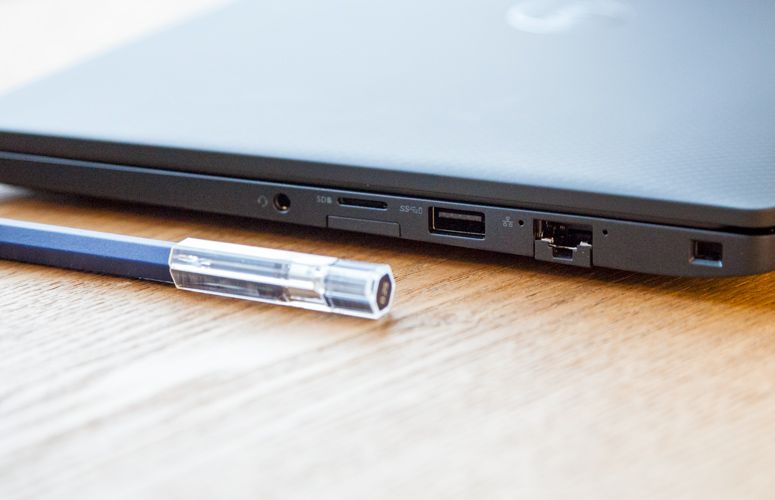
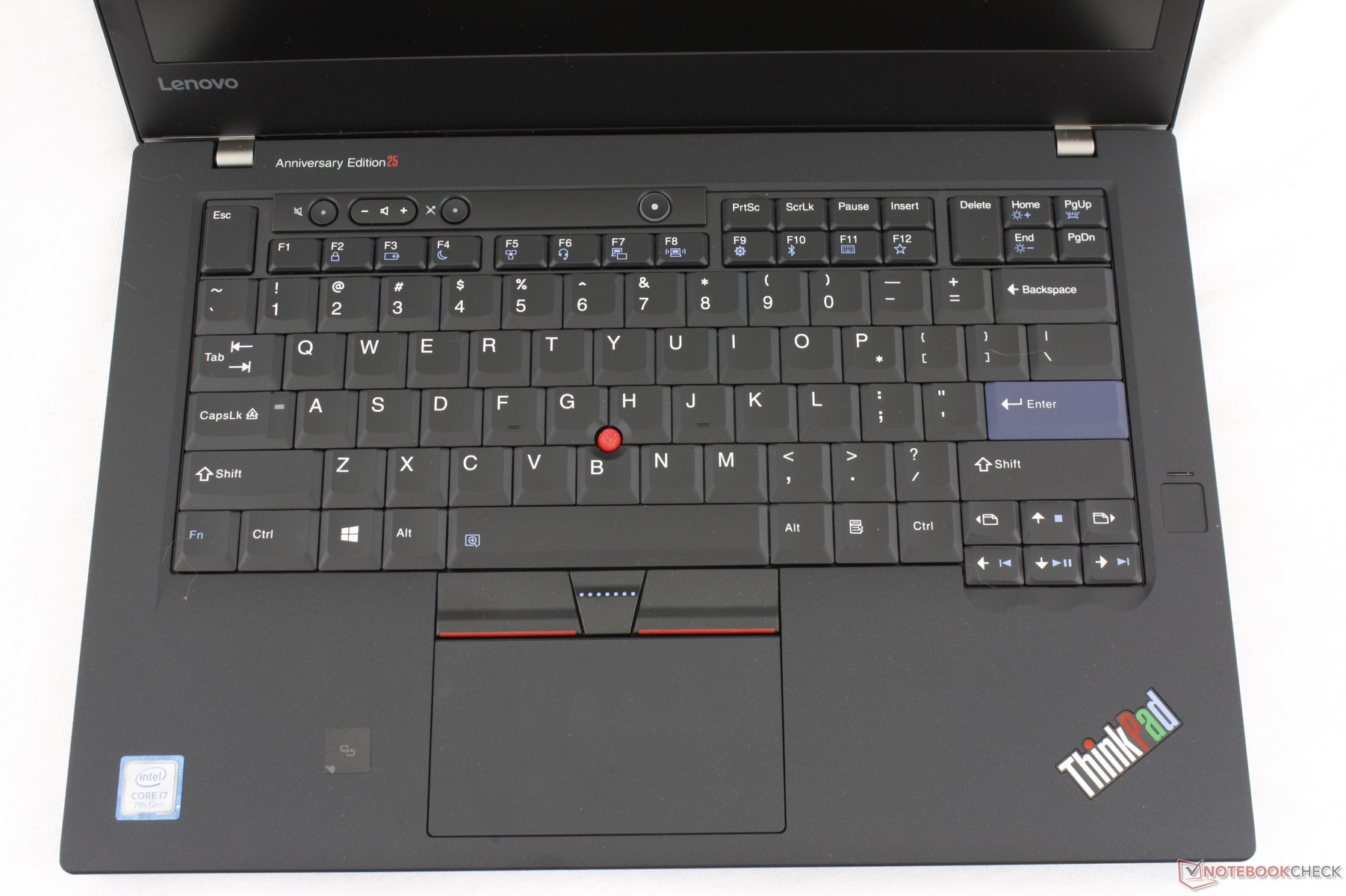
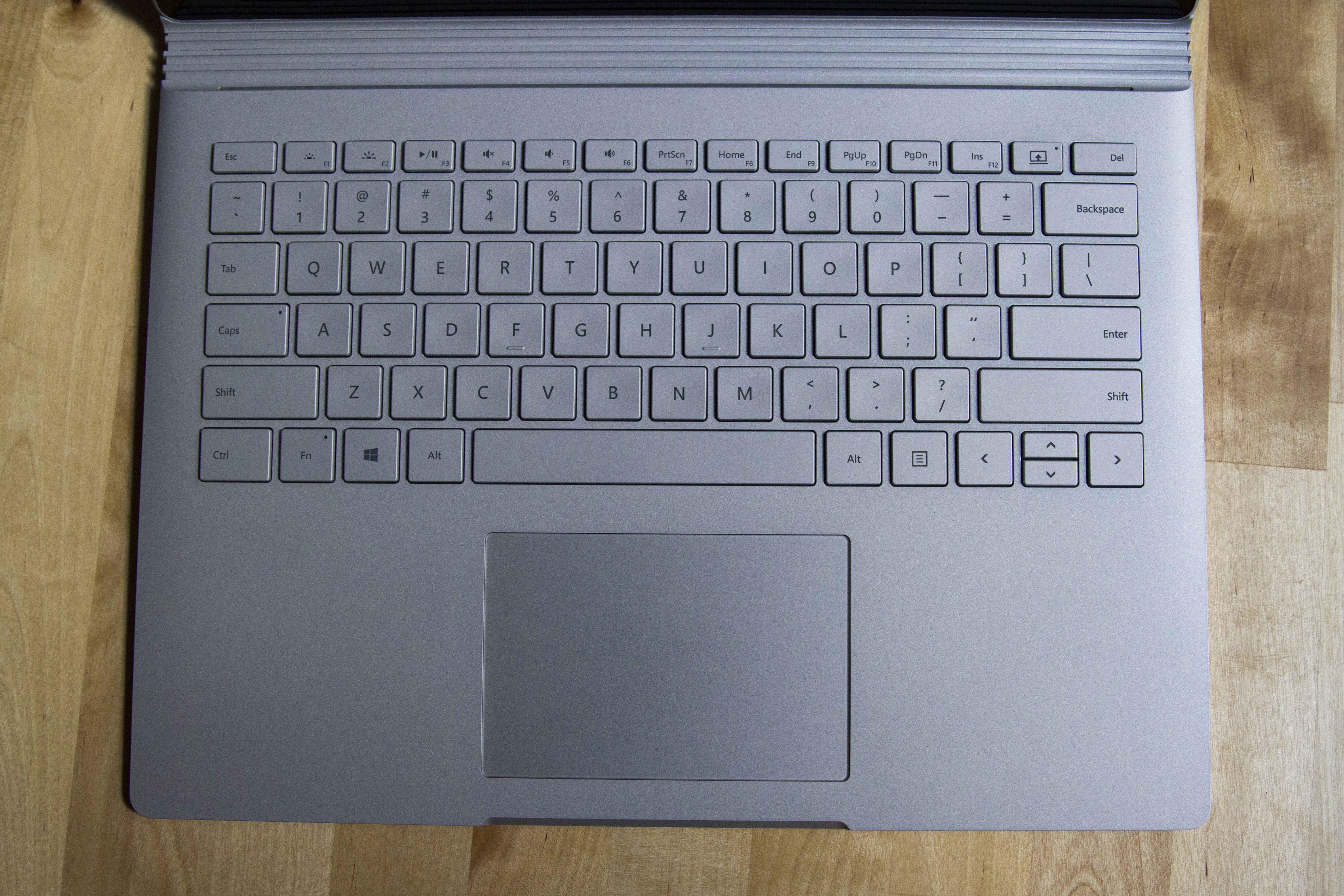
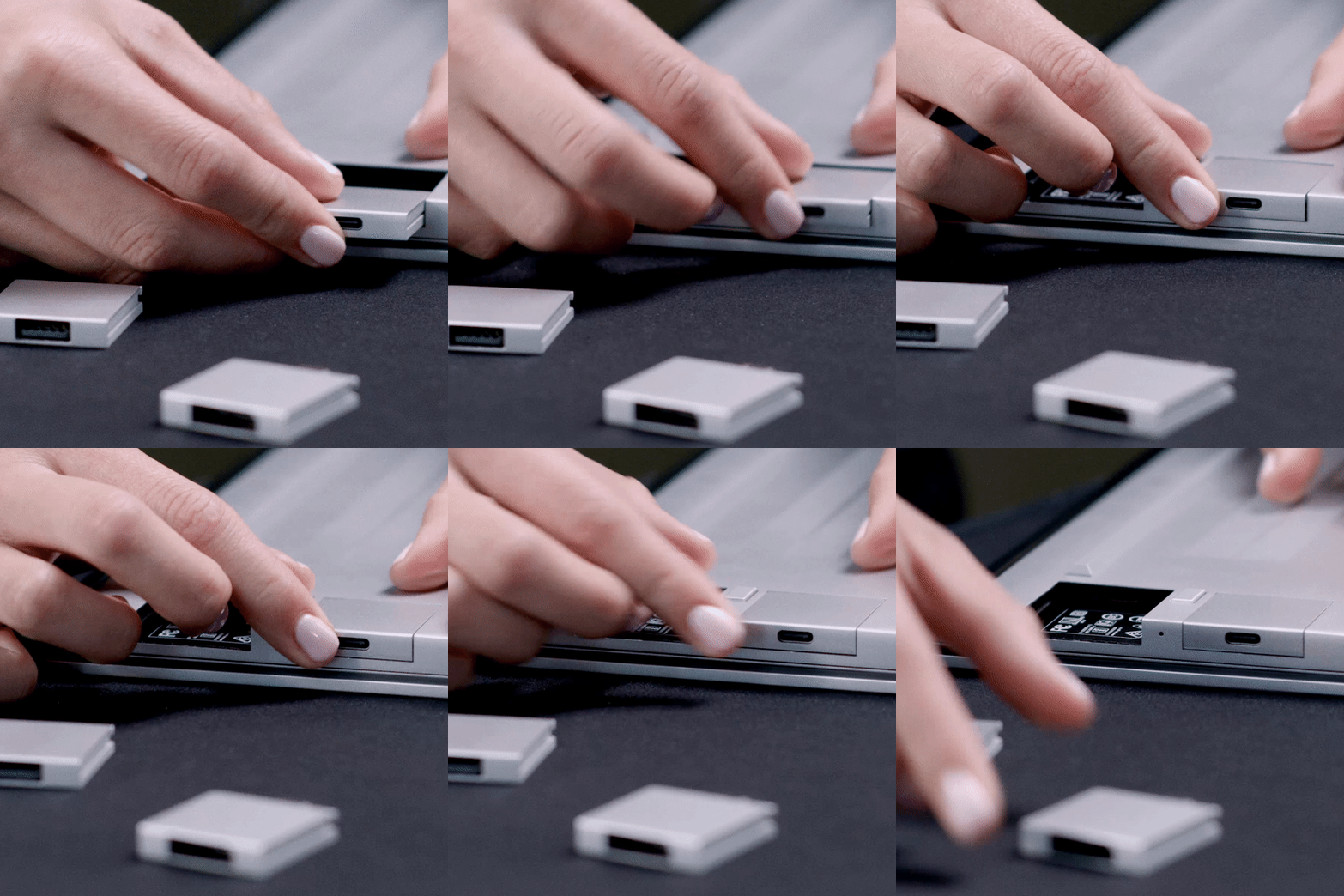
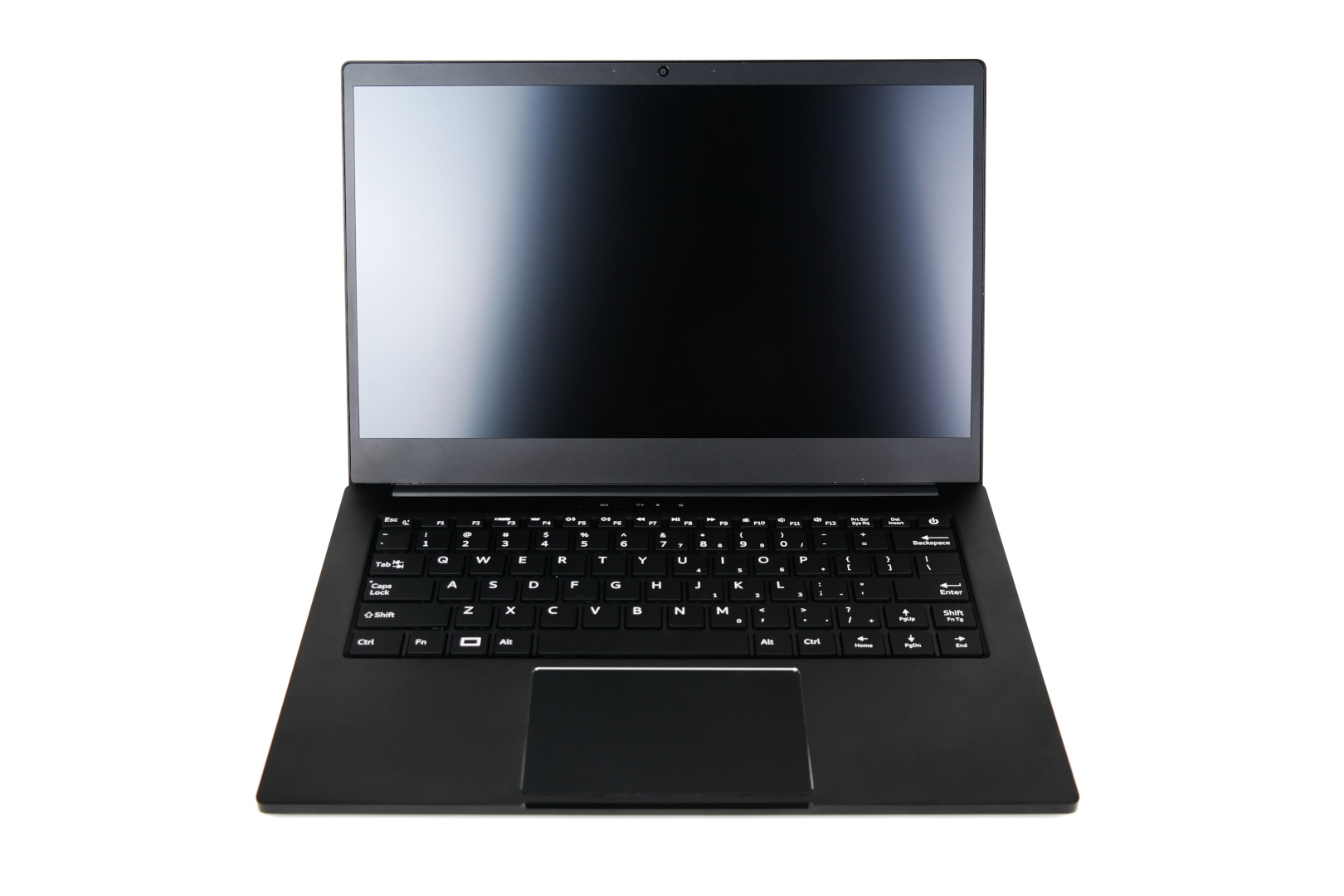
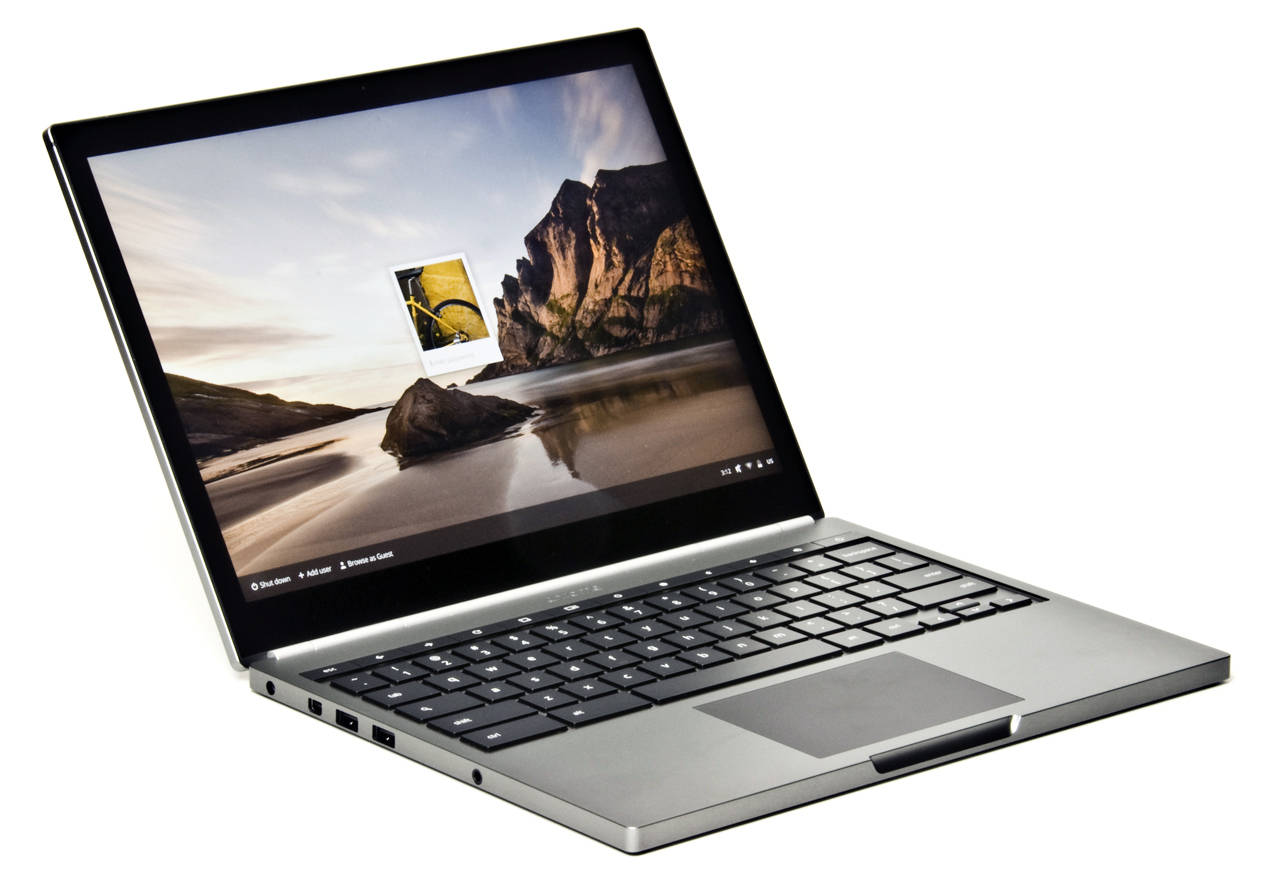
https://news.ycombinator.com/item?id=26263508&p=2
https://news.ycombinator.com/item?id=26263508&p=3
Apologies for the annoying repetition. It will eventually go away.